NavFolders
Bookmark manager and web navigatorOrganise and share useful websites
Highlights
What you can do with it
- Students organising study resources and courses
- Researchers managing databases and journals
- Professionals storing and sharing industry reports
- Content creators collecting tools and material
How to use it
- 1 Visit the NavFolders website
- 2 Browse categories and tags for resources that interest you
- 3 Open a resource detail page to learn more
- 4 Create an account to save and manage your own bookmarks
- 5 Use search to jump straight to something specific
- 6 Share what you find or submit a new resource
Who it is for
Pros
- Free to use at the moment
- Clear categories and tags make browsing fast
- Personal folders keep your own collection separate
- Sharing and submission build a shared library
Limitations
- Free now but pricing is undecided, so that can change
- Resource quality depends on community submissions
- No account means no syncing across devices
- Link rot is a real risk for any curated directory
What NavFolders is
NavFolders is a platform for discovering, organising and sharing website resources. Instead of a long browser bookmark bar you cannot search, it offers categories, tags and personal folders so links stay findable. Each resource has a detail page with an introduction, and there are submission flows so the community can add new sites and guides. The listing frames the service as a compass for a very large internet, and says it is free to use right now with pricing not yet decided.
What you can do with it
- Browse curated categories to find resources you did not know existed.
- Build personal bookmark folders for projects, study or work.
- Tag and search your collection so old links resurface fast.
- Share a resource through social accounts or email.
- Submit a guide or a new website for community review.
Who it is for
- Students who need courses, papers and tools in one place.
- Researchers managing databases, journals and reference material.
- Professionals who share industry reports and market analysis with colleagues.
- Content creators collecting assets, tools and inspiration.
What to watch out for
The service is free today, but pricing is explicitly undecided, so a paid tier or account limits can appear later. Resource quality depends on community submissions and review, so depth varies by category and some listings will be thin. Without an account you cannot sync bookmarks across devices, which limits usefulness if you work on several machines. Like any directory, it is exposed to link rot, so a resource page may point somewhere that has since moved or closed. Check a link before you rely on it for anything important.
FAQ
Is NavFolders free?
The listing says it currently offers free services, with pricing not yet decided.
Do I need an account?
You can browse without one, but creating an account lets you save and manage personal bookmarks.
Can I add my own resources?
Yes, there are submission flows for guides and new website resources, subject to community review.
How do I find things quickly?
Categories, a tag system and search are all listed as navigation aids.
Who is it for?
The listed uses cover students, researchers, professionals and content creators.
Why it is free
What the official page says: 免费
Free limits, trial length and features are decided by the official site and can change at any time.
Product preview
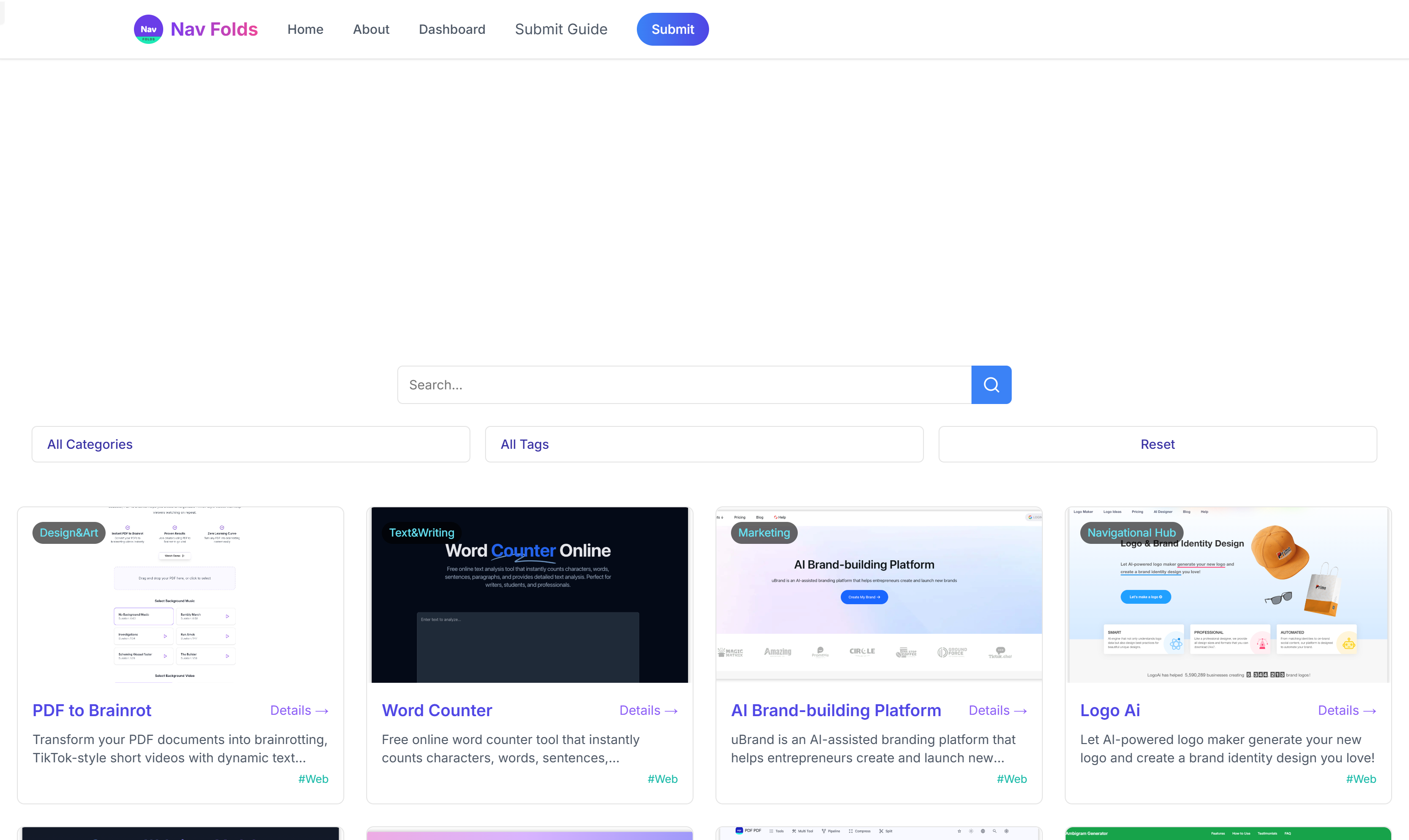
Screenshot archived from the listing page, for preview only.