
Needl
One search bar for all your appsSearch everything with one click
Highlights
What you can do with it
- Finding a file or message without remembering which app holds it
- Searching across work tools from one desktop bar
- Cutting time lost switching between applications during the day
How to use it
- 1 Install Needl on Windows, Mac, or Chrome
- 2 Connect the applications and platforms you use
- 3 Type a query into the search bar and browse results
- 4 Open the result directly from the search list
- 5 Upgrade to the paid version if you need more features and support
Who it is for
Pros
- Free version available
- Cross platform on Windows, Mac, and Chrome
- Simple search bar that fits existing workflows
Limitations
- Free version has fewer features than the paid version
- Only searches what it can connect, so unsupported apps stay invisible
- Site returned a redirect at review time, so confirm availability before relying on it
What Needl is
Needl is a unified search tool that collects the applications and platforms you already use behind one smart search bar. The problem it targets is simple: information ends up scattered across many programs, and finding a single file or message means opening them one by one. Needl instead lets you type what you remember into a single bar and searches across your connected apps. The team describes the goal as cutting search time and raising productivity. It supports Windows, Mac, and Chrome, so it drops into most desktop setups without asking you to rebuild your workflow. A free version is available, and a paid version adds more features and support. Because a search tool touches data from many sources, the listing also points to data security and privacy protection as part of the product.
What you can do with it
- Search across integrated applications and platforms from one bar
- Surface documents, messages, and links without opening each app by hand
- Keep the tool inside your existing Windows, Mac, or Chrome workflow
- Start on the free version and move to the paid version only if you need more
Who it is for
- People who work across many apps and lose time switching between them
- Professionals who need to find old files and messages without remembering where they sit
- Windows, Mac, and Chrome users who want a light search layer rather than another storage app
What to watch out for
Needl can only search what it is able to connect. If an application is not supported, its contents stay invisible and you will still open that app the old way. The free version offers less than the paid version, so check which features you actually need before committing. The listing shows the site returning a redirect at review time, which suggests access or terms may shift, and pricing beyond free and paid versions is not published in the listing. As with any tool that indexes your information, read the privacy terms before you grant broad access.
FAQ
Is Needl free to use?
The listing describes free and paid versions. The paid version adds more features and support.
Which platforms does Needl support?
Windows, Mac, and Chrome are listed as supported platforms.
What does Needl actually do?
It unifies search across your connected applications so you can find information from one bar instead of opening each app.
Does Needl protect my data?
The product description lists data security and privacy protection as features. Review the privacy terms before connecting sensitive apps.
Why it is free
What the official page says: 免费
Free limits, trial length and features are decided by the official site and can change at any time.
Product preview
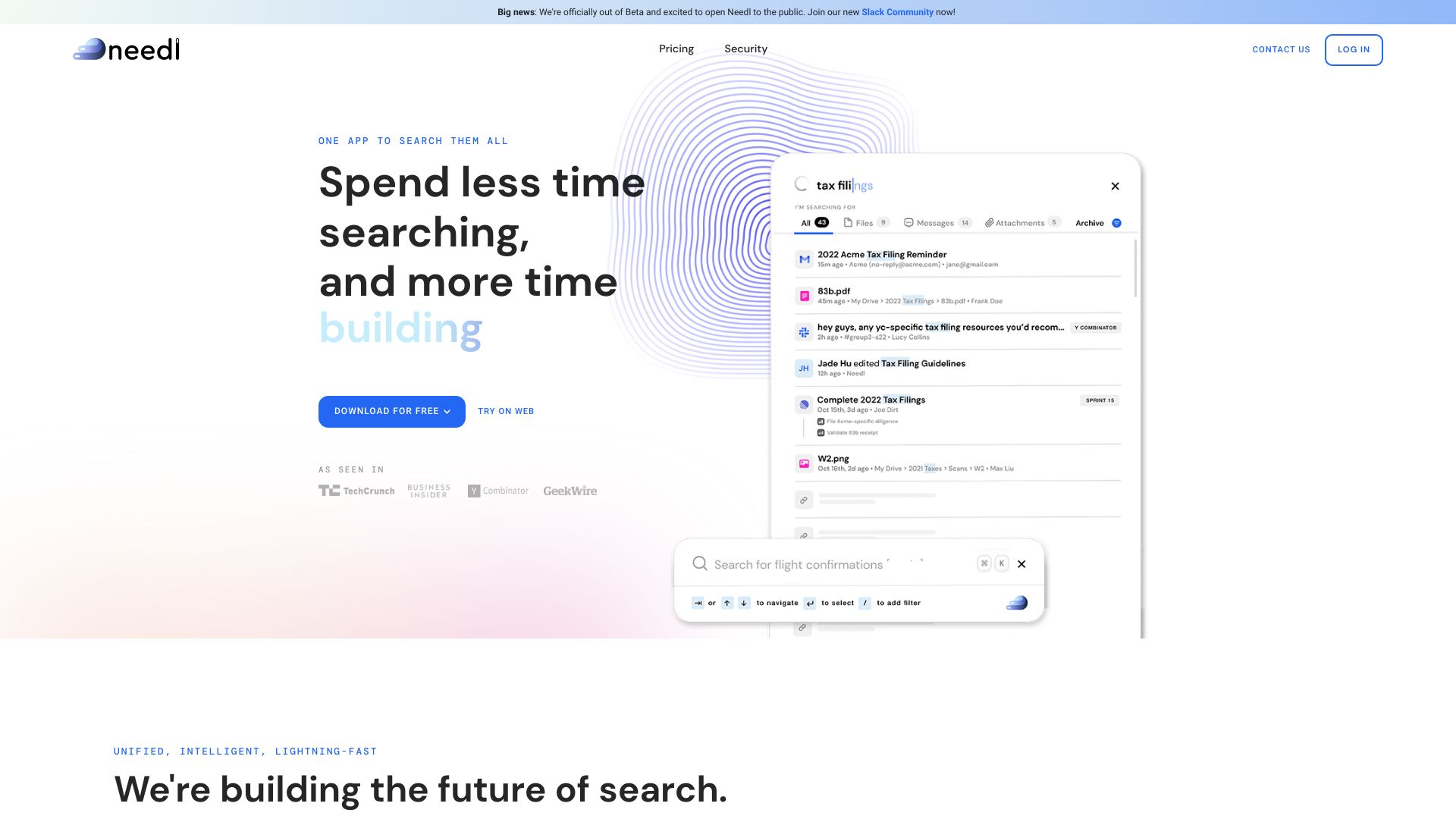
Screenshot archived from the listing page, for preview only.











