Nextbroswer
AI browser that automates sales and marketing tasksBrowser workflows that run themselves
Highlights
What you can do with it
- Collect potential customer information automatically for lead generation
- Post content and interact on social media on a schedule
- Search recruitment sites for candidates who fit the requirements
How to use it
- 1 Visit the Nextbrowser website and start the free trial
- 2 Register and log in to your account
- 3 Enter task instructions, such as a request to find candidates
- 4 Select a task mode such as fast or smart
- 5 Submit the task and wait for the agent to execute it
- 6 Review the results the browser returns
Who it is for
Pros
- Automation removes hours of manual browser work
- Tasks can run on a schedule, not just on demand
- Covers outreach, scraping, search, and monitoring in one place
- A free trial lets you test agent behavior first
Limitations
- Automated outreach can break website terms and spam rules
- Scraping personal data raises privacy and legal questions
- Agents may fail on sites that change layout or block bots
- Trial terms and pricing can change, and results need review
What Nextbrowser is
Nextbrowser is an AI-driven browser built for sales and marketing work. Its core is cloud-driven AI agents that carry out browser operations from your instructions, which means repetitive tasks run without you clicking through them one by one. It covers automated login, data scraping, outreach through email and social messages, candidate search on recruitment sites, SEO cooperation such as guest post and link outreach, social media monitoring, and influencer discovery. Workflows can run from any location, either instantly or on a schedule, and the product emphasizes scalability and geographic control. A free trial is available so you can see how the agents behave before paying.
What you can do with it
- Automate logins and scrape data from web pages.
- Run outreach through email and social messages at scale.
- Search recruitment sites for candidates who fit the requirements.
- Monitor social media and forums for feedback and trends.
Who it is for
- Sales and marketing staff with repetitive browser work.
- Recruiters searching across multiple sites for candidates.
- SEO and social teams running outreach and monitoring.
- Anyone whose day is spent doing the same clicks in a browser.
What to watch out for
Automated outreach can violate website terms of service and anti-spam rules, and accounts or domains can be restricted as a result, so keep volume reasonable and respect opt-outs to stay on the right side of the rules. Scraping personal data raises privacy and legal questions that vary by region, and you are responsible for how you collect and use that data, including consent and retention. Agents depend on page structure, so sites that change layout or block bots will cause failures you need to catch rather than trusting output blindly. Trial terms and pricing can change, and automated results should always be reviewed before they reach real prospects.
FAQ
What is Nextbrowser?
It is an AI-driven browser for sales and marketing that uses cloud agents to automate browser tasks.
What can it automate?
Automated login, data scraping, outreach messages, candidate search, SEO cooperation, social monitoring, and influencer outreach.
Is there a free trial?
Yes. The page offers a free trial option.
How do I run a task?
Enter instructions, choose a mode like fast or smart, submit, and the agent executes the task and returns results.
Why it is free
What the official page says: free trial
Free limits, trial length and features are decided by the official site and can change at any time.
Product preview
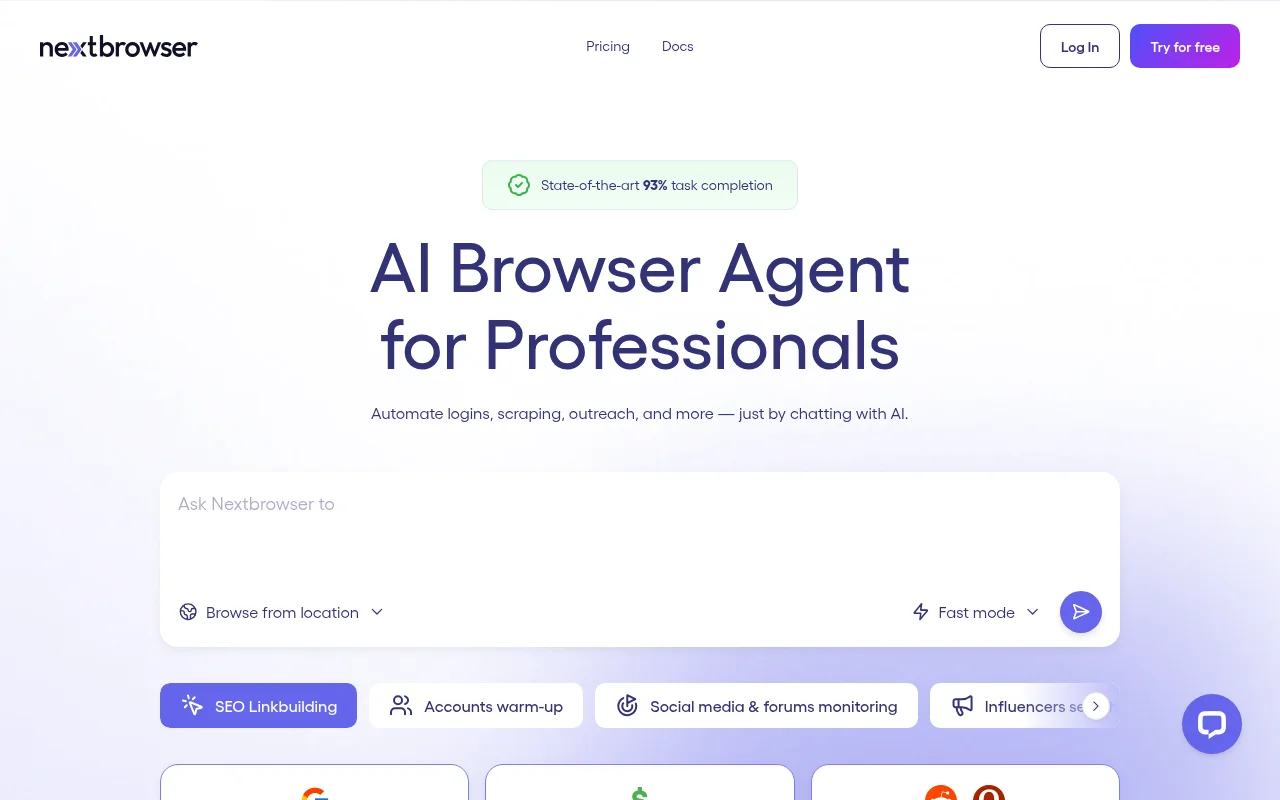
Screenshot archived from the listing page, for preview only.