Noota 3.0
Free AI meeting notesRecord meetings free, no credit card
Highlights
What you can do with it
- Record a sales call and push the outcome into your CRM
- Capture a recruitment interview as structured notes
- Analyse customer service calls for coaching
How to use it
- 1 Visit noota.io and start the free trial
- 2 Connect Noota to your meeting tool or start a recording
- 3 Let it record the session and generate a transcript
- 4 Review the AI notes, summary, and session analysis
- 5 Send the outcome to your CRM or share it with your team
Who it is for
Pros
- Free to try with no credit card required
- Generates transcripts, notes, and summaries in one place
- Adds session intelligence analysis, not just raw text
- Fits sales, academic, recruitment, and support workflows
Limitations
- Free terms and usage limits are not spelled out, so confirm them on the site
- It depends on your meeting platform, so recording quality can vary
- AI transcripts still need review before they go into a CRM
- A wide feature set means a learning curve for new users
What Noota 3.0 is
Noota 3.0 is an AI meeting assistant that automatically records meetings and generates customised meeting reports. The site promotes free meeting recording and AI powered notes, and you can start without a credit card. Its pitch is that every meeting, call, or interview becomes a usable record: you capture the conversation once and the assistant turns it into notes, a summary, and analysis. The tool is positioned for professionals who sit in calls all day and would rather spend that time listening than writing. Noota 3.0 sits in the AI meeting assistant and AI note assistant categories, and its tag list spans sales, academic, recruitment, management, consulting, and call centre work, which shows how broadly it is meant to be applied.
What you can do with it
- Record meetings automatically and get AI notes and summaries for each session
- Generate transcripts of full conversations for later reference
- Run session intelligence analysis on recorded calls
- Feed call outcomes into your CRM so customer records stay current
Who it is for
- Sales teams that need every call written up and pushed into a CRM
- Recruiters, consultants, and managers who run interviews and reviews
- Call centres and support teams that analyse conversations for coaching
- Remote teams that need a written record of decisions made on calls
What to watch out for
The site says Noota can be tried for free with no credit card, but the exact limits of the free plan and what happens afterwards are not spelled out in the material we have, so check the current terms before you depend on it. Recording also depends on the meeting platform you use, so quality and reliability can differ between tools. AI transcripts and summaries are a strong starting point, but they still need a human check before they are stored in a CRM or shared with a client. Because it covers recording, analysis, and CRM output, the setup can take longer than a single purpose note app, and free plans, included features, and usage caps can change at any time.
FAQ
Is Noota 3.0 free to use?
The site advertises free meeting recording and AI notes, and you can try it with no credit card required.
What does Noota produce from a meeting?
It generates a transcript, AI notes, a summary, and session intelligence analysis.
Can Noota update my CRM?
Yes. The site says it helps keep your CRM up to date by turning calls into business intelligence.
Why it is free
What the official page says: for freeno credit card
Free limits, trial length and features are decided by the official site and can change at any time.
Product preview
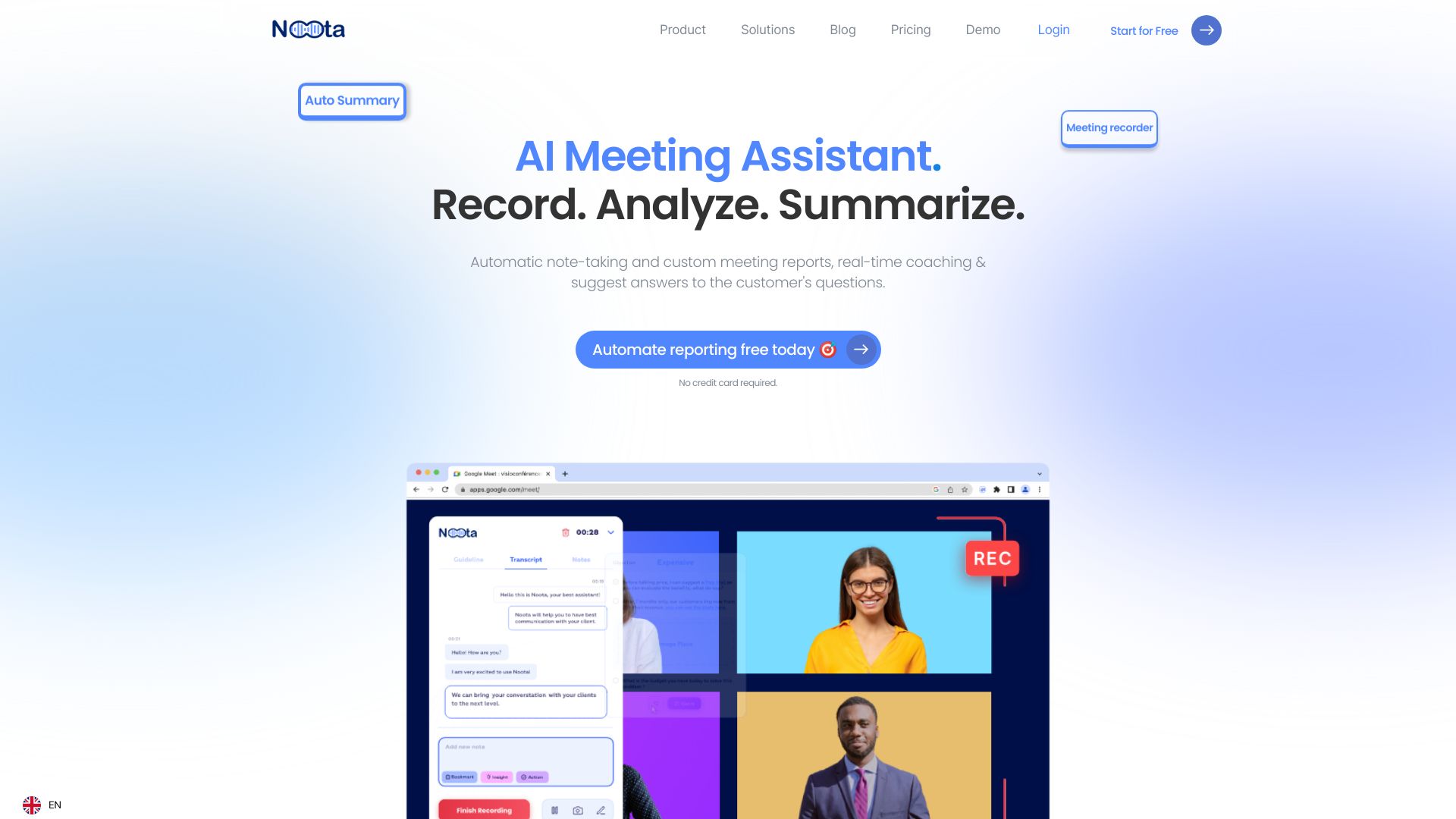
Screenshot archived from the listing page, for preview only.