
Noteithub
ChatGPT conversation to task listTurn AI chats into to-dos you can track
Highlights
What you can do with it
- Turning a study session with ChatGPT into a revision plan
- Converting a development discussion into trackable tickets
- Capturing product and marketing decisions from AI chats
How to use it
- 1 Open the settings page in ChatGPT
- 2 Go to the apps and connectors option
- 3 Select NoteitHub from the list and connect it
- 4 Create a to-do list and start planning
- 5 Follow the demo video to see summaries, tracking and calendar sync
Who it is for
Pros
- Runs inside ChatGPT rather than as a separate app
- Stops decisions and tasks from being lost in chat history
- Searchable logs make old conversations useful again
- Calendar sync keeps tasks visible where you work
Limitations
- Depends on ChatGPT's connector settings staying available
- Free trial only; ongoing use needs a paid plan
- Extraction quality depends on how structured your chats are
What NoteitHub is
NoteitHub is a productivity add-on for ChatGPT. The problem it targets is simple: useful decisions, tasks and advice get buried in a chat window and then lost. It connects to ChatGPT through the apps and connectors settings, then pulls the substance out of your conversations and turns it into to-do lists and a searchable log.
What you can do with it
- Connect NoteitHub to ChatGPT from the settings page.
- Convert a conversation into a structured to-do list automatically.
- Search past AI chats for decisions, strategies and insights.
- Track the status of each task and sync items to Google Calendar or Notion.
- Export a summary to share with teammates or archive.
Who it is for
Founders who think out loud with ChatGPT, independent developers who use it to work through technical decisions, and students who turn study chats into revision plans. It suits anyone whose AI conversations contain real work that needs to survive the session.
What to watch out for
The tool depends on ChatGPT's connector system, so if that changes or your plan does not include connectors, NoteitHub stops working. Access beyond the free trial is paid. Extraction quality also depends on how clearly your conversations state tasks; rambling chats produce messier lists that you will still need to tidy by hand. Free tiers and usage limits can change, so check the current rules on the official page before relying on it long term. Processing speed depends on file size and network conditions, so retry later if a task stalls during peak hours. Start with a small sample to confirm the output meets your expectations before processing the full batch.
FAQ
How does NoteitHub connect to ChatGPT?
You enable it from the ChatGPT settings page under apps and connectors, then select NoteitHub from the list.
What does it produce?
It turns conversations into to-do lists and searchable logs, and it can track progress and sync items to a calendar.
Is there a free trial?
Yes, the site offers a free trial so you can test how well it extracts tasks from your own chats.
Which calendars does it sync with?
It lists common tools such as Google Calendar and Notion.
Why it is free
What the official page says: free trial
Free limits, trial length and features are decided by the official site and can change at any time.
Product preview
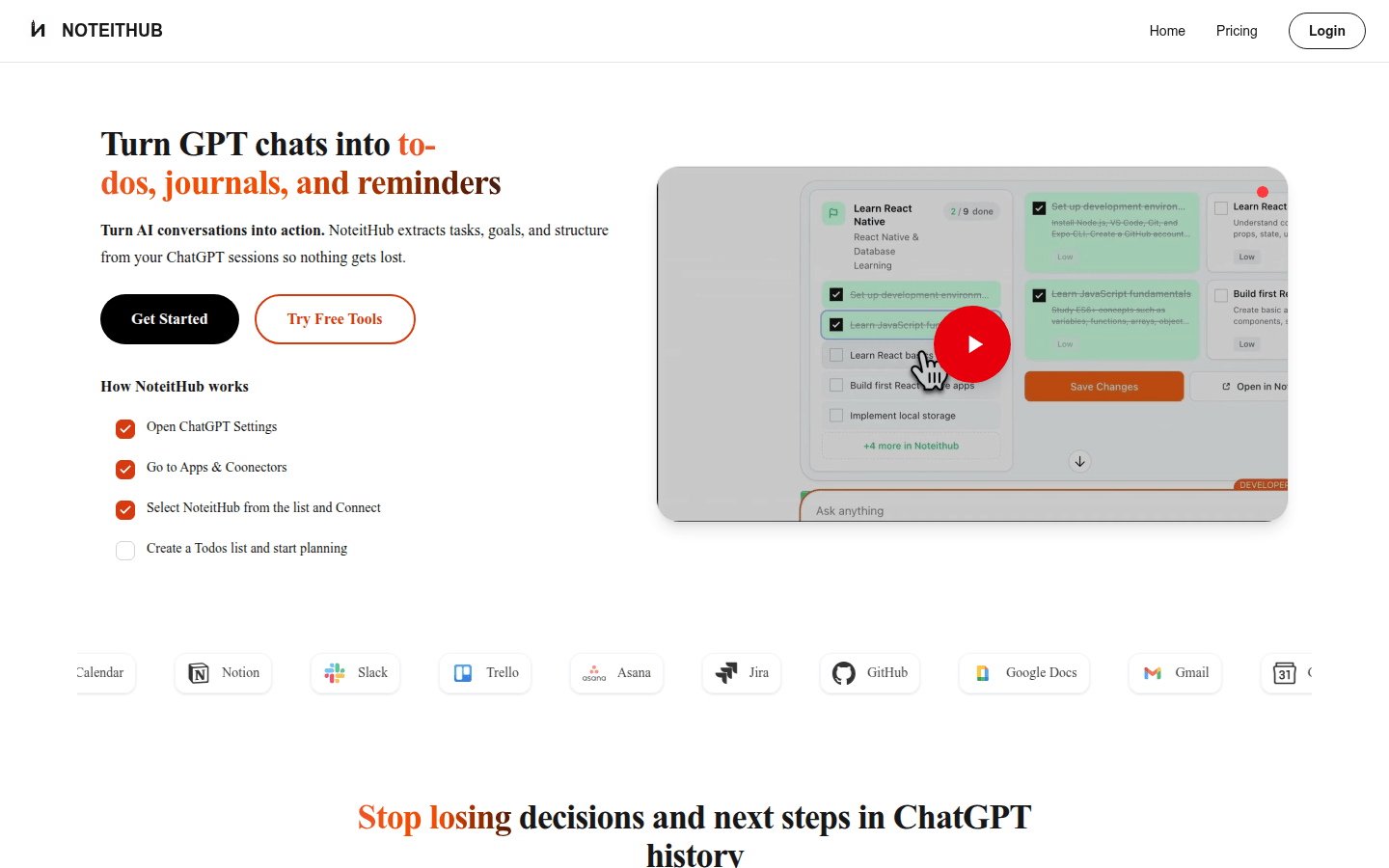
Screenshot archived from the listing page, for preview only.











