
Oh So Video
Free in-browser video toolboxNo uploads, no watermark, no account.
Highlights
What you can do with it
- Compress long vacation MOV files down to a size that fits email or WhatsApp.
- Trim a client interview to the key moments and pull subtitles or a transcript for notes.
- Turn iPhone footage into MP4, then extract the audio as MP3 for a podcast.
How to use it
- 1 Open https://ohsovideo.com in a browser; no registration, login, or extension install is needed.
- 2 Pick a tool from the homepage list, such as Compress, Trim, Crop, Subtitle, or MOV to MP4.
- 3 Drag a local file into the page or click to select one; it is read in the browser and never uploaded.
- 4 Set parameters such as quality or target size, trim points, crop ratio, subtitle language, or output format.
- 5 Preview the result, then export the finished video, MP3, GIF, SRT, or transcript to your device.
Who it is for
Pros
- Nothing is uploaded, so sensitive footage stays on your own machine.
- Completely free with no account, no watermark, and no subscription.
- A wide tool list in one place, including batch compression and batch cropping.
Limitations
- Speed and file size limits depend on your device; some tools accept files of any size while others stop at 2GB or impose a length limit.
- Mobile browsers may pause a tab in the background, which can interrupt a long job.
- Free access and the exact tool list can change over time, so confirm before relying on it for paid client work.
What Oh So Video is
Oh So Video is a free online video toolkit that runs entirely inside your browser. The site is completely free: there is no account to create, no watermark on output, no trial period, and no premium subscription tier. Its main idea is local processing. When you drop a file into the page, the browser reads and works on it on your own device instead of sending it to a server. That means home videos, client interviews, product demos, and consulting recordings never leave the machine, which removes upload waiting time and lowers the risk of files being exposed somewhere else. The project was built by Tom Limb, founder and CEO of Videvo and former Head of Video at Magnific.
What you can do with it
- Compress one video or a batch of videos down to sizes that work for email, chat apps, and social platforms.
- Trim and crop with frame-level accuracy, including 9:16, 4:5, 1:1, and 16:9 ratios for TikTok, Instagram, and YouTube.
- Generate subtitles in 90 languages, burn them into the video or export SRT files, and transcribe video or audio to text.
- Convert MOV files from phones and cameras into MP4, pull the audio out as MP3, or turn clips into GIFs.
- Record yourself with a scrolling teleprompter for voiceovers, courses, and product demos.
Who it is for
- Content creators and social media managers who need to resize, crop, and subtitle clips every day.
- People who handle private footage such as family recordings or client interviews and do not want it uploaded.
- Businesses, trainers, and educators working with course recordings, testimonials, and product demos.
- Phone and camera owners who need MOV files turned into formats other people can actually open.
What to watch out for
Processing load falls on your own hardware, so a large file on an older laptop will be slower than on a desktop. Some tools accept files of any size while others stop at 2GB or impose a length limit, and long jobs tend to run best on a computer. On a phone, the browser may pause the tab when you switch away or lock the screen, which can interrupt a job in progress. The site is free right now, but free access and the exact tool list can change, so check the page before you depend on it for paid client work.
FAQ
Do I need an account to use Oh So Video?
No. You open the site, choose a tool, and start working. There is no registration, login, or extension install.
Are my videos uploaded anywhere?
No. Processing happens in your browser, so files stay on your device.
Which video jobs can it handle?
Compression, trimming, cropping, subtitles in 90 languages, transcription, teleprompter recording, MOV to MP4, video to MP3, GIF conversion, flipping and rotating, audio removal, plus batch compression and cropping.
Why it is free
What the official page says: for freecompletely free
Free limits, trial length and features are decided by the official site and can change at any time.
Product preview
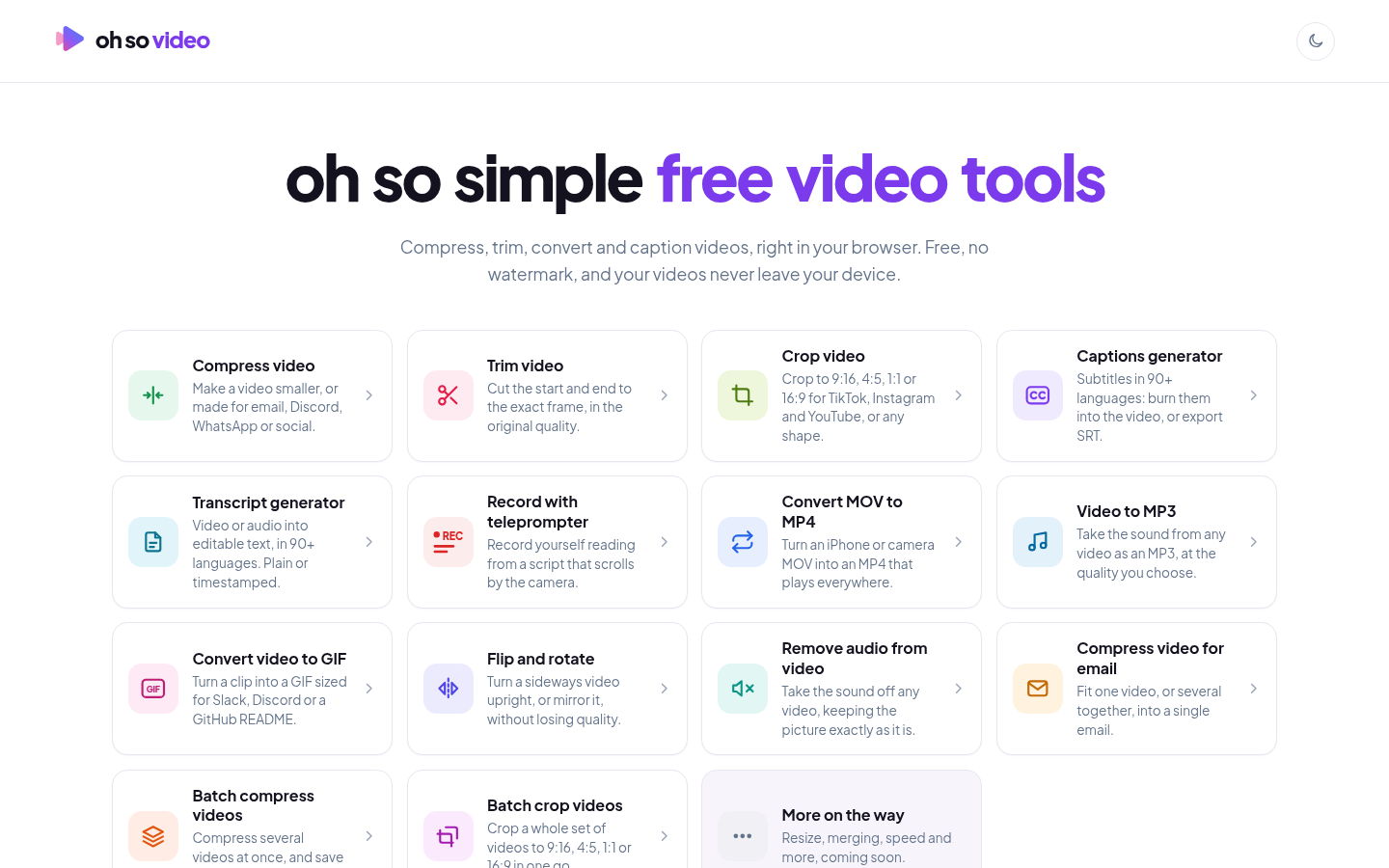
Screenshot archived from the listing page, for preview only.











