
Online Whiteboard
The simplest online whiteboard for fast collaborationShare a canvas instantly and draw together, no setup
Highlights
What you can do with it
- Teachers run remote lessons and solve math problems live on a tablet
- Remote teams sketch architecture and UI ideas together in real time
- Creative teams capture and organize brainstorming ideas quickly
How to use it
- 1 Click the button to instantly generate a new online whiteboard link
- 2 Copy the link and send it to the people who need to collaborate
- 3 Anyone with the link clicks to join the whiteboard session
- 4 Start drawing, writing, or brainstorming together in real time
Who it is for
Pros
- No installation and no account needed to start drawing
- A single link brings everyone onto the same canvas
- Real-time updates keep the whole group in sync
- Free version is enough for basic drawing and sharing
Limitations
- Free version covers basics; advanced tools and storage are paid
- Anyone with the link can join, so privacy depends on link handling
- Feature set is focused and may not replace full design suites
- Free plan terms and limits can change over time
What Online Whiteboard is
Online Whiteboard is an online whiteboard tool that lets users collaborate visually on any device through the browser. There is nothing to install and nothing to configure, which is the main point of the product. You click one button and instantly get a new, private board with a unique link. You then copy that link and send it to colleagues, students, or friends through any chat app, email, or messaging platform. Anyone who has the link can join and start drawing in real time. A free version covers basic drawing, sharing, and collaboration, while some advanced tools, storage, and team management features are paid. It is built for speed, so a group can go from idea to sketch in seconds.
What you can do with it
- Create a brand new, private whiteboard link with a single click and use it right away.
- Share the board through any chat app, email, or messaging tool so others can join.
- Draw sketches, write notes, or run a brainstorm live with everyone on the same canvas.
- Teach remotely by solving problems or drawing concept maps on a tablet in real time.
Who it is for
- Teachers who need real-time drawing and sharing for remote or hybrid lessons.
- Remote teams that need to sketch architecture, UI, or plans together quickly.
- Creative workers who want a fast way to capture and organize ideas as a group.
What to watch out for
The free version is meant for basic drawing, sharing, and collaboration, so advanced tools, extra storage, and team management are paid. Because access depends on a link, privacy is only as strong as how carefully you share that link. The tool is deliberately simple, so it will not replace a full design or diagramming suite for complex projects. Free plan terms and limits can change, so check the current offering before you depend on it for regular class or team use.
FAQ
Do I need to install anything?
No. Online Whiteboard runs in the browser, so you can create and share a board without installing software or setting up an account.
How do people join a board?
You copy the board's unique link and send it to anyone. People with the link click it to join and start drawing together.
Is there a free version?
Yes. The free version includes basic drawing, sharing, and collaboration. Advanced tools, storage, and team management are paid features.
Why it is free
What the official page says: free version
Free limits, trial length and features are decided by the official site and can change at any time.
Product preview
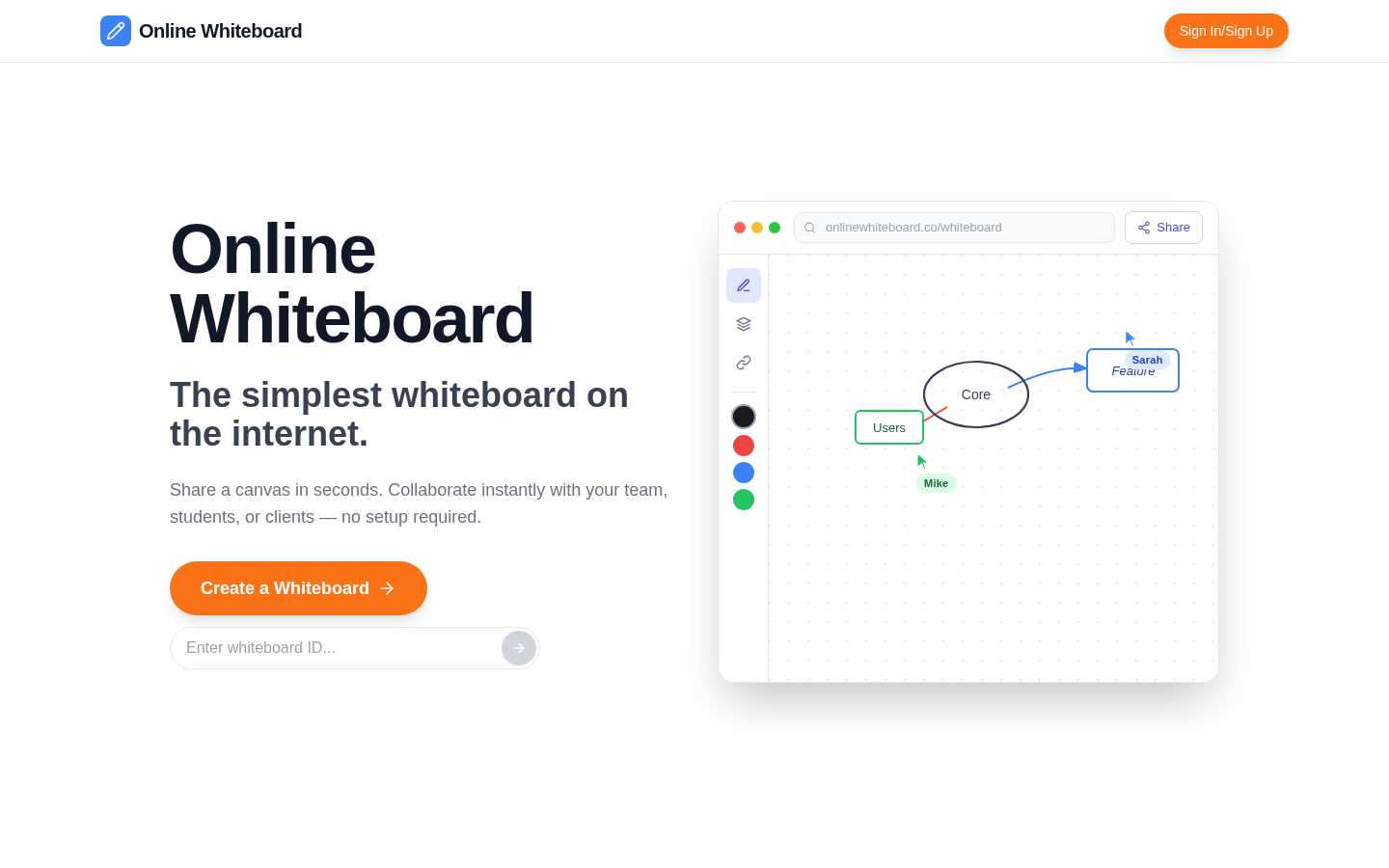
Screenshot archived from the listing page, for preview only.











