
OpExams
Free question generatorMake test questions from text
Highlights
What you can do with it
- Build a quiz from a chapter in minutes
- Turn your own notes into practice questions
- Print a paper for a class test
How to use it
- 1 Open the free question generator page.
- 2 Paste your text or enter a topic.
- 3 Choose the question types you want.
- 4 Save, export, or print the set.
Who it is for
Pros
- Free and quick to start
- Several question formats from one source
- Exports straight into Word or Excel
Limitations
- Generated questions need review before use in a real exam
- It does not know your syllabus or difficulty target
- Free access and export limits can change
What OpExams is
OpExams is a free question generator that reads text and produces questions from it. You paste in a passage, a chapter, or a topic, and it returns a set in several formats: multiple choice, true or false, fill in the blank, and open ended. You can save the set, export it to Excel or Word, or print it directly as a paper. The design target is speed, so a teacher or trainer with a source document can have a usable quiz in minutes rather than an afternoon.
What you can do with it
- Turn any passage into a mixed question set.
- Choose the formats that suit the age group or subject.
- Save sets and reuse them across classes or terms.
- Export to Word or Excel for editing, or print straight away.
Who it is for
- Teachers who need a quiz before the next lesson.
- Corporate trainers building knowledge checks.
- Students who want to test themselves on their own notes.
What to watch out for
Generated questions are only as good as the source text, and the tool has no idea what your syllabus covers or what level you are teaching, so every set needs a human read before it reaches students. Open ended questions in particular tend to be vague. The free page may add limits or change its export behaviour at any time, and pasting copyrighted material into a third party tool is something you should be comfortable with. Treat the output as a first draft that saves you typing. Behavior may vary across browsers and devices, so test before production use and consult the help docs if errors appear.
FAQ
What question types can it make?
Multiple choice, true or false, fill in the blank, and open ended questions.
Can I export the questions?
Yes. You can save them and export to Excel or Word, and you can print them.
How accurate are the questions?
They are generated from the text you supply, so quality depends on that source and every set should be reviewed.
Why it is free
What the official page says: 免费
Free limits, trial length and features are decided by the official site and can change at any time.
Product preview
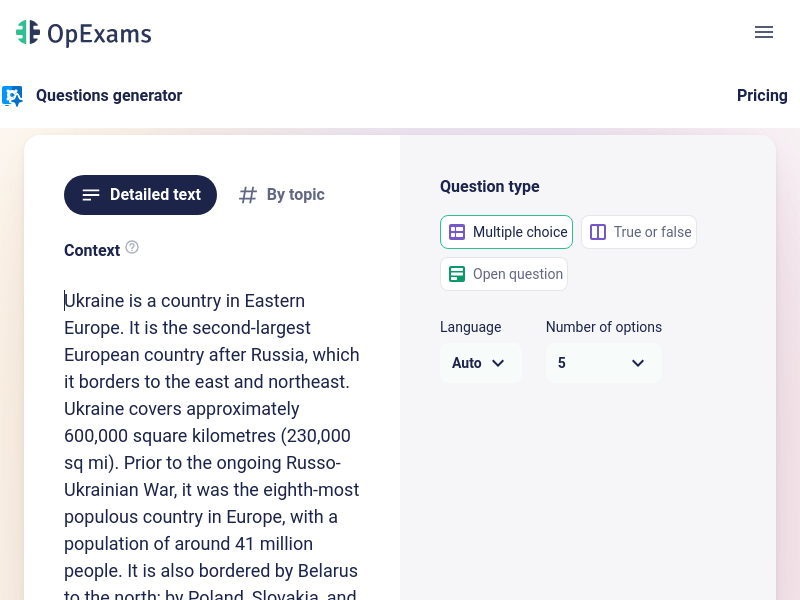
Screenshot archived from the listing page, for preview only.











