
Panzoe Technolgies Inc
An AI operating system that bundles daily briefings, summaries, and 25 AI apps.One AI assistant for work, family, and daily life.
Highlights
What you can do with it
- A professional hears the day's meetings and key emails each morning
- A family finds unused subscriptions through life gap analysis and cancels them
- A business owner tracks project progress and financial status in one place
How to use it
- 1 Open panzoe.ai to watch the short intro or hear a free daily briefing without registering
- 2 Click start free to begin the 7-day trial, no credit card needed
- 3 Connect platforms such as Google, Microsoft 365, Notion, or GitHub
- 4 Use features like voice scheduling, document summarization, and life gap analysis
- 5 Decide during the trial whether to continue with a paid subscription
Who it is for
Pros
- One platform replaces several scattered AI tools
- Free daily briefing to sample before any signup
- Shared AI Brain keeps assistants consistent across features
Limitations
- After the 7-day trial it needs a paid subscription and the price is not listed
- Connecting accounts like email and calendar means sharing access to personal data
- The 7-day window may be short to judge long-term usefulness
What Panzoe is
Panzoe is an AI operating system for work, family, and life. It pulls many tools into one platform, including an AI Brain shared memory, a Daily Briefing, built-in ChatGPT, and 25 AI apps. Each morning it can give a spoken briefing on your schedule, inbox, health, and finances, summarize any document, arrange your calendar from a spoken request, and flag gaps in your routine such as overdue tasks or unused services. You can hear a free daily briefing without registering, and a 7-day free trial is offered with no credit card, after which it moves to a paid subscription whose price is not listed.
What you can do with it
- Get a spoken morning briefing on schedule, email, health, and money
- Summarize long documents into key points in seconds
- Turn a spoken plan into calendar events with invites
- Let the AI Brain remember details once and share them across features
Who it is for
- Parents juggling family schedules and activities
- Professionals who want the day's meetings and priorities laid out each morning
- Business owners tracking projects, contracts, and finances in one place
What to watch out for
The free parts are limited to a short intro and a daily briefing, and the main product needs a paid subscription after the 7-day trial, with no price shown on the page. Connecting accounts such as email and calendars means granting access to personal data, so review permissions carefully. Seven days may be too short to judge whether the shared-memory approach fits how you work. Behavior may vary across browsers and devices, so test before production use and consult the help docs if errors appear.
FAQ
Can I try it without signing up?
Yes, the page offers an 80-second intro and a free daily briefing without registration.
Does the free trial need a card?
No, the 7-day free trial does not ask for credit card information.
What does the AI Brain do?
It lets all assistants share one memory so you only tell information once.
Why it is free
What the official page says: free trial
Free limits, trial length and features are decided by the official site and can change at any time.
Product preview
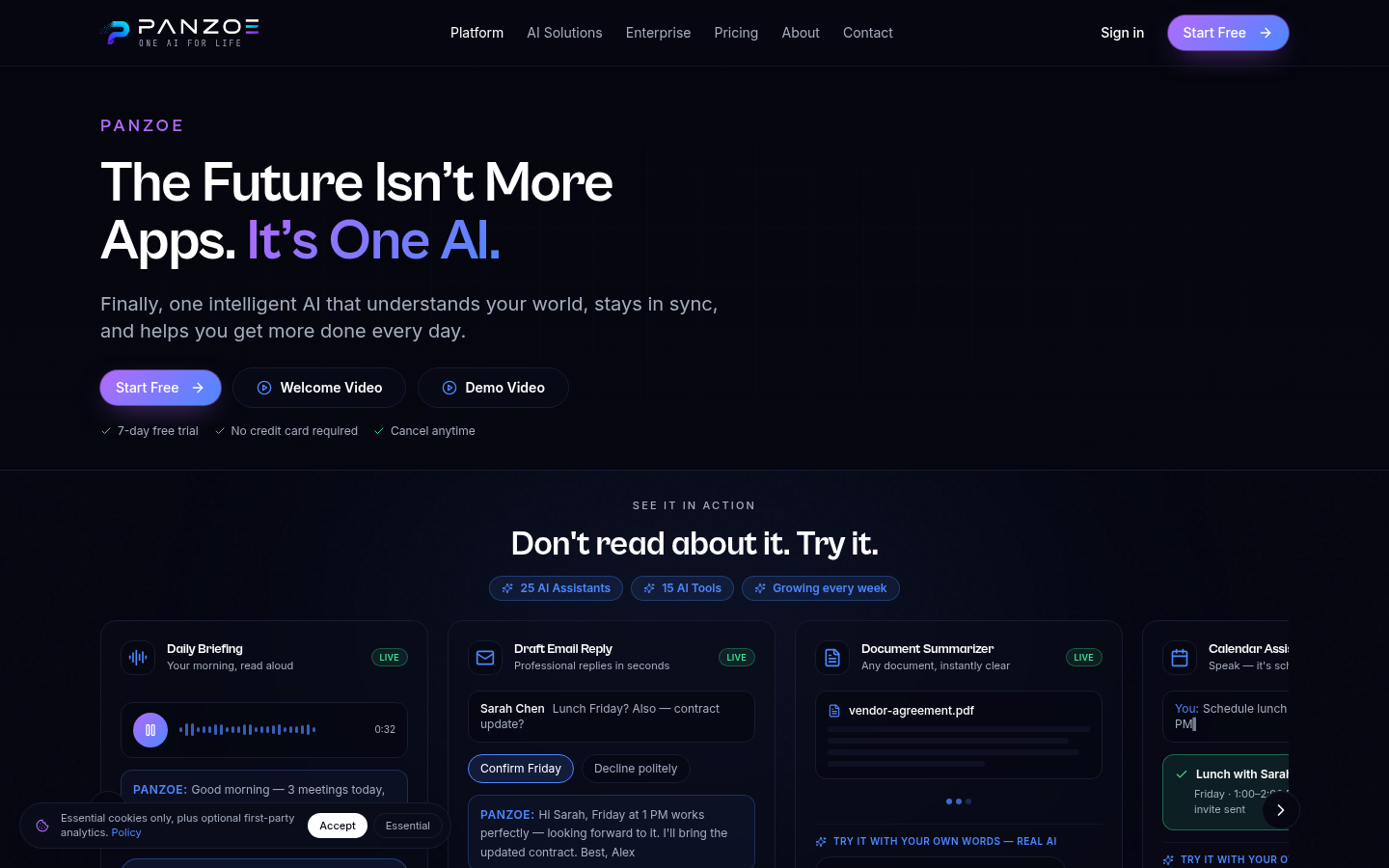
Screenshot archived from the listing page, for preview only.











