PicLooks
Free AI avatars for design and marketingFree AI avatars, no login, commercial use
Highlights
What you can do with it
- Designers use the avatars in website design prototypes
- Marketing teams build social media ads that attract attention
- Developers use them as placeholders during app development
How to use it
- 1 Open the PicLooks site in your browser.
- 2 Browse the available avatar images and styles.
- 3 Pick one you like and click download.
- 4 Open the file in your design software.
- 5 Resize and position it in your prototype, ad, or interface.
- 6 Publish or edit further once the design is done.
Who it is for
Pros
- Free to download with no account needed
- Commercial use is allowed
- No attribution or credits required
- Saves the time spent searching stock photo sites
Limitations
- You choose from existing avatars rather than generating custom ones
- The free rules and library can change at any time
- Style coverage may not fit every brand or audience
- Nothing guarantees the library stays online
What PicLooks is
PicLooks is a website that offers free AI generated realistic avatars. The images are produced entirely by AI, which the site says removes the copyright worries that come with traditional stock photo libraries. Downloads are described as completely free, with no registration or login required, and the avatars can be used commercially without credits or attribution. The intended use is practical: design prototypes, marketing materials, and application interfaces where you need a face in the right place quickly. Several avatar styles are available so that different projects can find a fit without hunting through multiple stock sites.
What you can do with it
- Download realistic avatars for website and app prototypes.
- Use faces in social media ads and marketing materials.
- Drop placeholders into interfaces during development.
- Pick from several styles to match a project's tone.
Who it is for
- Designers building prototypes and mockups.
- Marketing teams producing social and display ads.
- Developers who need placeholder faces in an interface.
- Anyone who wants stock style images without licensing fees.
What to watch out for
You choose from the avatars that already exist on the site rather than generating a custom face from a prompt, so the collection may not cover every brand or audience you need. Because the images are free and served from one site, the library and the rules around it can change or disappear, so keep local copies of anything you rely on. If a project needs a specific person, a specific age range, or a consistent cast across a campaign, check whether the current styles actually support that before you build a layout around them. It is also worth confirming the terms on the day you download, since free libraries sometimes add restrictions later.
FAQ
Is PicLooks really free?
The site states downloads are completely free with no registration or login.
Can I use the avatars commercially?
Yes, commercial use is stated as allowed without copyright concerns.
Do I need to credit the source?
No credits or acknowledgments are required.
How do I get one?
Browse the collection, pick an avatar, and click download.
Why it is free
What the official page says: 免费
Free limits, trial length and features are decided by the official site and can change at any time.
Product preview
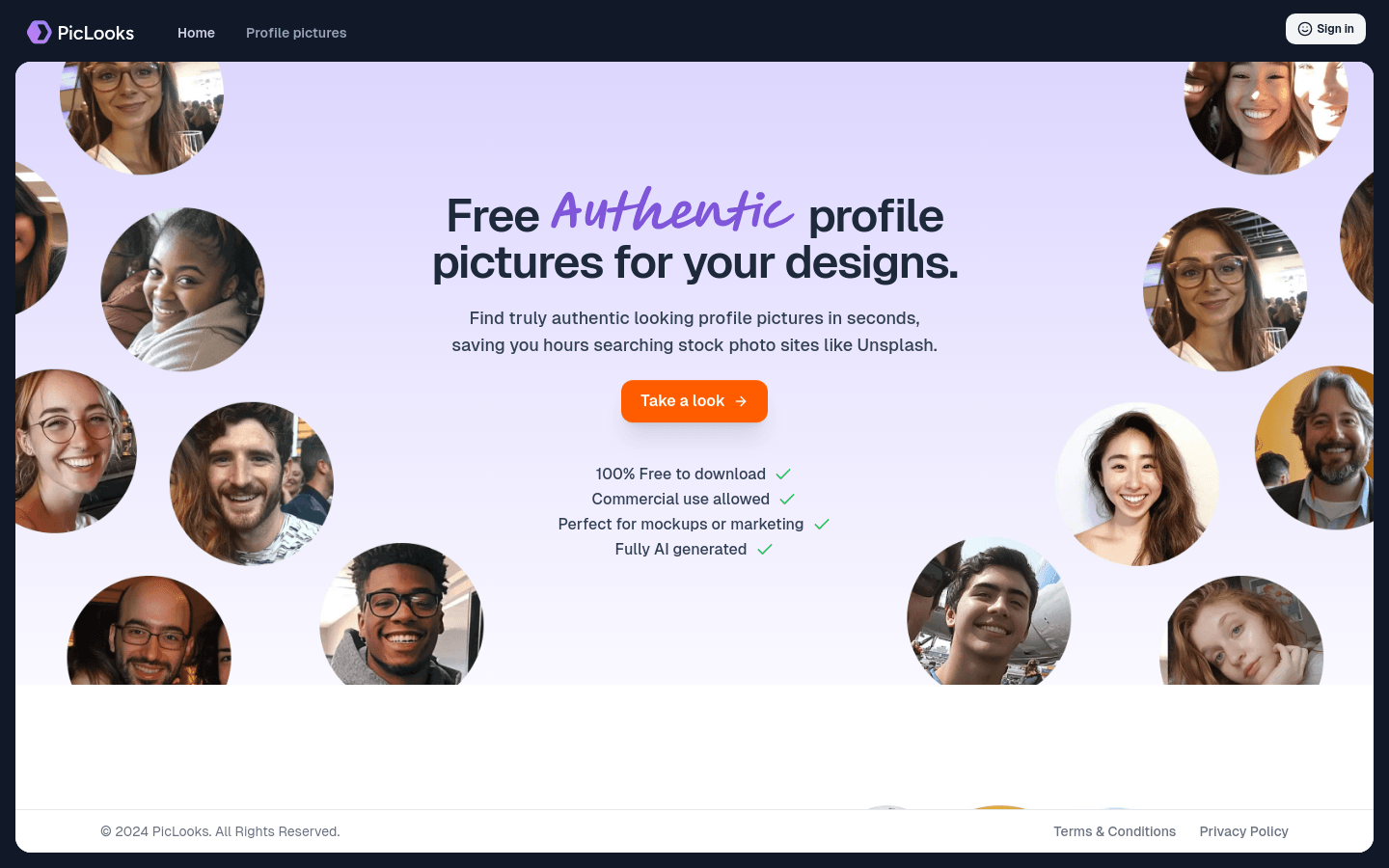
Screenshot archived from the listing page, for preview only.