PicoClaw
Lightweight cross-platform dev toolFast, cross-platform, open-source downloads
Highlights
What you can do with it
- Download the tool for your OS and architecture
- Verify downloads with the SHA256 checksum
- Subscribe to updates and product news
How to use it
- 1 Open the PicoClaw product page
- 2 Pick your platform and architecture
- 3 Download the latest version
- 4 Verify the file with the SHA256 checksum
- 5 Install and start using PicoClaw
Who it is for
Pros
- Free and open source
- Wide platform and architecture support
- Checksums help confirm file safety
Limitations
- Free access and builds can change over time
- Some technical skill needed to install
- Aimed at developers, not general users
What PicoClaw is
PicoClaw is open-source software developed by Sipeed, and it can be used for free. It is lightweight, cross-platform, and extremely fast, and it is built for users on different platforms who do not want to worry about compatibility. Its main advantages are low resource use, support for many platform architectures, and fast downloads. It provides SHA256 checksums so you can verify files, multi-language support, and ways to subscribe to updates. It is aimed at developers and technical users.
What you can do with it
- Download builds for many platforms and architectures
- Always get the latest version automatically
- Verify files with SHA256 checksums
- Subscribe to updates and product news
Who it is for
- Developers working across operating systems
- Technology enthusiasts tracking new releases
- Enterprise technicians needing stable builds
What to watch out for
It is free and open source, but access and available builds can change over time. Some technical skill is needed to install and use it, so it is aimed at developers rather than general users. Always verify downloads with the checksum before you run them. Support may depend on the community rather than a dedicated team. Name and archive exported files consistently so you can find and reuse them, and keep a backup copy of key data. When quality matters, export a small draft first to confirm the result before producing the final file. Behavior may vary across browsers and devices, so test before production use and consult the help docs if errors appear. Features and interface details may change between versions, so review the latest notes on the page before you start. For team use, agree on naming and editing conventions in advance to avoid version conflicts or duplicated work.
FAQ
Is PicoClaw free?
Yes. It is open-source software that can be used for free.
Which platforms does it support?
It supports many architectures across macOS, Windows, Linux, FreeBSD, and Android.
How do I check the download?
You can use the provided SHA256 checksum to verify file integrity.
Why it is free
What the official page says: for free
Free limits, trial length and features are decided by the official site and can change at any time.
Product preview
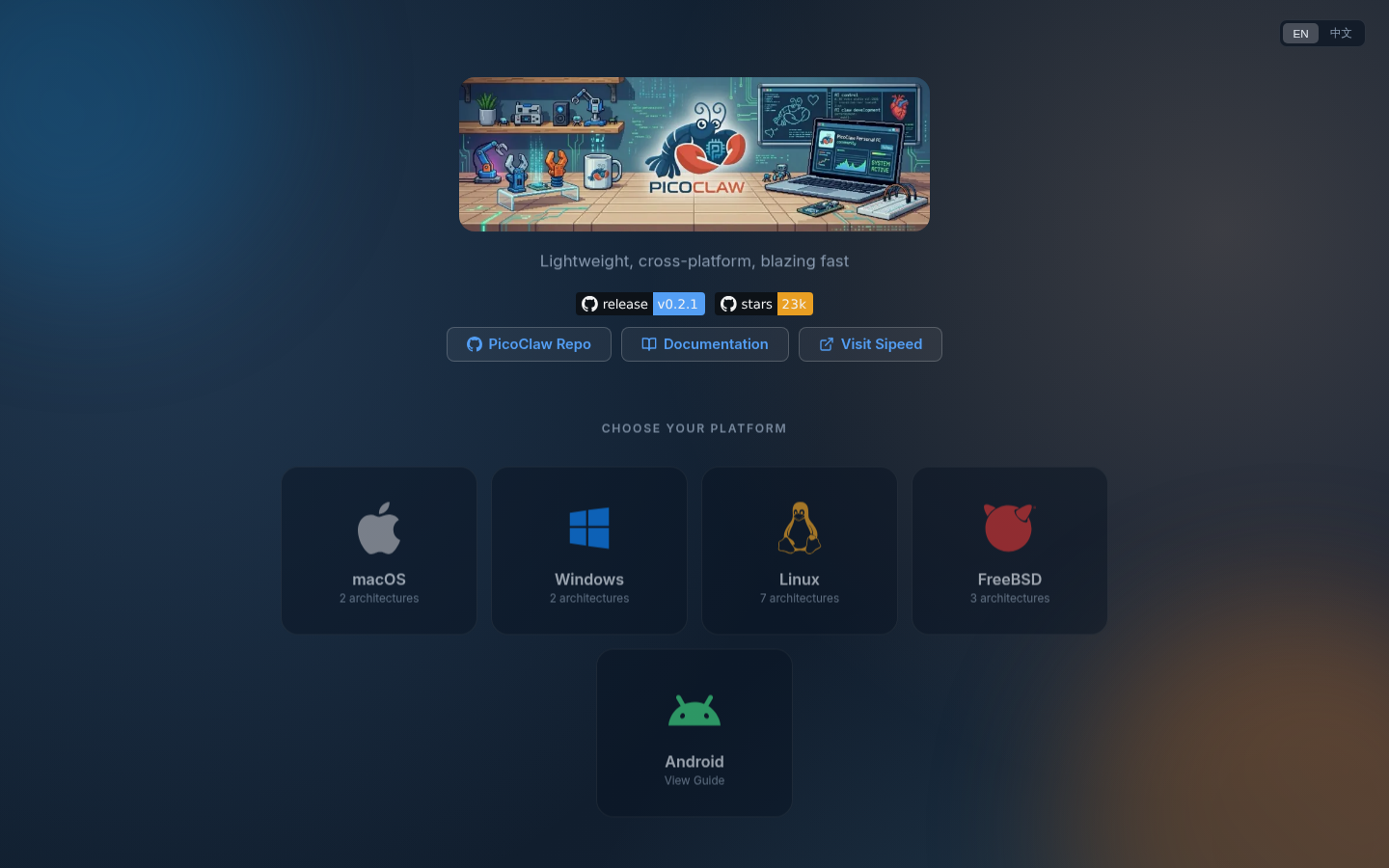
Screenshot archived from the listing page, for preview only.