
Podcast
Plugin that turns your voice into an assistantSpeech to text and text to speech in one plugin
Highlights
What you can do with it
- Turning written notes into spoken audio for a personal assistant
- Dictating a passage and having it transcribed for later editing
- Broadcasting a message in a different language or voice style
How to use it
- 1 Install the plugin in the host application it is built for.
- 2 Open the configuration screen and choose a language and voice style.
- 3 Run a short test to check recognition accuracy and playback quality.
- 4 Switch between dictation and reading modes as the task requires.
Who it is for
Pros
- Covers both directions of voice conversion in one tool
- Language and voice style choices give some flexibility
- Setup is described as short and straightforward
Limitations
- The listing is thin on detail, so real limits are hard to judge
- The site did not respond when this entry was checked, so availability is unclear
- A free trial usually turns into a paid plan, and those terms can change
What Podcast is
Podcast.ai is presented as a plugin that turns a person's voice into a voice assistant. Rather than a standalone program, it plugs into a host application and adds two capabilities: speech to text and text to speech. The core idea is that your voice becomes both the input method and the output method, so the assistant can hear you and answer back in a synthetic voice. The stated advantages are a highly customizable setup, support for several languages and voice styles, and a configuration screen simple enough that a few steps are enough to get started.
What you can do with it
- Dictate text and have it converted into written words.
- Turn written copy into spoken audio in a chosen language and voice.
- Adjust languages and voice styles to fit the audience or the task.
- Use it for assistant style replies or for broadcasting a message.
- Keep a hands free workflow when reading or replying is easier than typing.
Who it is for
- People who want assistant style help without touching a keyboard.
- Anyone who needs quick voice output for announcements or broadcasts.
- Users who work in more than one language and want a voice option for each.
- Writers and editors who like to dictate a draft and then hear it read back.
What to watch out for
The listing is short on specifics, so it is hard to judge real world accuracy, latency, or how much customization is actually exposed. The site did not respond when this entry was reviewed, so confirm the service is still live before you plan around it. Free trial terms are not spelled out, and a paid tier can change price or scope without much notice. Because the product is a plugin, it also depends on the host application staying compatible, and that is outside your control.
FAQ
Does it do both speech to text and text to speech?
Yes, the listing describes both directions of conversion.
Do I need technical skills to set it up?
The description says configuration takes only a few steps through a simple interface.
Is there a free option?
A free trial is listed, with a paid version that adds more features and support.
Why it is free
What the official page says: free trial
Free limits, trial length and features are decided by the official site and can change at any time.
Product preview
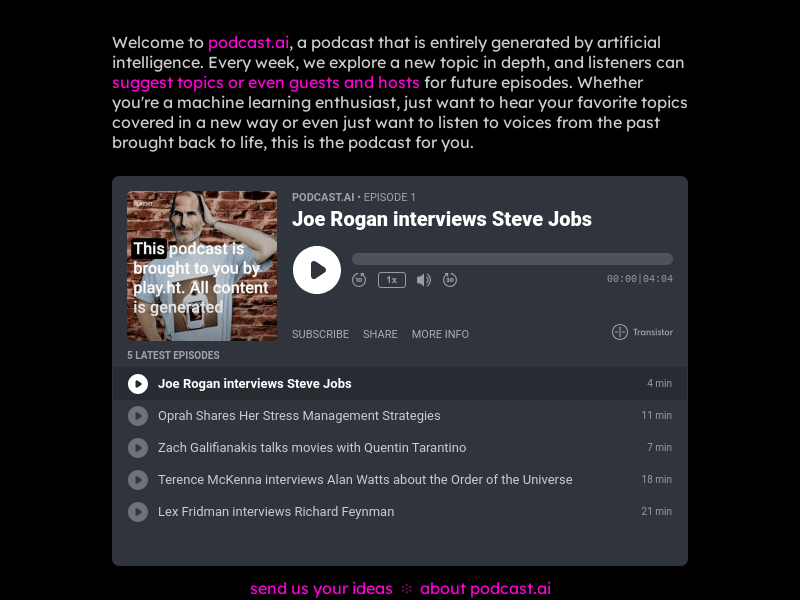
Screenshot archived from the listing page, for preview only.











