
Predict Anything, but talk to it like ChatGPT
Chat-style scenario predictionAsk a question, get a simulation report
Highlights
What you can do with it
- Predict customer sentiment and narrative spread after a price rise
- Analyse public opinion after a brand changes spokesperson
- Assess group support or opposition as a policy enters discussion
How to use it
- 1 Open the MiroFish site
- 2 Type your question into the chat box
- 3 Attach a PDF, Markdown, or TXT file if the question needs support
- 4 Wait for the system to simulate and analyse in the background
- 5 Open the result card to read the summary report
- 6 Continue the conversation for follow-up analysis
Who it is for
Pros
- Presented as free to use
- No pipeline to build; one question triggers the whole flow
- Familiar chat interface lowers the learning cost
- Supports text plus several document formats
Limitations
- Simulations are projections, not measurements or guarantees
- Output quality depends heavily on the input material
- Free access may change since no pricing is published
- Complex questions usually need several follow-up rounds
What MiroFish is
MiroFish is a web-based business application built around scenario prediction. Instead of asking you to assemble a pipeline, it wraps the whole chain in a chat box: you type a question, optionally attach a PDF, Markdown, or TXT file, and the system builds a graph from the input, runs a simulation, and generates a report. The work happens in the background through multi-agent operation, so you can keep talking to the interface while the analysis continues. Each answer is followed by a structured result card that links to the summary report and offers a path for follow-up. The product is presented as free to use and positioned for business scenario analysis.
What you can do with it
- Ask a business question in plain language and get a simulation back
- Attach PDF, Markdown, or TXT files as supporting material
- Have the system build a graph model and simulate it automatically
- Read a generated report through the result card
- Continue with follow-up questions that build on the same run
- Keep working in one conversation while background agents process
Who it is for
Market analysts use it to model how sentiment and narrative might spread after a commercial change, such as a price increase. Brand marketers use it to anticipate reaction to a decision like a spokesperson change before committing. Policy researchers use it to gauge how different groups might respond as a proposal enters public discussion. Anyone who needs a structured what-if view rather than a single opinion benefits from the report format.
What to watch out for
These are simulations, not measurements. The output is a projection built from the material you supply, so it should inform a decision rather than replace one, and it carries no guarantee about what will actually happen. Quality tracks input quality: a rich, well-structured brief produces a more useful run than a one-line question. The product is described as free, but no pricing is published, so access terms can change. Expect to ask several follow-up questions before a complex scenario is mapped to your satisfaction.
FAQ
What inputs does it accept?
Text is the primary input, and you can attach PDF, Markdown, or TXT files as support.
How reliable are the simulations?
They are model-driven projections based on your input, not measured outcomes, so treat them as a planning input rather than a forecast.
Is it free?
The product is described as free to use. No pricing is published, so terms may change.
Can I keep asking questions after a result?
Yes. Each answer produces a result card with a follow-up path, and you can continue the conversation.
Why it is free
What the official page says: free to use
Free limits, trial length and features are decided by the official site and can change at any time.
Product preview
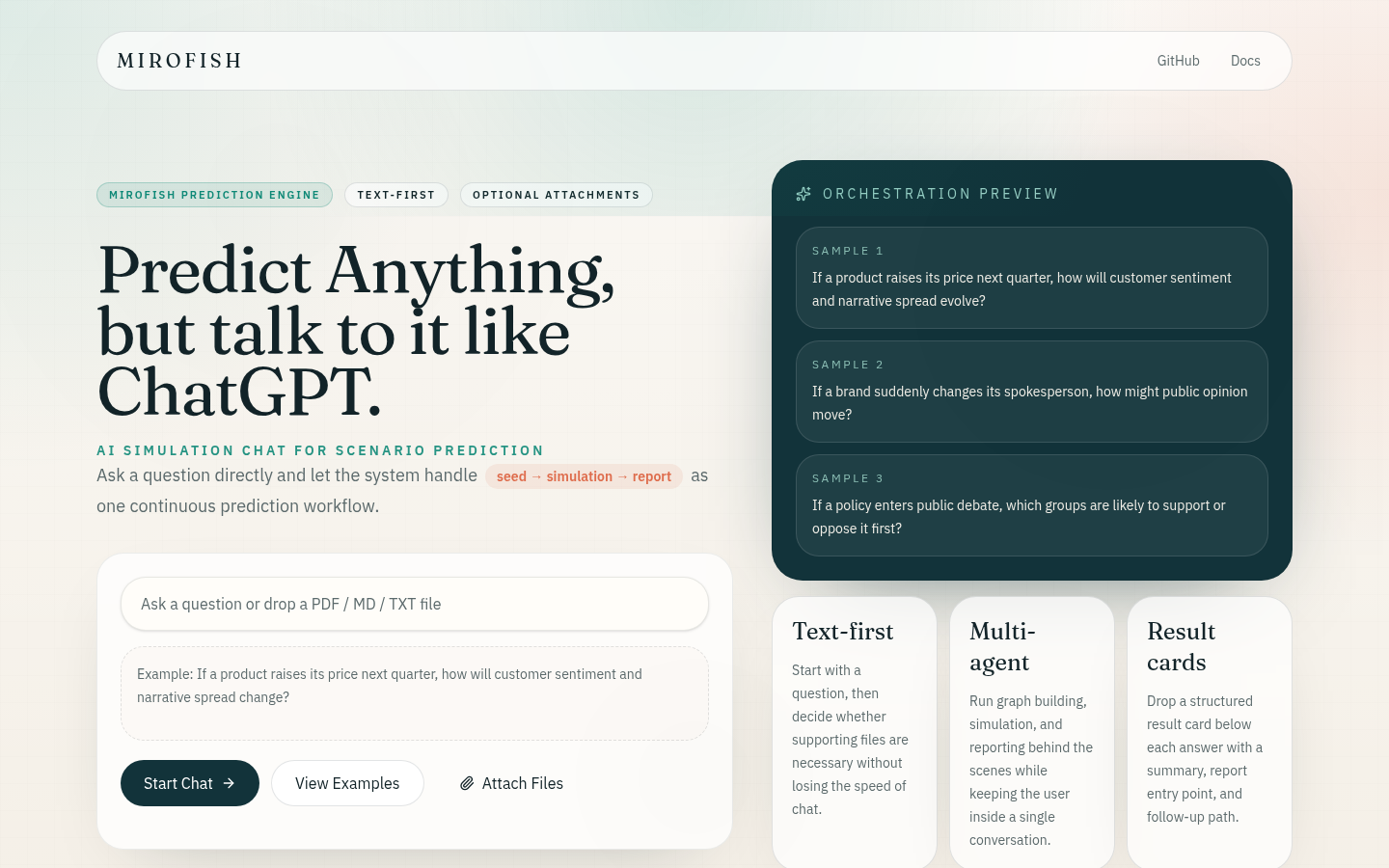
Screenshot archived from the listing page, for preview only.











