
Professionalize It To Me
Write like a professionalCasual text into professional copy
Highlights
What you can do with it
- Rewriting a quick message before sending it to a client
- Making a Slack or WhatsApp note sound more professional
- Polishing job application and resume wording
How to use it
- 1 Paste the text you want to rewrite.
- 2 Choose the tone or language you need.
- 3 Generate the professional version.
- 4 Copy it into your email, Slack or WhatsApp.
- 5 Try the resume builder on the same site.
Who it is for
Pros
- Quick rewrite of informal drafts
- Works across email and chat apps
- 10 languages supported
- Resume builder on the same site
Limitations
- Access is trial based, so the free rule can change
- Rewritten text should still be checked for meaning
- Quality follows the GPT-4 model it runs on
- It changes tone, it does not add missing facts
What Professionalize It To Me is
Professionalize It To Me is a rewriting tool built on GPT-4. You paste in a message you wrote quickly, maybe with shorthand or a casual tone, and it returns a version that reads as more formal and polished. The listing says it is meant for messages to clients and colleagues, and that it works for email, Slack and WhatsApp. It supports 10 languages, which is useful if you write in more than one. The same site also offers a resume builder, which the listing describes as available for a free trial. The access described here is a free trial with free use, so you can try the rewriting before you pay.
What you can do with it
- Rewrite a casual draft into formal wording.
- Adjust the tone of an email, Slack or WhatsApp message.
- Switch between supported languages.
- Use the resume builder for application text.
Who it is for
- Freelancers and consultants writing to clients.
- Employees who send formal internal messages.
- Non native speakers who want safer phrasing.
- Job seekers polishing a resume or cover note.
What to watch out for
The free access described here is trial based, and free offers can change or shrink over time, so confirm current terms before relying on it. The tool changes tone, not substance: if your original message is missing information, the rewrite will still be missing it, and it will not invent details for you. Because it runs on GPT-4, output quality follows that model and can vary, and automated rewriting can occasionally drift from what you meant or make a short message sound stiff. Read the result before you send it, especially for anything with commitments, prices or deadlines in it.
FAQ
What does it do?
It rewrites casual text into more formal, professional wording.
Which apps does it work with?
The listing names email, Slack and WhatsApp messages.
How many languages does it support?
It lists support for 10 languages.
Why it is free
What the official page says: for freefree trial
Free limits, trial length and features are decided by the official site and can change at any time.
Product preview
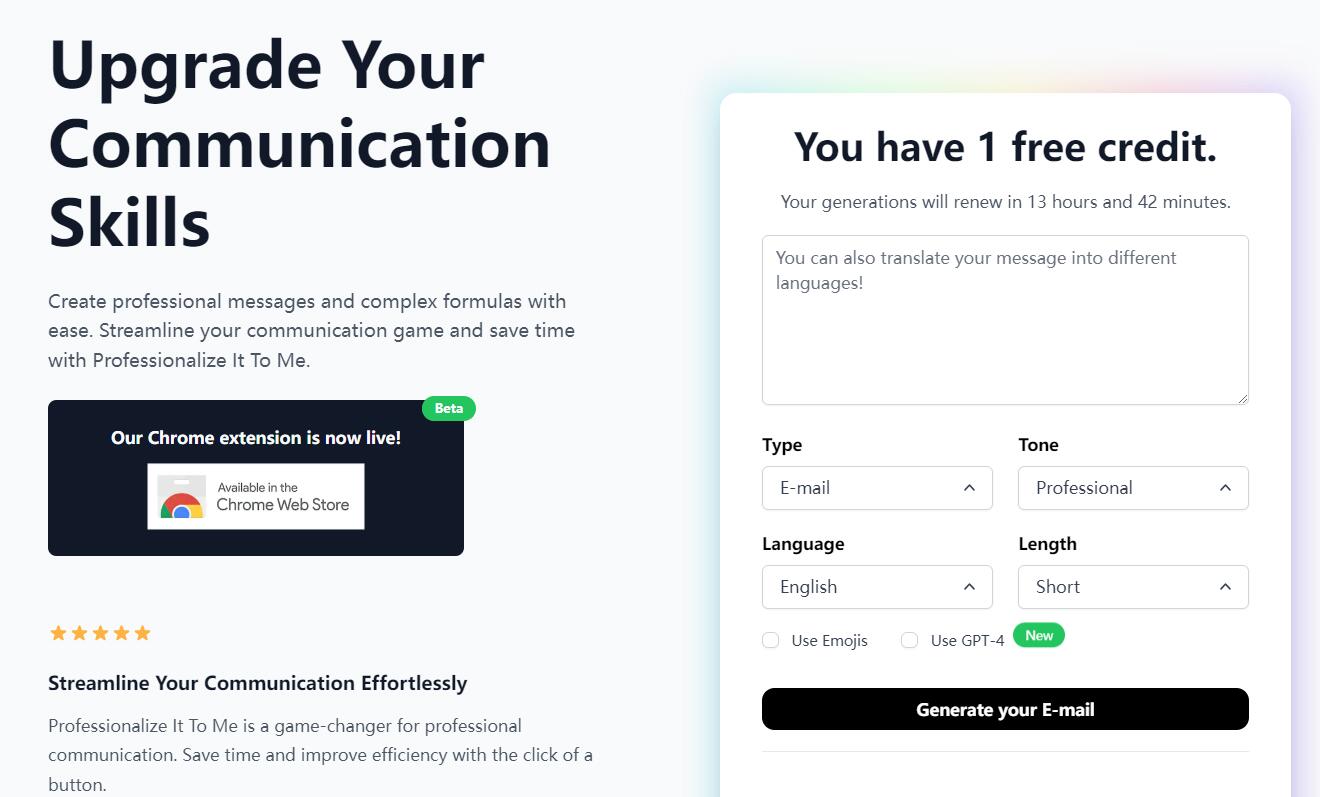
Screenshot archived from the listing page, for preview only.











