Prompt Cowboy
Guided prompt builder that turns rough ideas into structured AI prompts.Stop guessing at prompts; get a structured one in a few clicks.
Highlights
What you can do with it
- Expanding a cold email idea into a full prompt with industry and pain points
- Turning messy meeting notes into a structured summary prompt
- Building STAR-format interview prep prompts from a job description
How to use it
- 1 Open the site, register or log in, and click New Prompt
- 2 Choose Auto, Basic, Model mode, or a scenario template
- 3 Write your rough idea plus audience, purpose, industry, and tone
- 4 Generate, copy into your AI tool, and save favorites to your library
Who it is for
Pros
- Removes the prompt engineering learning curve entirely
- Model-specific adaptation improves results across AI tools
- Free tier works without commitment
Limitations
- Higher-quality generation requires the paid Pro tier
- Structured prompts are only as good as the context you supply
- Non-logged-in generation quota is small
What Prompt Cowboy is
Prompt Cowboy is an AI prompt optimization tool aimed at the majority of AI users who are not prompt engineers and cannot reliably coax what they want out of a model. The workflow is guided: you type a rough idea, such as asking for a cold email, and the builder collects key elements step by step, including role, target audience, output format, tone, and constraints. One-click optimization then rewrites and expands your input automatically, adding context and clarifying instructions and expected outputs. Prompts are adapted for specific models including ChatGPT, Claude, and Gemini, with the free basic model handling standard generation and the Pro version using Claude Opus 5.5 under early-bird pricing. A template library covers roles from sales and marketing to engineering, legal, consulting, and HR, with scenario workflows for cold emails, resume polishing, interview preparation, business proposals, competitor research, and meeting summaries. A prompt library and memory let you save, categorize, and reuse prompts while the AI remembers your preferences. Non-logged users get a small quota; logging in unlocks saving.
What you can do with it
- Expand one-line ideas into complete prompts with audience, tone, and constraints
- Convert messy meeting notes into structured summary prompts with action items
- Build interview preparation prompts with STAR behavioral questions from a job description
- Save and reuse prompt libraries with memory that remembers your preferences
Who it is for
- Office professionals and managers drafting emails, agendas, and communications
- Marketing, sales, and operations staff producing promotional copy at volume
- Product managers and engineers writing requirement documents and technical content
- Job seekers, students, researchers, and everyday users without prompt engineering skills
What to watch out for
A structured prompt amplifies what you put in: if your rough idea lacks specifics about your audience, product, and goals, the expanded prompt will be generic, so treat the guided questions as homework worth doing properly. The higher-quality generation runs on the Pro tier with early-bird pricing, and promotional pricing eventually reverts, so check current terms before subscribing. The free quota for non-logged-in users is small, which is fine for evaluation but not for daily work. Template output can feel formulaic if many people use the same patterns, so customize tone and structure for your voice. Finally, remember that a good prompt improves your odds but does not guarantee accuracy; always verify facts, claims, and anything business-critical that the AI produces.
FAQ
Is Prompt Cowboy free?
There is a free trial model: non-logged-in users get a small generation quota, and logged-in users can save prompts. Pro uses Claude Opus 5.5 with early-bird discounted pricing.
Which AI tools does it target?
It optimizes prompts for mainstream models including ChatGPT, Claude, and Gemini.
What do templates cover?
Roles from sales and marketing to engineering, legal, consulting, and HR, plus workflows for cold emails, resumes, interviews, proposals, and meeting summaries.
Why it is free
What the official page says: free trial
Free limits, trial length and features are decided by the official site and can change at any time.
Product preview
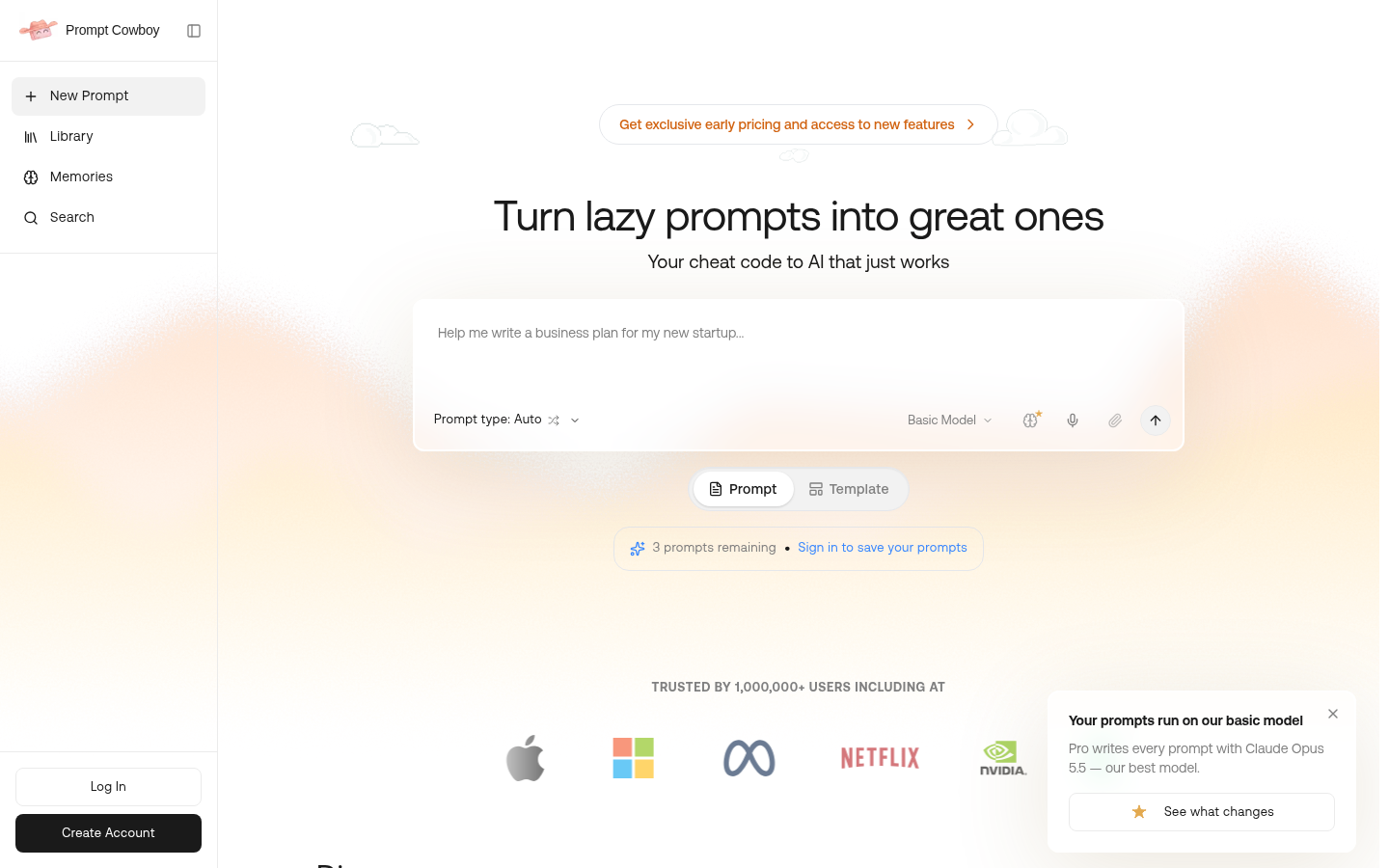
Screenshot archived from the listing page, for preview only.