
Qualli
In app surveys for mobile productsCollect mobile feedback without breaking flow
Highlights
What you can do with it
- Asking users why they dropped off a flow
- Recruiting participants for follow up research
- Tracking satisfaction to reduce churn
How to use it
- 1 Sign up and integrate the Qualli SDK in your app.
- 2 Define the audience and the questions you want to ask.
- 3 Launch the survey inside the app.
- 4 Read responses and the AI summary.
- 5 Iterate on the product and the survey.
Who it is for
Pros
- Surveys stay inside the app experience
- Free plan for smaller apps
- AI summary saves manual coding of responses
Limitations
- Free plan caps active users
- Trial period ends and pricing then applies
- Mobile only, with no web or email survey focus
- Response quality depends on question design
What Qualli is
Qualli is a feedback collection tool designed specifically for mobile applications. Rather than sending users out to a generic survey page, it runs multi step surveys inside the app so the experience stays smooth and response rates hold up. Features include smart audience segmentation, user recruitment, and aligning questions to user interests, all aimed at increasing engagement and reducing churn. Qualli AI summarises open feedback and suggests an improved survey for your product. The free plan covers a set number of active users and includes a 14 day trial, which makes it testable on a live app before paying.
What you can do with it
- Run multi step surveys inside your mobile app.
- Segment audiences and recruit participants.
- Align questions to user interests to lift responses.
- Summarise feedback with Qualli AI.
- Track satisfaction and churn indicators over time.
Who it is for
- Mobile product managers watching churn.
- Growth teams running in app research.
- User researchers who need quick insight from real users.
What to watch out for
The free plan caps active users, and the trial ends with pricing applying after that, so growing apps move to a paid tier. It is mobile only, so teams needing web or email surveys will need another tool. Response quality depends heavily on question design, and interrupting users at the wrong moment can hurt the very experience you are trying to improve. The AI summary is a starting point, not a replacement for reading raw responses. Processing speed depends on file size and network conditions, so retry later if a task stalls during peak hours. Run one full task end to end first, then expand once you are comfortable with the workflow and the result quality.
FAQ
Is Qualli free?
There is a free plan covering a set number of active users, plus a 14 day trial.
How is it different from Typeform?
The listing says it is built for mobile apps and runs surveys inside the app rather than sending users elsewhere.
What does Qualli AI do?
It identifies feedback themes and suggests an improved survey for your product.
Why it is free
What the official page says: free plan
Free limits, trial length and features are decided by the official site and can change at any time.
Product preview
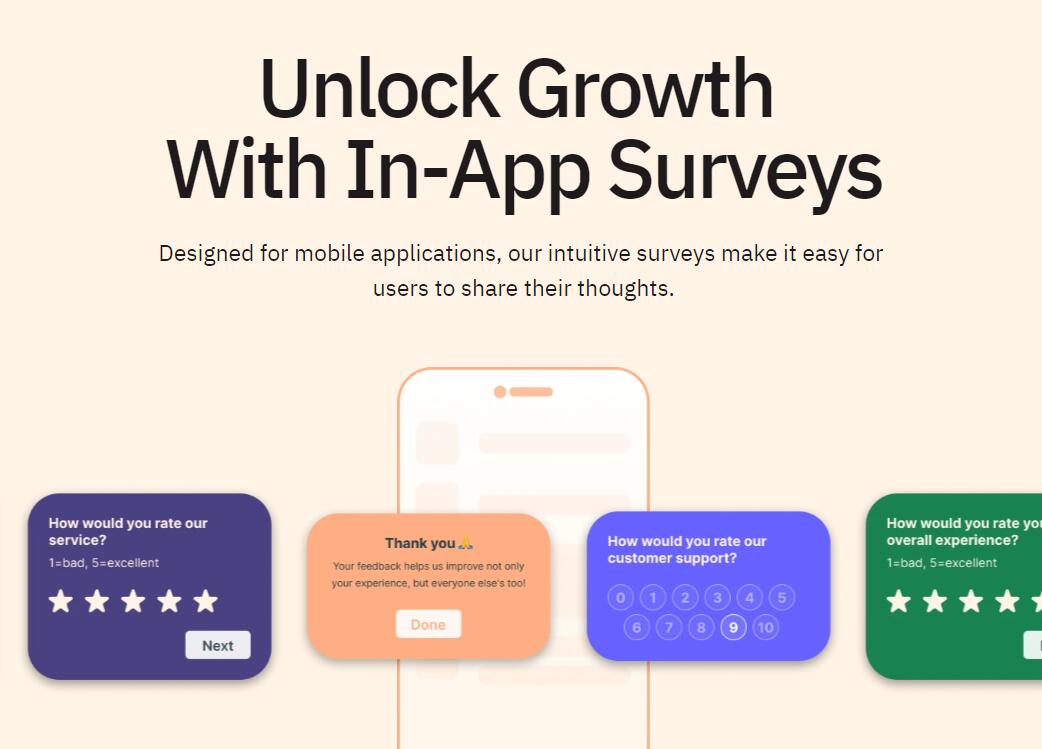
Screenshot archived from the listing page, for preview only.











