
Replyio.com
AI messaging and auto-reply assistantEffortless communication with automated replies
Highlights
What you can do with it
- Draft quick replies to routine emails and messages
- Prioritize a busy inbox so urgent items come first
- Write personalized LinkedIn outreach messages
- Communicate in multiple languages from one assistant
How to use it
- 1 Start the free trial from the Replyio.com website
- 2 Set up the assistant for the messages you handle
- 3 Let it draft and prioritize replies for you
- 4 Review, edit, and send the messages it suggests
Who it is for
Pros
- Free trial to test before paying
- Automates replies to save time
- Prioritizes messages in a busy inbox
- Multi-language support
- No credit-point metering
Limitations
- Free trial terms and pricing can change over time
- Automated replies still need review before sending
- Depends on connecting your messaging accounts, so setup matters
- Feature depth for advanced messaging needs is unclear from the listing
What Replyio.com is
Replyio.com is a personal messaging assistant that uses AI and natural language processing to make communication easier. It is designed to handle messages and automate replies so you spend less time typing the same answers again and again. Beyond auto-replies, it can prioritize messages so the important ones surface first, draft personalized LinkedIn messages, and work across multiple languages. The product states that it focuses on data security and that it does not use a credit-point system, so usage is not metered by credits the way some AI tools charge. You can start with a free trial to see how it fits your workflow before choosing a paid plan. In short, it aims to cut the busywork out of a crowded inbox and help you respond faster and more consistently across the apps you already use.
What you can do with it
- Automate replies to common and repeated messages
- Prioritize a busy inbox so important items surface first
- Draft personalized LinkedIn messages for outreach and networking
- Communicate in multiple languages from a single assistant
Who it is for
- Professionals who handle a high volume of messages every day
- LinkedIn users doing outreach, networking, and lead generation
- People who want faster, more organized replies
- Multilingual communicators managing conversations in more than one language
What to watch out for
The free trial is a way to test the tool, but trial length, limits, and pricing can change over time, so confirm current terms before you commit to a paid plan. Automated replies are a starting point and still need your review before sending, especially for important or sensitive messages where tone and accuracy matter. Because it works with your messaging accounts, setup and access can affect how well it performs day to day, so check which channels it supports. The listing gives a short feature overview, so check the product directly to confirm how it handles your specific channels, languages, and privacy needs before you rely on it for daily work.
FAQ
What is Replyio.com?
It is a personal messaging assistant that uses AI and NLP to handle messages and automate replies.
Is there a free trial?
Yes, the product offers a free trial.
Does it use credits?
No, it states that it does not use a credit-point system.
What can it do?
It can auto-reply, prioritize messages, draft personalized LinkedIn messages, and support multiple languages.
Who is it for?
It is aimed at people who want faster, more organized message handling, including LinkedIn outreach.
Why it is free
What the official page says: free trial
Free limits, trial length and features are decided by the official site and can change at any time.
Product preview
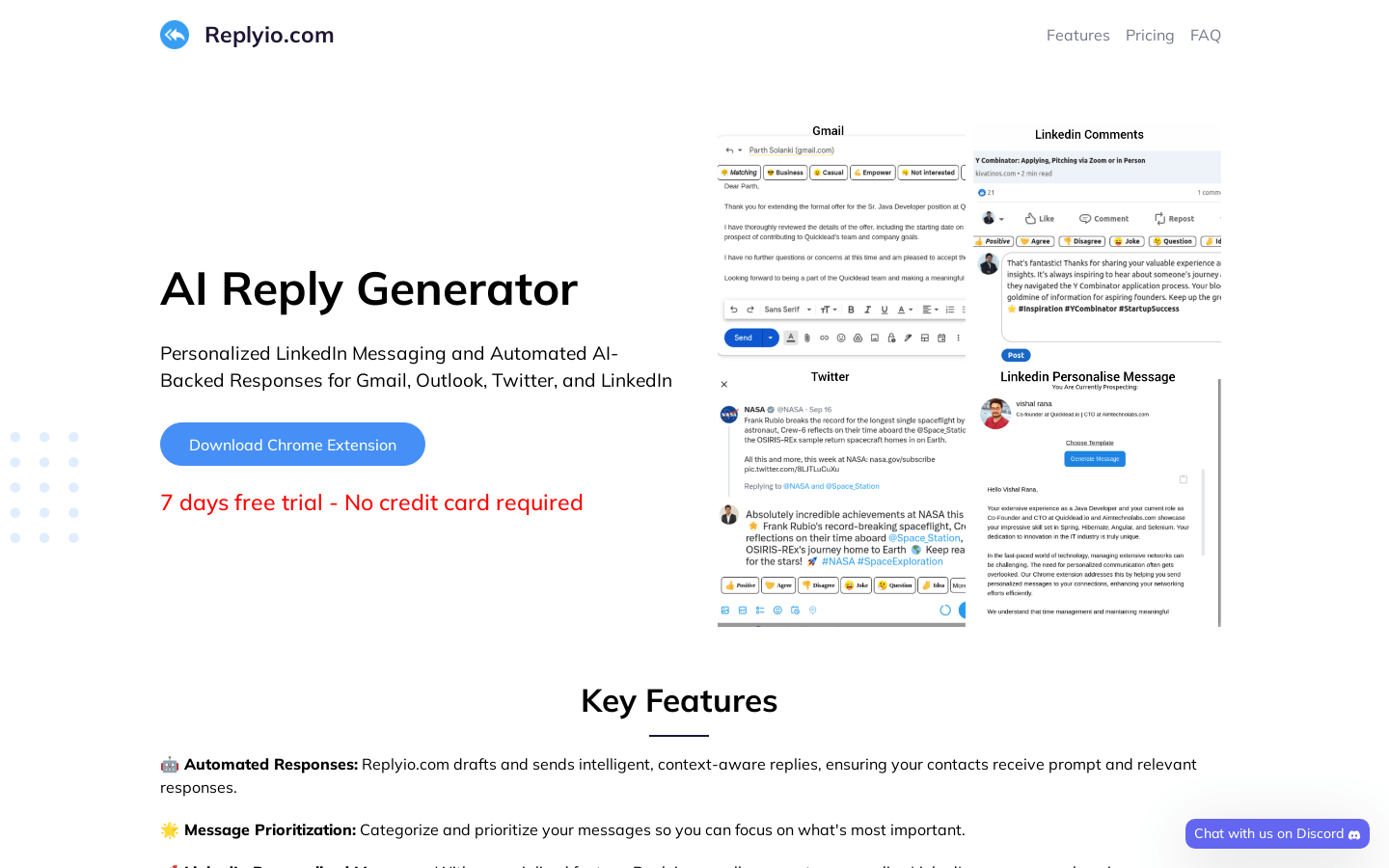
Screenshot archived from the listing page, for preview only.











