
Roger • The Google Ads AI Agent
AI agent that manages Google and Meta ad campaigns through chat.Run and optimize paid ads on Google and Meta by chatting with an AI agent.
Highlights
What you can do with it
- An athletics brand cuts wasted weekly spend by adding negative keywords.
- A company lifts its Meta creative score by generating better ad ideas.
- An advertiser catches abnormal spend on retail campaigns early and adjusts.
- Small business owners run paid ads without a dedicated team.
How to use it
- 1 Visit the Roger site and register for free with an early access code.
- 2 Log in to the Roger app after registering.
- 3 Connect your Google and Meta advertising accounts.
- 4 Chat with Roger to create campaigns, change settings, or query data.
- 5 Approve the optimization suggestions you want to apply.
- 6 Review campaign reports regularly and adjust your strategy.
Who it is for
Pros
- Free registration with an early access code to try it.
- Chat-based control avoids complex dashboard navigation.
- Flags wasted spend and adds negative keywords automatically.
- Real-time monitoring with suggestions you approve directly.
Limitations
- Access starts with a free code, but ongoing use likely moves to a paid plan that can change.
- Because it edits live ad accounts, review suggestions before approving to protect spend.
- Ad performance still depends on offer, targeting, and budget, and results are not guaranteed.
- Connecting accounts grants access, so secure your login and check the data policy first.
What Roger is
Roger is an AI agent for managing paid advertising on Google and Meta through chat. Instead of navigating complex dashboards, you create, edit, and pause campaigns by talking to it, and it flags wasted spend, adds negative keywords, generates creative ideas, and suggests optimizations you can approve directly. It monitors campaigns continuously and gives real-time feedback on performance such as spend and conversions. You can register for free using an early access code to try it, with paid plans likely based on your usage and the features you need. It is aimed at in-house advertising staff, agencies, and small business owners who run paid search and social.
What you can do with it
- Create, change, and pause Google and Meta campaigns through chat.
- Spot wasted spend and add negative keywords to cut irrelevant clicks.
- Generate and refine ad creative ideas automatically.
- Approve optimization suggestions and apply them directly.
- Monitor campaign performance with real-time feedback.
Who it is for
- In-house advertising staff managing many campaigns.
- Agencies running ads for multiple clients.
- Small business owners without a dedicated ad team.
What to watch out for
Access starts with a free early access code, but ongoing use likely moves to a paid plan, and pricing or availability can change, so confirm current terms. Because Roger acts on your ad accounts, review its suggested changes before approving them, since automated edits can affect live spend and results. Ad performance still depends on your offer, targeting, and budget, and no outcome is guaranteed. Connecting your accounts grants access, so secure your login and review the platform's data and permission policy before linking, and keep an eye on campaigns during the first days of automation.
FAQ
How do I start with Roger?
You can register for free using an early access code, then log in and connect your ad accounts.
Which platforms does it manage?
It manages advertising campaigns on both Google and Meta through chat.
Can it help reduce wasted spend?
Yes. It analyzes data in real time, flags spend that is not converting, and can add negative keywords.
Who is it for?
In-house advertising staff, agencies, and small business owners who run paid search and social campaigns.
Why it is free
What the official page says: for freefree trial
Free limits, trial length and features are decided by the official site and can change at any time.
Product preview
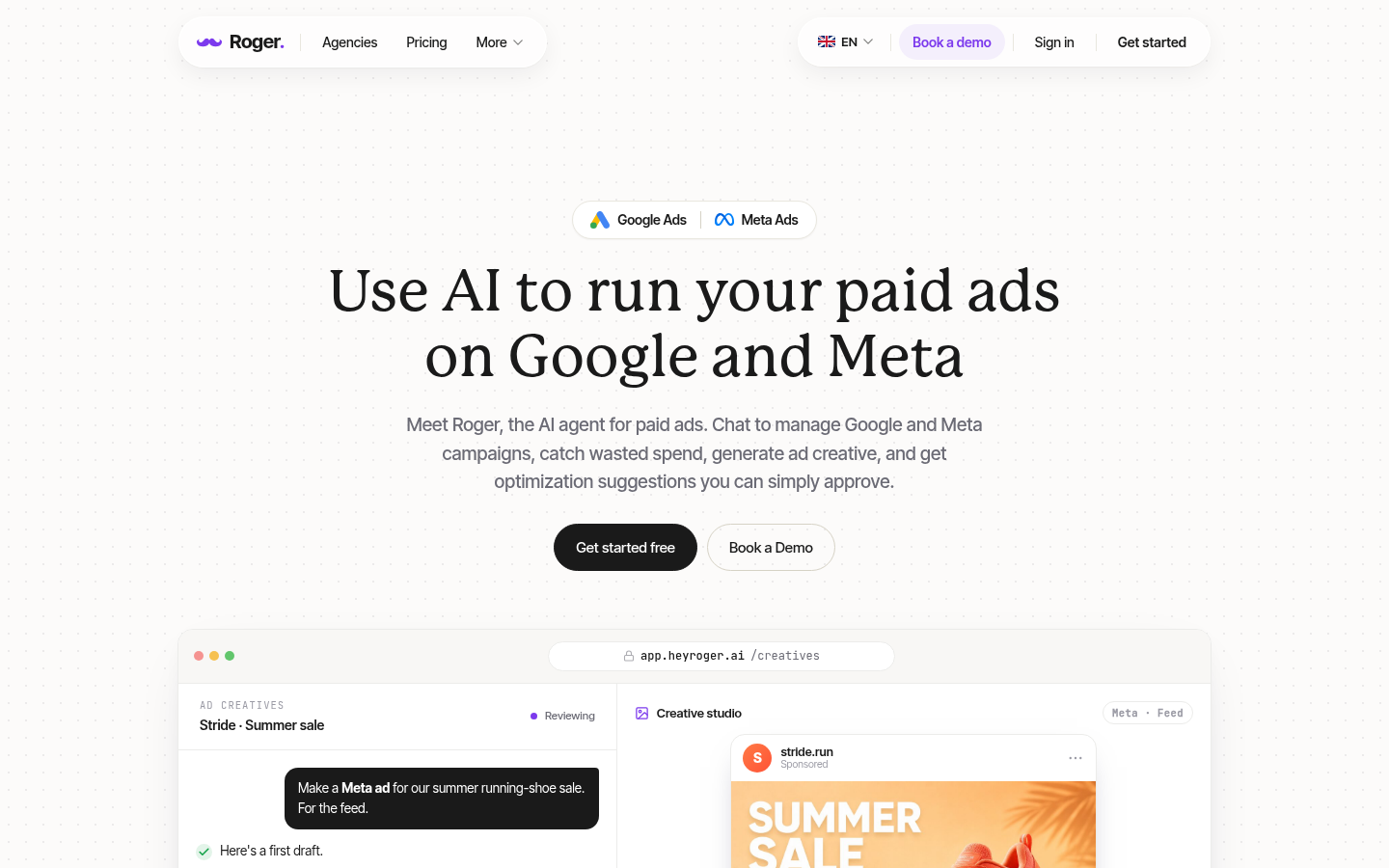
Screenshot archived from the listing page, for preview only.











