
RSSFlow Reader
RSS reader with AI summariesRead your feeds with smart summaries
Highlights
What you can do with it
- Following favorite sites in one clean reading list
- Skimming AI summaries to decide what to read fully
- Organizing feeds by date or tag for faster browsing
How to use it
- 1 Install the RSSFlow Reader extension from the Chrome or Edge store
- 2 Open it and click Add Subscription, then enter a feed URL
- 3 Click a subscription to view its article list
- 4 Open an article and click the AI summary button
- 5 Enter an activation code if you want the podcast feature
Who it is for
Pros
- AI summaries are free to use
- Data stays local for privacy
- Flexible viewing modes and reading shortcuts
Limitations
- The podcast feature needs a paid activation code
- Available only as a Chrome or Edge extension
- A newer reader, so stability and feed support may vary
What RSSFlow Reader is
RSSFlow Reader is a modern RSS reader that adds AI on top of the usual feed tracking. It comes as a Chrome or Edge browser extension and keeps your data stored locally, which helps with privacy. On top of parsing feeds reliably, it can generate article summaries, keywords, and perspective analysis using models from OpenAI, Google Gemini, and SiliconFlow. You can browse in different ways, including DayFlow, which groups articles by date, and TagFlow, which groups them by tag. The AI summary feature is free, while extras like content podcast generation require an activation code. It also adds reading comforts like keyboard shortcuts, a dark and light theme, and lazy loading.
What you can do with it
- Subscribe to RSS feeds and read them in one place.
- Get an AI summary, keywords, and analysis for an article.
- Switch between full text and summary views.
- Browse by date with DayFlow or by tag with TagFlow.
- Use keyboard shortcuts and dark mode for faster reading.
Who it is for
- Heavy readers who follow many blogs and news sources.
- People who want AI summaries to cut reading time.
- Privacy-minded users who prefer local data storage.
- Anyone who wants a tidy, modern replacement for old readers.
What to watch out for
The podcast feature is gated behind an activation code, so it is not free. It only works as a Chrome or Edge extension, so other browsers are out of luck. As a newer reader, feed parsing and stability can vary by source, and the AI summary is a helper rather than a replacement for reading the full piece when it matters.
FAQ
Is the AI summary free?
Yes, the AI summarization feature is free to use, while some features like podcasts need an activation code.
Where is my data stored?
Data is stored locally to protect user privacy.
Which browsers are supported?
It installs as a Chrome or Edge browser extension.
Why it is free
What the official page says: free to use
Free limits, trial length and features are decided by the official site and can change at any time.
Product preview
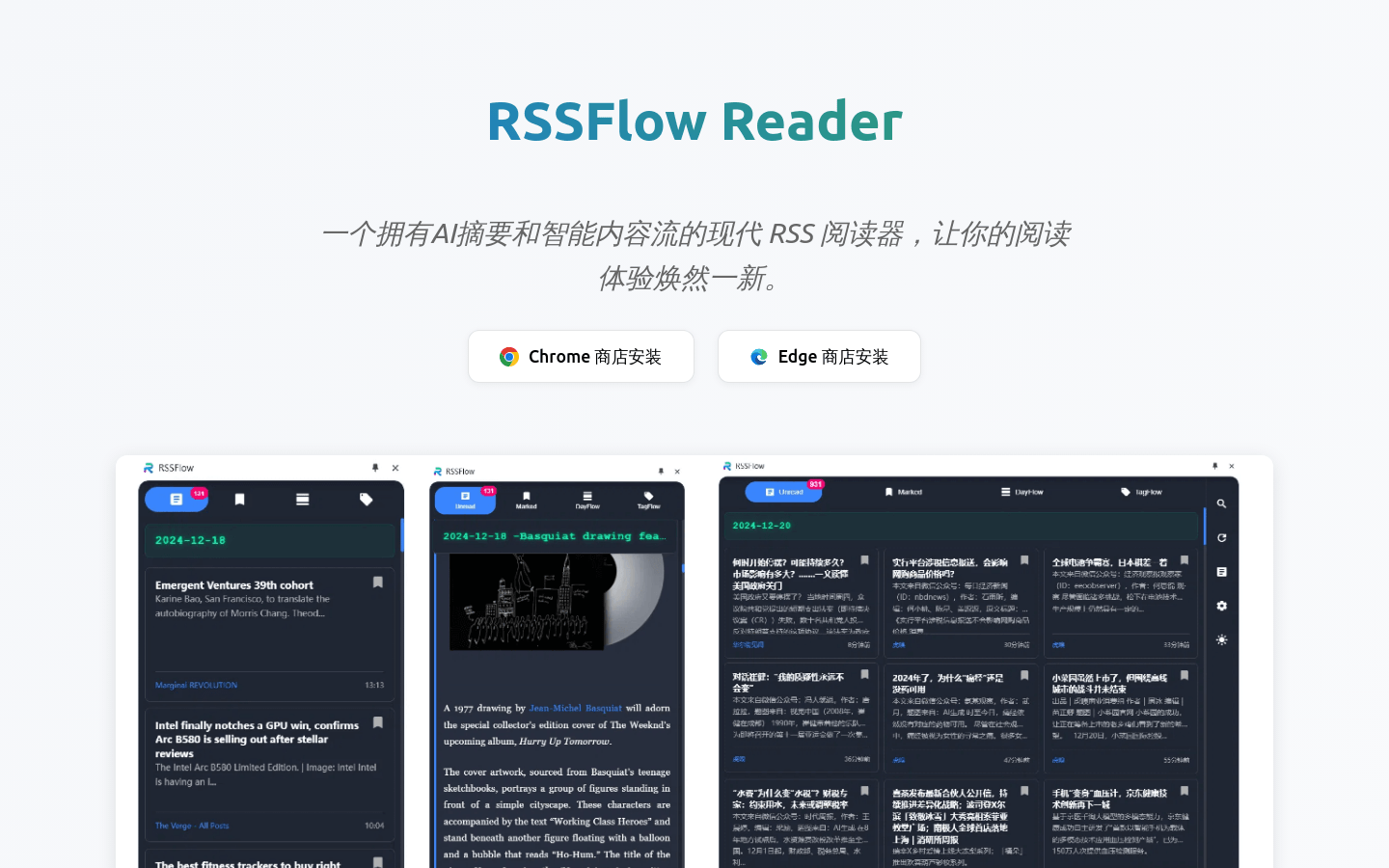
Screenshot archived from the listing page, for preview only.











