
runCLAUDErun
Free macOS scheduler for Claude Code tasksSchedule Claude Code tasks on your Mac
Highlights
What you can do with it
- A developer schedules a nightly automated code review with Claude Code
- A data scientist runs a weekly data processing and analysis job to get insights on schedule
- A content creator sets Claude Code to generate an article every month
How to use it
- 1 Download the macOS build for your Mac, either Apple Silicon or Intel, from runclauderun.com
- 2 Open the downloaded application and complete installation
- 3 Make sure you have a valid Claude subscription and Claude Code installed on your Mac
- 4 Open runCLAUDErun and set the Claude Code tasks you want to execute
- 5 Pick a scheduling method such as one-time, daily, weekly, or custom interval
- 6 Save or start the task, then check the task history for logs and output results
Who it is for
Pros
- Completely free to use according to the product description
- Removes the need to write cron scripts or remember to run commands manually
- Local execution keeps task data on your own machine
- Task history makes it easy to review logs and outputs from earlier runs
Limitations
- Mac only, so Windows and Linux users are out of scope
- It depends on a separate valid Claude subscription and Claude Code being installed
- Scheduled tasks that run unattended still need review, since Claude output is not guaranteed to be correct
- The description says it is completely free, but that could change and is not a long-term promise
What runCLAUDErun is
runCLAUDErun is a local macOS application that schedules Claude Code tasks to run automatically. Instead of typing commands at set times or maintaining cron scripts, you define the task once inside the app and choose when it should run. The description says it is completely free, and all task execution happens locally on your Mac, so your data is not sent to the cloud. You still need your own valid Claude subscription and Claude Code installed for it to do anything useful.
What you can do with it
- Schedule Claude Code tasks to run in the background without manual intervention
- Choose one-time, daily, weekly, or custom interval scheduling for different workloads
- Keep everything local, so task content stays on your own machine
- Review past runs through the task history, including logs and output results
Who it is for
- Developers who want scheduled code review or content generation from Claude Code
- Data scientists running recurring data processing and analysis jobs
- Operation and maintenance staff who monitor systems with repeated checks
What to watch out for
It only runs on macOS, and it is not a standalone AI tool: without a Claude subscription and Claude Code installed, there is nothing to schedule. Automated runs produce output without a human in the loop at that moment, so results still need review before you act on them. The interface is simple, but setting up intervals, task arguments, and history checks takes a little getting used to. The description states the app is completely free, and while that is the current situation, free terms can change. For best results, start with a small test file and review the output carefully before working on anything important.
FAQ
Is runCLAUDErun free?
The product description says it is completely free. Treat that as the current state rather than a permanent guarantee.
Does it work on Windows?
No, it is a local application for macOS, with separate builds for Apple Silicon and Intel Macs.
Do I need a Claude subscription?
Yes. You need a valid Claude subscription and Claude Code installed on your Mac before scheduling tasks.
Is my task data uploaded anywhere?
Tasks run locally on your Mac, so the description states your data is not uploaded to the cloud.
Why it is free
What the official page says: completely free
Free limits, trial length and features are decided by the official site and can change at any time.
Product preview
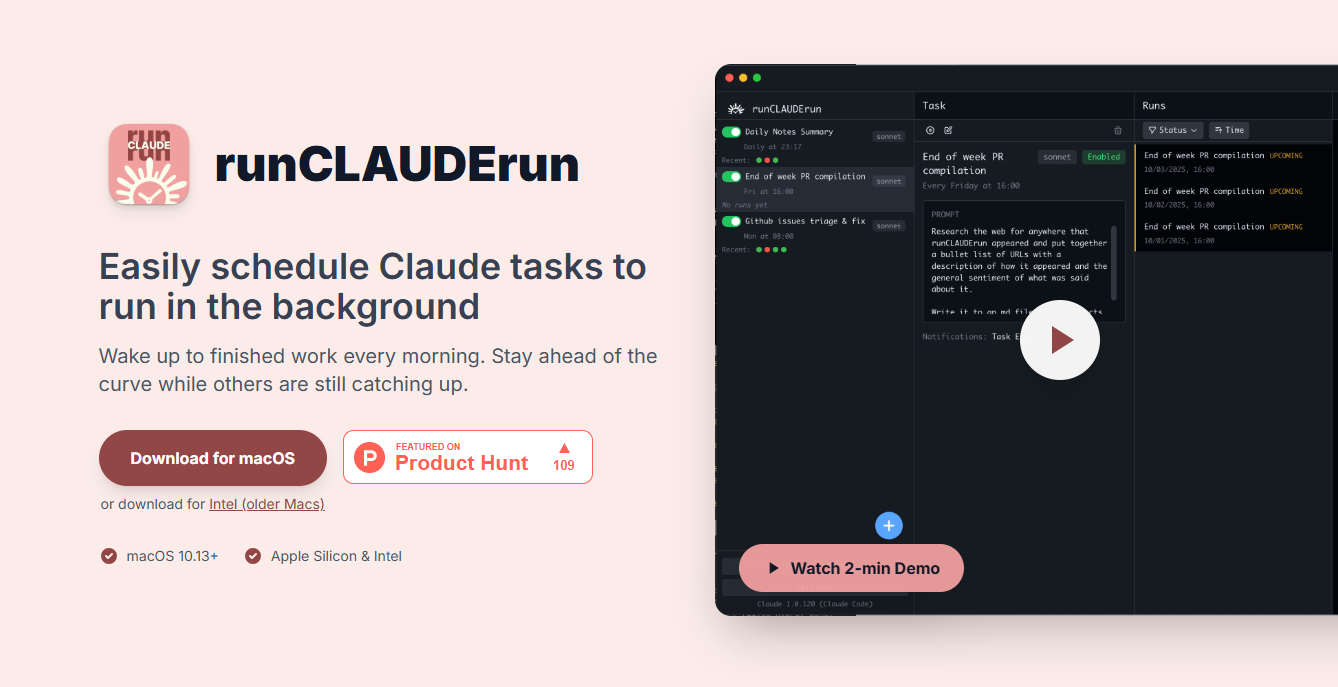
Screenshot archived from the listing page, for preview only.











