RunPod
Cloud GPUs by the hourRent GPUs from $0.2 per hour
Highlights
What you can do with it
- Training a model on rented GPUs instead of buying hardware
- Running inference through an AI endpoint
- Scaling compute up for a short experiment, then releasing it
How to use it
- 1 Create an account on the RunPod website.
- 2 Pick a GPU option that matches your workload.
- 3 Set up your environment with TensorFlow or PyTorch.
- 4 Run training jobs or deploy an AI endpoint, then release the GPU when done.
Who it is for
Pros
- Hourly billing suits short experiments and bursty jobs
- The entry price of $0.2 per hour lowers the barrier to trying
- Framework support covers common AI stacks
Limitations
- Hourly rental adds up on long-running jobs compared with owned hardware
- GPU availability varies, so the machine you want may not be free
- The listed $0.2 per hour is a starting point, not a flat price for every GPU
What RunPod is
RunPod is cloud GPU infrastructure for AI training and inference. You rent GPUs by the hour, with an entry price listed at $0.2 per hour, and the platform supports TensorFlow, PyTorch, and other common AI frameworks. Beyond raw rental, it provides multiple GPU options, server endpoints, and AI endpoints, and the description lists free bandwidth as part of the service. The product is aimed at developers and teams that need scalable compute without buying hardware, whether they are training a model or serving inference at volume. Because billing is hourly, short experiments stay cheap and long jobs can be stopped the moment they finish.
What you can do with it
- Rent a cloud GPU by the hour for training or inference work.
- Run TensorFlow, PyTorch, and other AI frameworks on the rented machine.
- Deploy server endpoints or AI endpoints for serving models.
- Scale compute up for a burst of work, then release it when done.
Who it is for
- Developers and researchers training models on rented hardware.
- Teams that need to serve inference without owning a GPU fleet.
- Students and hobbyists running short experiments on a budget.
What to watch out for
The $0.2 per hour figure is a starting point, not a flat rate: larger GPUs cost more, and long training runs add up quickly, so watch the meter. GPU availability is shared, so the exact machine you want may not be free at the moment you need it. You are responsible for your own environments, data, and job management, which is normal for infrastructure but takes setup time. Check the current pricing and any usage policies before committing to a large job.
FAQ
How much does RunPod cost?
The site lists cloud GPU rental starting at $0.2 per hour. Actual cost depends on the GPU and the hours used.
What frameworks are supported?
TensorFlow, PyTorch, and other AI frameworks are listed.
Is bandwidth free?
The description lists free bandwidth among the service features.
Why it is free
What the official page says: 免费
Free limits, trial length and features are decided by the official site and can change at any time.
Product preview
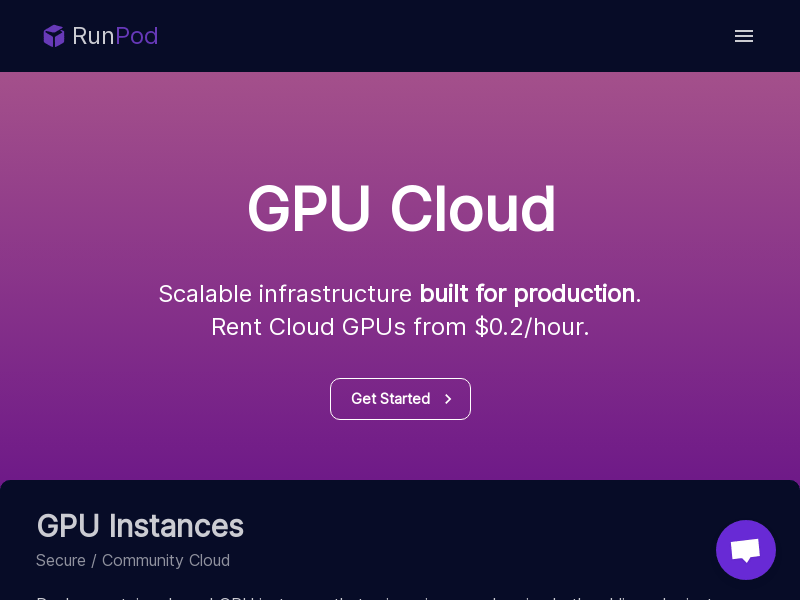
Screenshot archived from the listing page, for preview only.