SAM TTS
Classic Microsoft SAM text-to-speech onlineThe Windows XP voice, free in your browser
Highlights
What you can do with it
- Students convert text to speech for dictation practice
- Advertising producers dub short ad clips
- Game developers add retro voices to characters
How to use it
- 1 Open the SAM TTS website
- 2 Type or paste the text you want converted
- 3 Adjust volume, speed, and effects
- 4 Click convert, then download or play the audio
Who it is for
Pros
- Free and runs in the browser
- No installation or account required
- Simple controls for volume, speed, and effects
Limitations
- Only covers the classic SAM voice style, not modern neural voices
- Quality is retro by design, not suitable for professional narration
- Free online services can change or disappear without notice
What SAM TTS is
SAM TTS is an online text-to-speech tool built around the classic Microsoft SAM voice that shipped with Windows XP. Its purpose is to preserve that familiar robotic voice so users can experience the sound of that era. The service runs in the browser and is free to use, with no download or installation required. You paste text into a box, adjust settings, and the site generates audio you can play or save.
What you can do with it
- Convert written text into spoken audio with the SAM voice
- Adjust volume and reading speed to taste
- Choose from different voice synthesis options and effects
- Add background music and audio effects
- Download the result or play it directly on the site
Because the voice is a piece of computing history, it is popular for novelty clips, memes, and retro-style projects. Students also use it for dictation practice, where a mechanical voice forces careful listening. The controls are minimal, so a first-time user can produce audio within a minute of arriving on the page.
Who it is for
- Anyone who wants the nostalgic Windows XP voice
- Students who need text read aloud for dictation practice
- Advertising producers and game developers who want a retro voice effect
It is a niche tool. If you need a modern, natural-sounding narrator for a professional video, this is not the right choice, but if you specifically want the SAM voice, it does one job directly.
What to watch out for
The audio quality is intentionally dated, since the goal is to reproduce an old voice rather than a modern one, so it is not suitable for professional narration. The site is a free online service, which means it can change, add limits, or go offline without warning. Voice synthesis accuracy and available effects may vary between updates. Save any audio you need locally, because the site does not promise long-term storage of your files.
FAQ
Is SAM TTS really free?
Yes. It can be used online for free without downloading anything.
Do I need to install software?
No. It runs directly on the website.
Can I adjust the voice?
Yes. Volume, speed, and voice effects can be customized.
Why it is free
What the official page says: for free
Free limits, trial length and features are decided by the official site and can change at any time.
Product preview
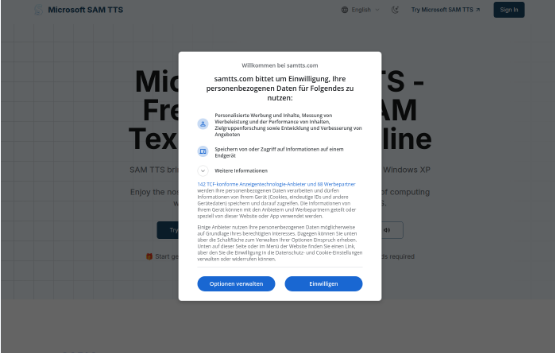
Screenshot archived from the listing page, for preview only.