
Scan Kid
Fast AI document scannerScan documents and name them with AI
Highlights
What you can do with it
- Scan receipts and keep them searchable for tax time.
- Turn paper forms and contracts into tidy PDFs.
- Save class notes and handouts as searchable files.
How to use it
- 1 Open Scan Kid on your iPhone or iPad.
- 2 Point the camera at the document and capture it.
- 3 Let the app build a searchable PDF and suggest a name.
- 4 Accept the AI name or type your own, then save.
Who it is for
Pros
- AI filename suggestions save time on every scan.
- Searchable PDFs make it easy to find text later.
- Listed as free to use, with no forced signup mentioned.
Limitations
- Only for iOS and iPadOS, so Android users are left out.
- Free status and features can change with app updates.
- AI names are suggestions and may need manual edits.
What Scan Kid is
Scan Kid is a document scanning app for iPhone and iPad. It scans pages quickly and builds high-quality searchable PDF documents. Instead of leaving you to type names by hand, it uses AI to read the content of each scan and suggest a filename, which saves time when you process many files. If you would rather not use the AI name, you can type your own. The app is listed as free to use. The focus is on speed and organization, so you can capture a page in seconds and move on. It suits anyone who deals with paper on a regular basis, from students and freelancers to small offices, and it keeps scanned files easy to find later because the text inside them is searchable.
What you can do with it
- Scan paper documents quickly into searchable PDF files.
- Let AI read the page and propose a clear filename.
- Type your own filename when you prefer full control.
- Keep receipts, forms, notes, and contracts easy to search later.
Who it is for
- Students who scan notes, handouts, and readings.
- Freelancers and small offices handling forms and receipts.
- Anyone who wants searchable PDFs without manual naming.
What to watch out for
Scan Kid only runs on iOS and iPadOS, so Android and desktop users will need a different tool. The app is listed as free to use, but free status and features can change with updates, so check the current listing before you rely on it. The AI filename is only a suggestion, and you may still need to edit it for long or unusual documents. If you rely on scans for record keeping, review the recognized text so important details are not missed. Finally, scanning quality depends on lighting and camera conditions, so take clear photos for the best searchable results.
FAQ
What devices does Scan Kid run on?
It is a document scanning app for iOS and iPadOS, so it runs on iPhone and iPad.
Does it name files for me?
Yes. AI reads the content and suggests a filename, but you can also type your own name.
Are the scans searchable?
Yes. It creates high-quality searchable PDF documents, so you can find text inside them later.
Why it is free
What the official page says: 免费使用免费
Free limits, trial length and features are decided by the official site and can change at any time.
Product preview
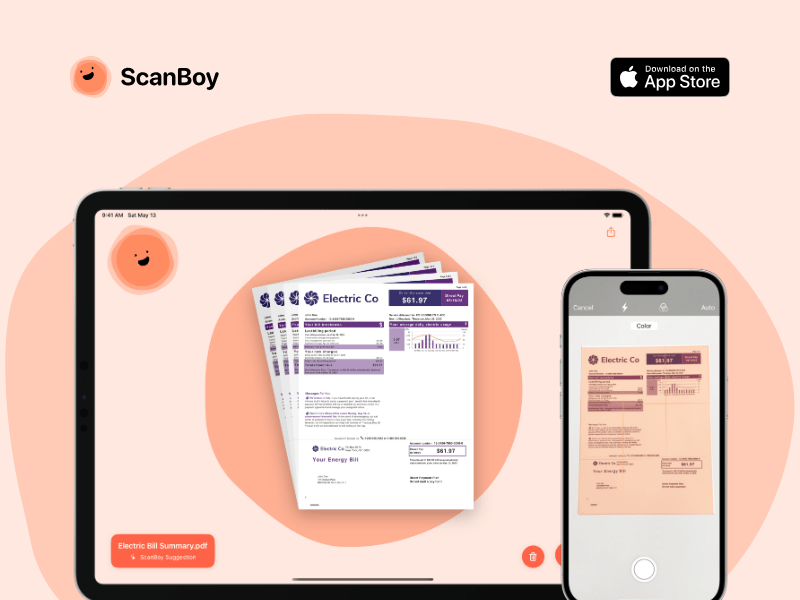
Screenshot archived from the listing page, for preview only.











