Show the Link
Branded link previews generated automaticallyLinks that preview the way you want
Highlights
What you can do with it
- Make shared links look consistent across channels
- Attach branded previews to links you publish
- Control how your content appears when it is forwarded
How to use it
- 1 Add your subdomain to the link you want to publish.
- 2 Let the tool generate the preview image.
- 3 Adjust the theme and branding to fit your organization.
- 4 Publish the link, then move to a professional plan if you need more.
Who it is for
Pros
- Solves one specific problem well
- Free plan available to test
- Branding control on the preview output
Limitations
- Narrow scope; it does one thing
- Professional plan limits are not detailed in the listing
- The site recorded an unusual response when checked, so confirm it is reachable
What Show the Link is
Showthe.link is a link generation tool with one job: making the preview image that appears when your link is shared look the way you want. By default, a shared link shows whatever image the destination page happens to carry, which is often a logo you do not control or nothing at all. This tool replaces that with a preview generated for your link and customized to your organization.
Usage is simple. You add your subdomain to the link, and the tool produces a branded link with the preview attached. Themes and branding are customizable, so the output can match how your content already looks rather than introducing a different style. The listing mentions both free and professional plans, which gives you a way to test the basic version before deciding whether the extra control justifies paying.
What you can do with it
- Generate preview images automatically for links you publish.
- Customize themes and branding to match your organization.
- Create branded links by adding your own subdomain.
- Keep shared links visually consistent across channels.
Who it is for
- Teams that publish links regularly and care how they look when shared.
- Marketers who want a consistent preview across campaigns.
- Anyone whose current shared links show weak or missing preview images.
What to watch out for
Scope is deliberately narrow. This is a preview and branding tool, not a link shortener with analytics, not a tracking platform, and not something that changes how the destination page itself performs. If you need click data or campaign attribution, that sits elsewhere.
The listing does not detail what separates the professional plan from the free one, so establish the limits before you depend on it for client work. The site also recorded an unusual response when the entry was checked, which is worth confirming before you build a process around it.
FAQ
What does Showthe.link do?
It automatically generates preview images for links you publish, customized to your organization.
How do I use it?
You add your subdomain to the link and the tool generates a branded link with a preview image.
Is there a free plan?
Yes, the listing mentions free and professional plans.
Can I control the branding?
Yes, customizable themes and branding are listed features.
Why it is free
What the official page says: 免费
Free limits, trial length and features are decided by the official site and can change at any time.
Product preview
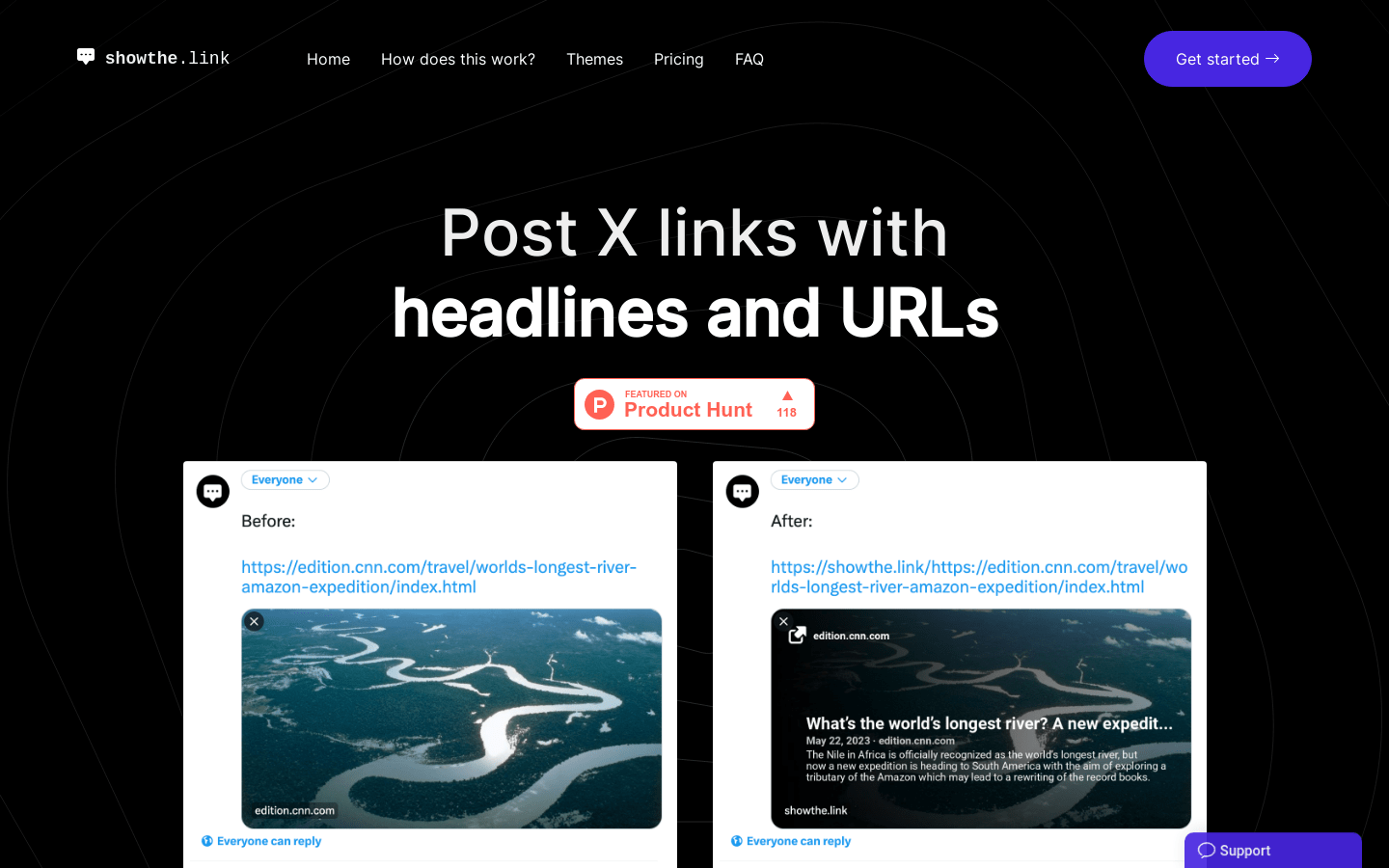
Screenshot archived from the listing page, for preview only.