SnapBlock
AI website and app builder in minutesPrompt to layout to published site
Highlights
What you can do with it
- A founder builds an e-commerce storefront quickly
- A technology company launches a professional site
- A developer produces a marketing site and exports the code
How to use it
- 1 Open the official site and start on the free plan.
- 2 Decide what you are building, such as a store or a service site.
- 3 Enter your prompt and answer the builder's questions.
- 4 Wait for the layout and follow the design suggestions.
- 5 Edit until it matches what you want.
- 6 Export code or publish with the built-in hosting.
Who it is for
Pros
- Free plan available for personal use and testing
- No code needed to get a working layout
- Code export means you are not locked in
- Hosting, security, and delivery are handled for you
Limitations
- Free plan is for personal use and testing, not commercial projects
- Generated layouts need real design and content work to look finished
- Exported code may need cleanup before production
- Complex applications outgrow a prompt-driven builder quickly
What SnapBlock is
SnapBlock is an AI platform for building websites and applications from a prompt. You describe what you want, and the builder returns an editable layout, offering suggestions as you work and asking questions when your brief leaves gaps. You can keep iterating until the result matches what you had in mind, adjusting modules, colors, and structure along the way. When it is done you either publish using the built-in hosting, security certificates, and content delivery, or export clean HTML, CSS, React, or Next.js code and take it somewhere else. A free plan covers personal use and testing, and a professional plan is priced per year.
What you can do with it
- Turn a written description into an editable website layout.
- Let the builder ask questions when your brief is incomplete.
- Iterate on the design without starting over.
- Export clean code in HTML, CSS, React, or Next.js.
- Publish with hosting, security, and delivery already handled.
Who it is for
- Individuals without programming skills who need a site live.
- Entrepreneurs moving from idea to something real quickly.
- Professional developers saving time on first drafts.
What to watch out for
The free plan is explicitly for personal use and testing, so it is not the right place for a client project or a commercial launch; check the terms before you put revenue behind it. Generated layouts are starting points, not finished products. Real content, real imagery, accessibility, mobile behavior, and the small details that make a site feel considered are still your job, and a prompt-built page often looks obviously prompt-built. Exported code may also need cleanup before it goes into a production repository. Most importantly, this handles sites and simple applications; anything with real logic, user accounts, payments, or a database will outgrow it fast, and the professional plan's yearly price is worth comparing against the cost of just building the thing properly.
FAQ
Is there a free plan?
Yes. The listing describes a free plan for personal use and testing, with a professional plan at a yearly price.
Can I export the code?
Yes. One-click export to HTML, CSS, React, or Next.js is listed.
Can I build a real application with it?
It is aimed at websites and simple applications. Anything with complex logic, accounts, or data will outgrow a prompt-driven builder and need real development.
Why it is free
What the official page says: free plan
Free limits, trial length and features are decided by the official site and can change at any time.
Product preview
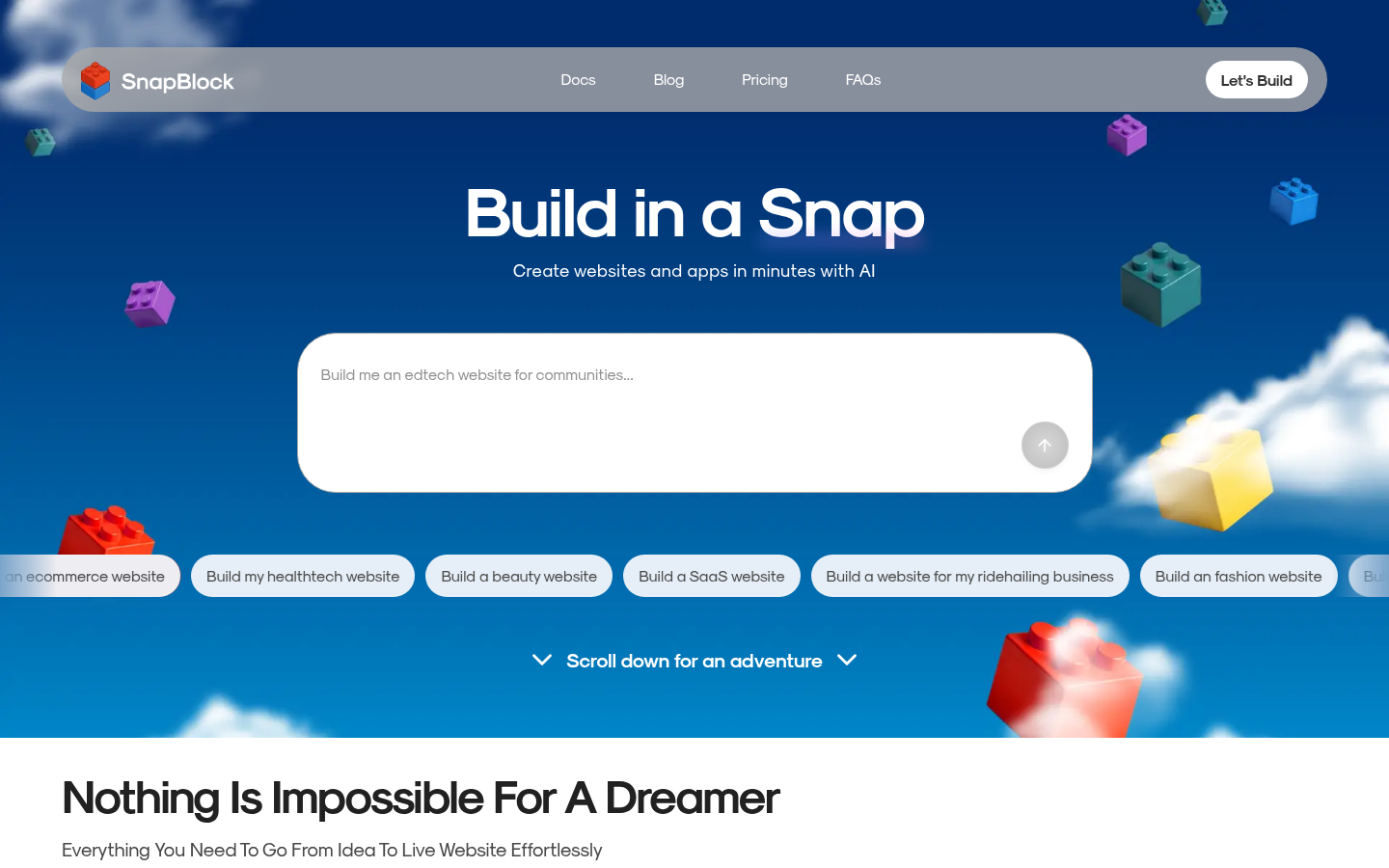
Screenshot archived from the listing page, for preview only.