
Sprite Fusion
Free tile map editorBuild 2D maps, export to engines
Highlights
What you can do with it
- Draw a retro style overworld map
- Build levels for a platformer
- Lay out a world map for an RPG
How to use it
- 1 Open spritefusion.com in your browser.
- 2 Import your tile set.
- 3 Draw the map in the editor.
- 4 Export to Unity Tilemap or a Godot TileMap scene.
Who it is for
Pros
- Free with nothing to install
- Direct export to two major engines
- Collision handling is automated
Limitations
- It covers maps only, not full game logic
- You supply your own art
- Export formats and free status can change
What Sprite Fusion is
Sprite Fusion is a free online tile map editor for 2D games. You import any tile set, draw the map with an intuitive editor, and export the result straight into Unity Tilemap or a Godot TileMap scene. Automated tile and collision handling removes the manual work of tagging each tile, and maps can be saved, loaded, and shared. The description positions it for retro games and 2D level design in general.
What you can do with it
- Import your own tile set and draw a map.
- Let the editor handle tiles and collisions automatically.
- Export to Unity or Godot in one click.
- Save, load, and share map files.
Who it is for
- Indie developers building 2D games.
- Retro and platformer creators who need fast level layout.
- Unity and Godot users who would rather not place tiles by hand.
What to watch out for
This is a map editor, not a game engine, so gameplay, scripting, art, and audio all still belong to you and your engine. You also supply the tile art, and the quality of the result depends on it. Free web tools can change their terms or add limits, and export formats may be updated in ways that need re-importing, so keep your own copy of any project. Large maps can also get unwieldy in a browser, so work in sections. Processing speed depends on file size and network conditions, so retry later if a task stalls during peak hours. Run one full task end to end first, then expand once you are comfortable with the workflow and the result quality. Save a backup of the original file before large batch jobs, and keep an exported copy of key results in case the page or service becomes temporarily unavailable.
FAQ
Is Sprite Fusion free?
Yes. The description presents it as a powerful free online level editor.
Which engines does it export to?
Unity Tilemap and Godot TileMap Scene.
Does it handle collisions?
Automated tile and collision handling is listed as a feature.
Why it is free
What the official page says: 免费
Free limits, trial length and features are decided by the official site and can change at any time.
Product preview
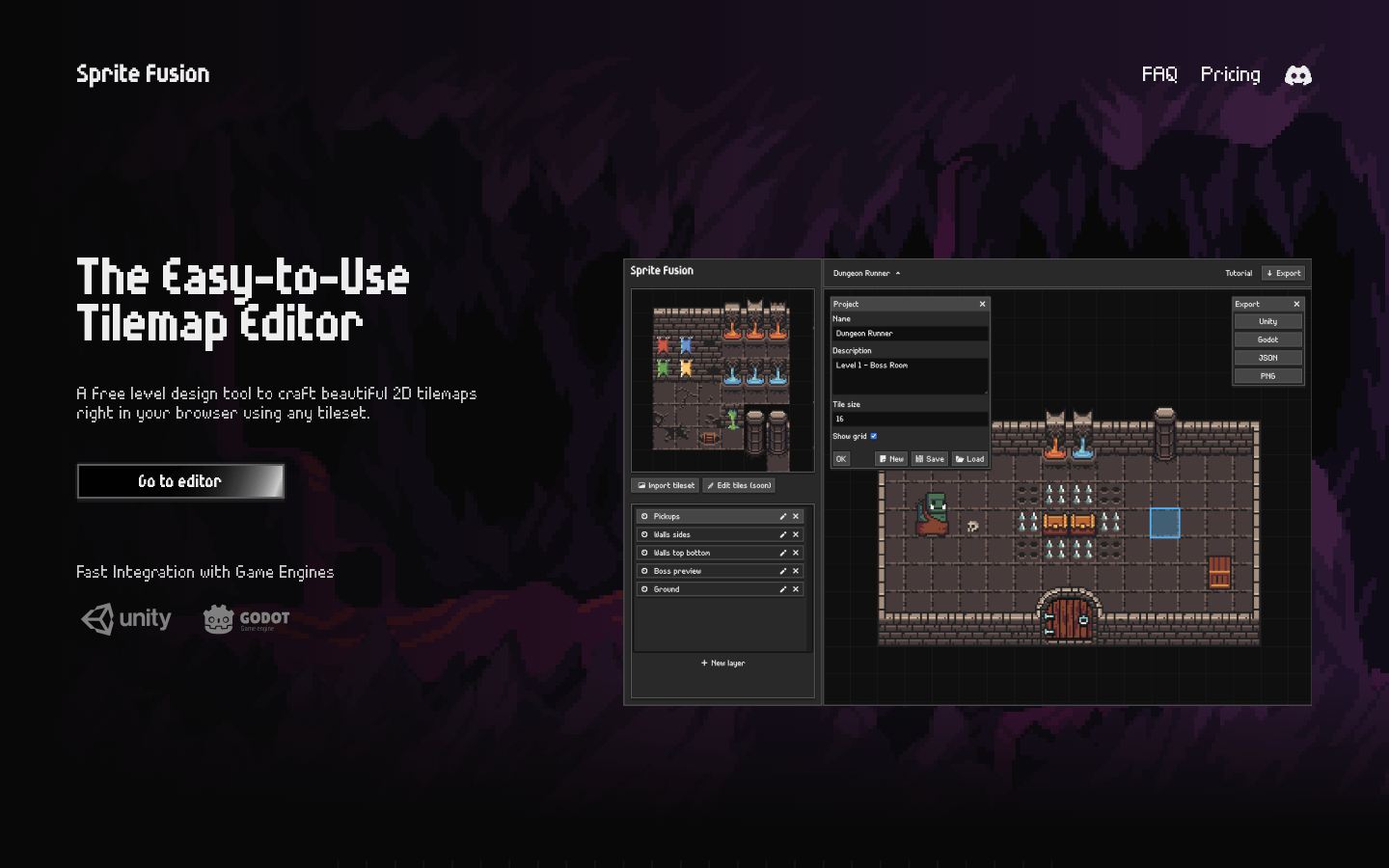
Screenshot archived from the listing page, for preview only.











