
Stageum
Browser 3D public speaking practice with AI feedbackPractice speeches in 3D rooms with real time AI coaching
Highlights
What you can do with it
- A startup CEO practices investor pitches and cuts filler words in two weeks
- A research scientist moves from frequent filler words to a confident speaking style
- A sales team runs speech drills and sees closing rates improve
How to use it
- 1 Open stageum.io in your browser and register, choosing the free trial with no credit card
- 2 Select a 3D environment such as a boardroom or auditorium and set the audience
- 3 Allow webcam and microphone access, then begin your speech
- 4 Read the real time feedback on filler words, pace and eye contact as you speak
- 5 Review the progress report afterwards and plan the next session
Who it is for
Pros
- No headset or install, so you can practice on a normal laptop
- Feedback covers measurable habits such as filler words and speaking speed
- Session reports let you track change over time
- Webcam analysis happens locally, with encrypted storage for recordings
Limitations
- The free trial is three sessions per month and paid terms can change
- You need a working webcam and microphone for the feedback to be useful
- Real time feedback on body language is limited to what a webcam can see
- Improving delivery still requires repeated practice outside the tool
What Stageum is
Stageum is a browser based 3D speech training platform. There is no headset, download or install involved: you open the site, choose a 3D setting such as a boardroom, auditorium, classroom or TV studio, adjust the virtual audience, and speak into your webcam and microphone. While you talk, the AI analyses filler words, speaking speed, eye contact, body language, volume and posture, and gives feedback in real time. After the session it produces a progress report with trends and confidence scores so you can see change over time. Webcam footage is analyzed on your own device, and recorded sessions are stored in encrypted cloud storage. A free trial includes three practice sessions per month, and the professional plan starts at $10 per month.
What you can do with it
- Rehearse a talk in a 3D room that resembles the real setting.
- Get live feedback on filler words, pace, eye contact and posture.
- Build virtual audiences of different sizes and behavior to raise the pressure.
- Track progress with session reports and confidence scores.
Who it is for
- Students facing classroom presentations and academic defenses.
- Working professionals who deliver project reports and business speeches.
- Founders and entrepreneurs preparing investor pitches and roadshows.
What to watch out for
The free trial is capped at three sessions per month, and pricing and limits can change, so treat it as a way to test rather than a permanent free plan. The feedback depends on your webcam and microphone, so a poor camera, bad lighting or a noisy room will degrade the analysis. Body language tracking is limited to what a single webcam can see, and it will not read the whole room. The tool gives you data and a place to practice, but improvement still comes from repeating the speech until the habits change, which means scheduling regular sessions rather than practicing once before a big talk.
FAQ
Do I need a VR headset?
No, Stageum runs in a normal browser and uses your webcam and microphone.
What does the AI measure?
Filler words, speaking speed, eye contact, body language, volume and posture.
What does the free trial include?
Three practice sessions per month, with the professional plan starting at $10 per month.
Why it is free
What the official page says: free trial
Free limits, trial length and features are decided by the official site and can change at any time.
Product preview
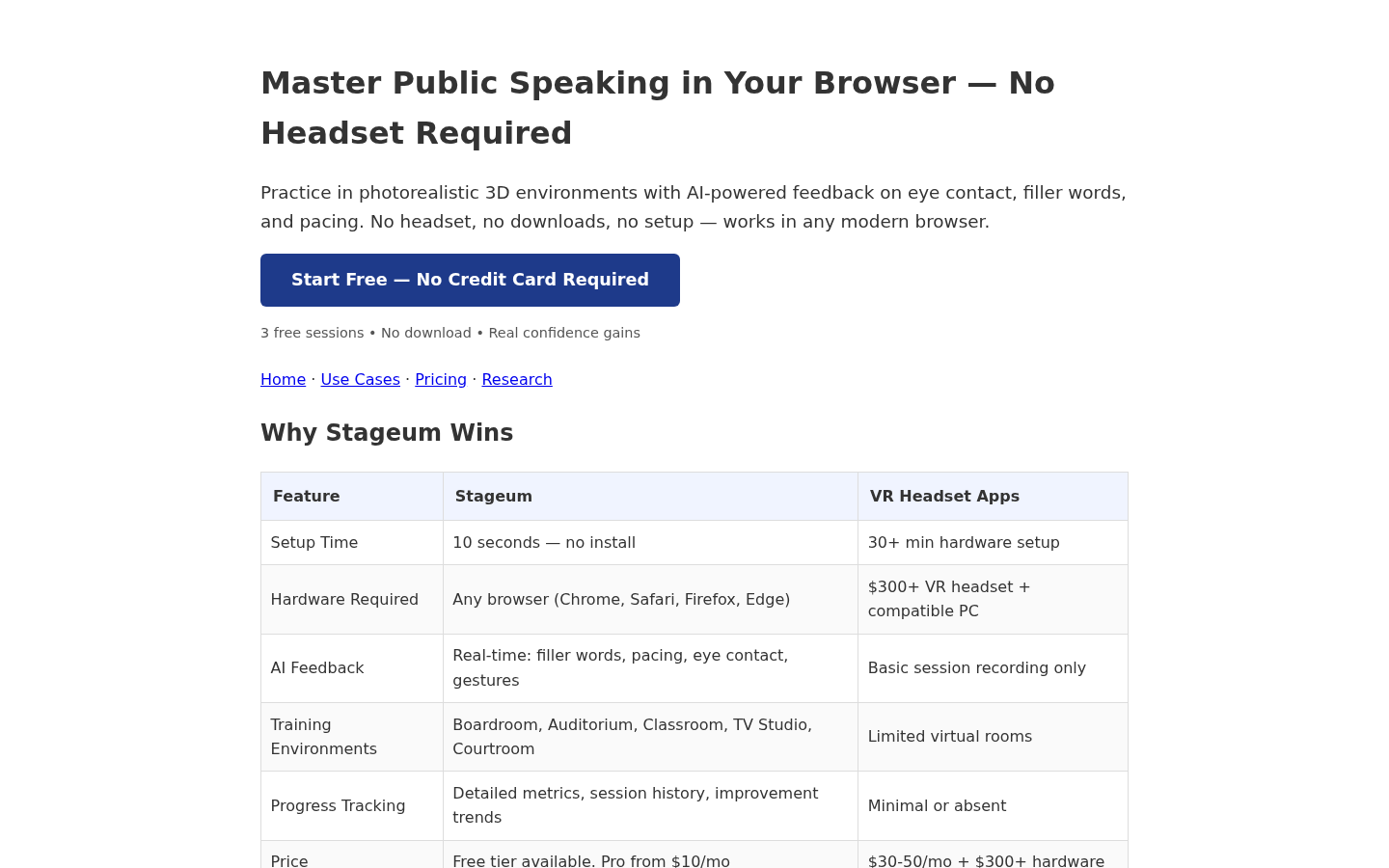
Screenshot archived from the listing page, for preview only.











