Stenography
Automatic code documentation generatorDocs that write themselves as you code
Highlights
What you can do with it
- Auto-record code documentation from a VS Code plugin
- Translate code into explanations through the API
- Find Stack Overflow and docs without a separate search
How to use it
- 1 Install the Stenography extension in your editor.
- 2 Let it record documentation as you save files.
- 3 Use the API for explanations, starting with the free calls.
Who it is for
Pros
- Documentation updates automatically as you save
- API for on-demand code explanations
- 250 free calls each month to start
Limitations
- The free tier is capped at 250 calls per month
- Auto-generated docs still need review for accuracy
- Depends on the editor extension and API staying available
What Stenography is
Stenography is an automatic documentation generator made for developers. Instead of writing docs after the fact, it records your codebase as you save, so the documentation keeps pace with the code rather than drifting out of date. It also provides an API that translates your code into explanations that are easy to understand, and you can customize how that output looks. To help with day-to-day problems, Stenography can surface Stack Overflow suggestions and related documentation right where you are working, so you spend less time jumping to a search engine. You stay in your editor while the documentation builds in the background. It supports a range of extensions, puts weight on user privacy, and gives you 250 free calls per month.
What you can do with it
- Generate documentation automatically as you save code
- Turn code into plain-language explanations via the API
- Pull in Stack Overflow suggestions and related docs
- Keep a searchable record of why the code does what it does
- Customize the output to fit your project
Who it is for
- Developers who find writing documentation tedious
- Teams that want docs to stay in sync with the codebase
- Maintainers inheriting an unfamiliar codebase
- Anyone who wants quick, readable explanations of code
What to watch out for
The free plan is limited to 250 calls per month, so heavy users will need a paid tier, and pricing or limits may change over time. Automatic documentation is a starting point, not a finished product: you should still review what it generates for accuracy and clarity, since it can miss the reasoning behind your code. Because it works through an editor extension and an API, changes to either can affect how well it runs. Treat the built-in suggestions as a shortcut, and verify anything important against the primary source. It is also best suited to teams that already keep their code well organized.
FAQ
How does Stenography work?
It records your codebase as you save and can turn code into explanations through its API.
Is there a free plan?
Yes, it offers 250 free calls per month.
Does it help me find answers?
It integrates Stack Overflow suggestions and related documentation.
Why it is free
What the official page says: 免费
Free limits, trial length and features are decided by the official site and can change at any time.
Product preview
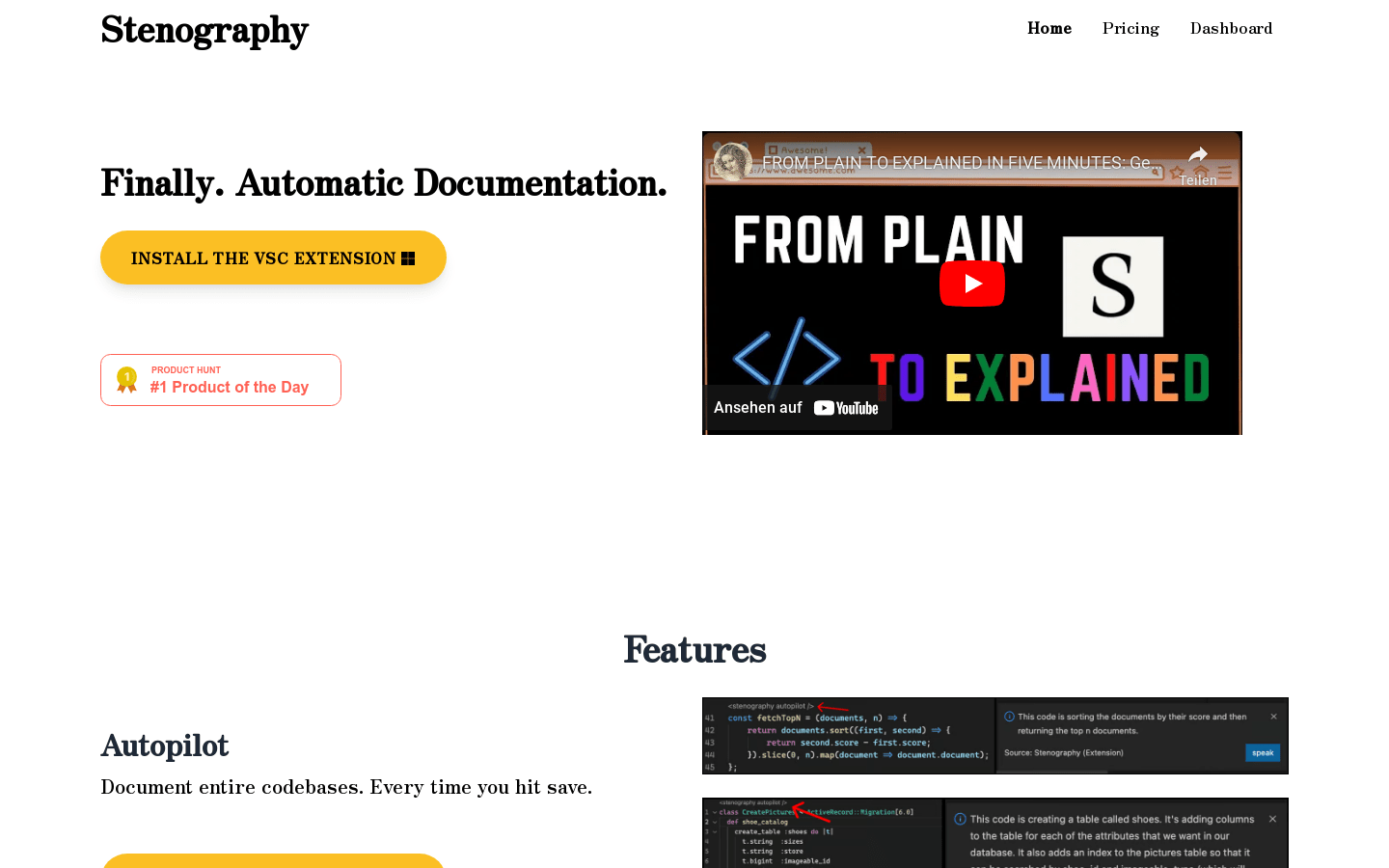
Screenshot archived from the listing page, for preview only.