
Summate
Fast web article summarizerPaste a link, get a concise summary
Highlights
What you can do with it
- Summarizing research papers before a deeper read
- Scanning daily news stories and headlines
- Reviewing long articles for a class or report
- Triaging saved articles to decide what to read in full
How to use it
- 1 Open summate.it in your browser
- 2 Paste the URL of the article you want summarized
- 3 Wait for the summary to generate
- 4 Read the concise summary and decide whether to open the full article
- 5 Start the free trial if you need summaries on a regular basis
Who it is for
Pros
- Fast output from a single link
- Summaries are short and focused on the main points
- No complex setup to start the free trial
Limitations
- Free access is limited to a trial period and pricing terms can change
- Summary quality depends on the source article and the underlying model
- Works on web articles, not on video, audio, or scanned documents
- Paywalled or layout-heavy pages may produce thinner summaries
What Summate is
Summate.it is a web article summarizer that runs on OpenAI models. You give it a link to an article and it returns a short summary of what the piece is about, so you can judge in seconds whether it deserves a full read. The tool is built for one job: cutting long articles down to their main points, and the site describes an efficient summary generation algorithm behind it. The interface is kept user-friendly and the workflow stays short, which is open the page, paste the link, read the summary. There is no content library to manage and no multi-step setup. Access is offered through a free trial period, and the site describes its pricing as flexible, so plan on checking current terms before you build a reading habit around it.
What you can do with it
- Paste a URL and get a concise summary of the article
- Skim many articles quickly to decide what to read in full
- Use the short summary as a starting note for writing or study
- Keep reading time down when tracking a large volume of sources
- Decide whether a saved article is worth opening at all
Who it is for
- Students working through long reading lists and research papers
- Researchers and academics who need to scan new publications
- Journalists and editors who follow a lot of outlets every day
- Analysts tracking industry news and competitor blogs
- Anyone who saves articles for later and never gets back to them
What to watch out for
Free access is tied to a trial, and paid terms can change without much notice, so treat the free period as a test rather than a permanent setup. Summary quality depends on the article itself: pages that are paywalled, very long, or built around layout rather than clean prose tend to produce thinner summaries, and the central claim of a piece can get flattened in compression. The tool also covers one input type, web articles, so video, audio, and scanned documents are outside its scope. AI summaries are a first pass, not a replacement for reading, so verify anything important against the original source before you quote or cite it.
FAQ
Is Summate free to use?
Summate offers a free trial period. The site describes its pricing as flexible, so check the current plan terms on the site before you rely on it.
What kind of content can it summarize?
It is built for web articles. You paste a link and it returns a concise summary of the article content.
Do I need an account?
The site advertises a free trial and flexible pricing, which usually means signing up. Check the current sign-up flow on the site.
Are the summaries reliable?
They are AI generated and work best as a first pass. Read the original article before quoting or citing anything from a summary.
Why it is free
What the official page says: free trial
Free limits, trial length and features are decided by the official site and can change at any time.
Product preview
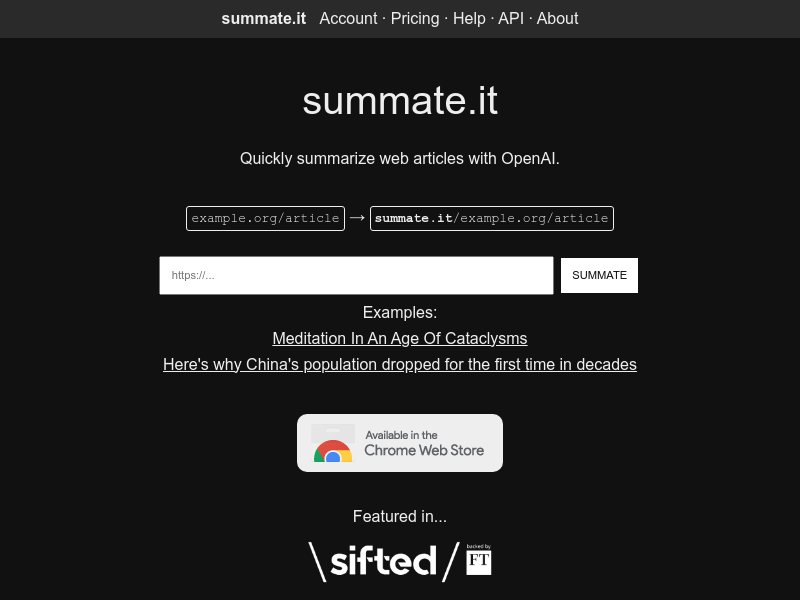
Screenshot archived from the listing page, for preview only.











