talat
Private meeting recorder with on-device transcriptionRecord meetings, keep data on your own machine
Highlights
What you can do with it
- Recording a business meeting and getting an automatic summary with decisions and to-dos.
- Capturing an academic seminar for later review and analysis.
- Keeping remote team meetings documented so information is not lost.
How to use it
- 1 Download the installer for macOS or Windows from the Talat site and install it.
- 2 Open your usual meeting software such as Zoom, Teams, or Google Meet and join the call.
- 3 Let Talat detect microphone access and record and transcribe quietly in the background.
- 4 Review the live transcript during the meeting, then read the auto-generated summary afterward.
- 5 Edit or split transcript segments, then export to Markdown or PDF or push via webhook.
Who it is for
Pros
- On-device transcription and local storage keep meeting data private.
- Ten hours of free use with no account required lowers the barrier to try it.
- Works next to existing meeting tools instead of replacing them.
Limitations
- After the free 10 hours, it becomes a one-time purchase, so it is not free forever.
- Free use limits and pricing can change, and the product comes from a small two-person team with rapid iteration.
- It supports only macOS and Windows desktops, so mobile users are left out.
What talat is
Talat is a desktop meeting recorder for macOS and Windows. It transcribes conversations in real time using device-side AI and saves all data in a local database, so recordings, transcripts, and notes stay on your computer instead of the cloud. You get 10 hours of free use without creating an account, and the app is a one-time purchase after that. It runs next to meeting tools you already use, such as Zoom, Teams, and Google Meet, and a local language model writes a summary with key points, decisions, and action items once the meeting ends.
What you can do with it
- Record a meeting and watch the transcript appear in real time through on-device AI.
- Read an automatic summary with key points, decisions, and action items generated by a local language model.
- Click any transcript line to play back the audio at that exact moment to confirm details.
- Edit, split, or reassign transcript segments, then export to Markdown or PDF or push records to other apps through a webhook.
Who it is for
- Business people who sit through many meetings and want to focus on the conversation, not on typing notes.
- Remote workers who need accurate records of distributed meetings so nothing gets lost.
- Researchers who must capture talks, seminars, and project discussions precisely for later review.
What to watch out for
Talat is not a free product forever. You get 10 hours of free use without an account, and after that it is a one-time purchase, and these terms can change. Because transcription and summaries run on your own device, performance depends on your hardware, and the app supports only macOS and Windows desktops, so there is no mobile version. The product comes from a small two-person team with rapid iteration, so features and pricing may shift between releases.
FAQ
Does Talat cost anything?
You get 10 hours of free use without an account, and the app is a one-time purchase beyond that.
Where is my meeting data stored?
All recordings, transcripts, and notes are kept in a local database on your computer and are not sent to the cloud.
Which platforms does Talat support?
It runs on macOS and Windows and works alongside meeting tools like Zoom, Teams, and Google Meet.
Why it is free
What the official page says: 免费使用免费
Free limits, trial length and features are decided by the official site and can change at any time.
Product preview
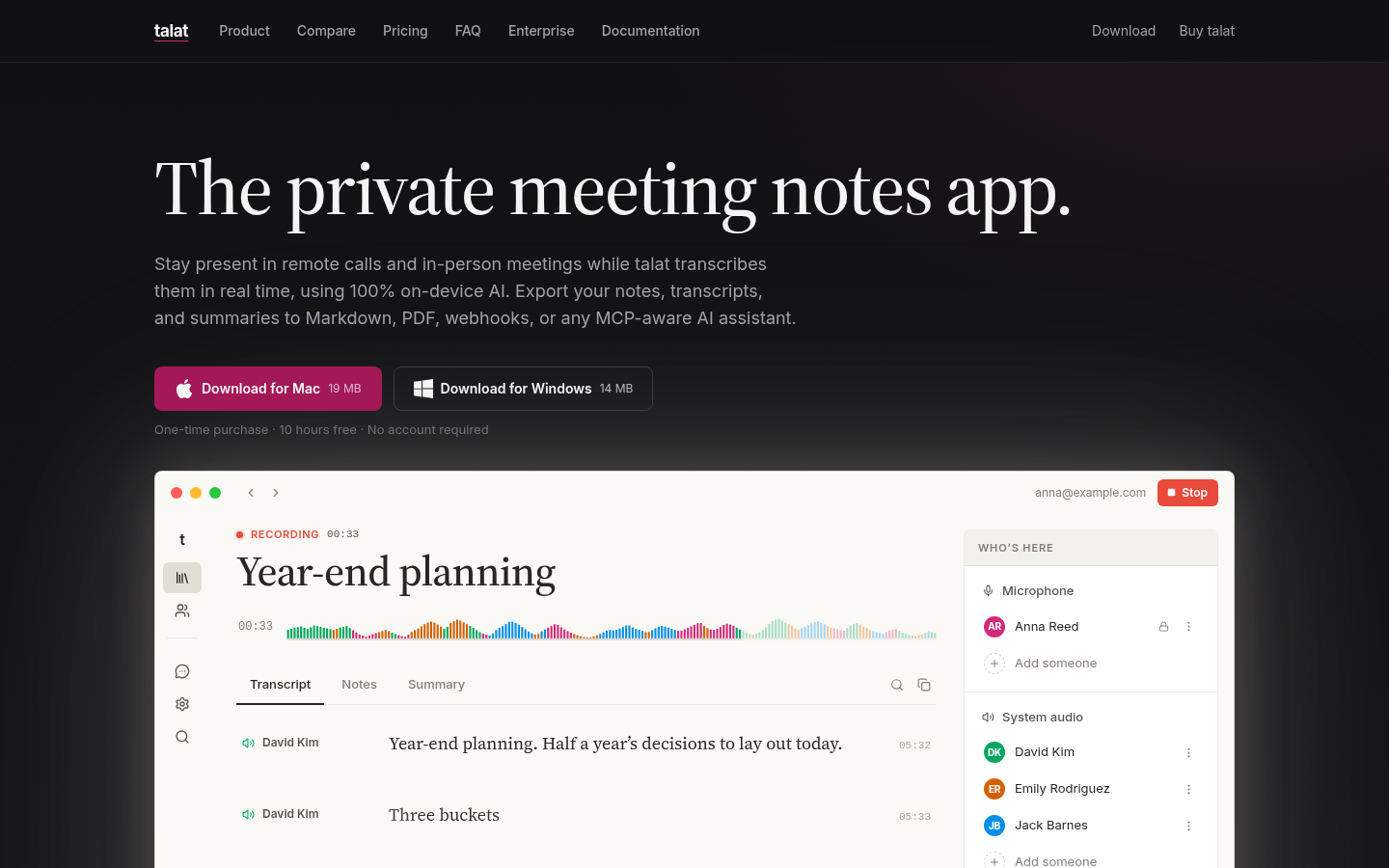
Screenshot archived from the listing page, for preview only.











