
Text to Cron
Text to cron converterPlain words into cron syntax
Highlights
What you can do with it
- Write a cron line for a backup job
- Set up a recurring report task
- Check a schedule you wrote by hand
How to use it
- 1 Open the site in your browser.
- 2 Type the schedule in plain words.
- 3 Copy the generated cron expression.
- 4 Paste it into your scheduler.
Who it is for
Pros
- Free and instant
- No cron syntax memorisation needed
- Works in any browser
Limitations
- Always verify the expression before relying on it
- Single purpose, so no extra features
- Small utility sites can go offline without notice
What Text to Cron is
Text to Cron is a free online tool that generates cron expressions from plain language. Instead of counting fields and remembering the order of minute, hour, day, month, and weekday, you describe the schedule in words and the tool writes the syntax. It supports several scheduling modes, so planned tasks, timed triggers, and recurring jobs can all be configured without editing the expression by hand. It is deliberately simple: no account, no dashboard, just a conversion.
What you can do with it
- Turn a plain language schedule into a cron expression.
- Cover planned, timed, and recurring task patterns.
- Check an expression you wrote by hand.
- Copy the result straight into a scheduler or config file.
Who it is for
- Developers configuring cron jobs on a server.
- System administrators scheduling maintenance and backups.
- Anyone who works with cron rarely enough to forget the field order.
What to watch out for
Always verify the generated expression against the schedule you intended, since a small difference in wording can produce a different timing than you expect, and an incorrect cron line can silently fail or run far more often than planned. The tool is single purpose, so it offers no validation of the resulting schedule in context. Small utility sites can also go offline without notice, so keep a manual reference as a fallback. Check any time zone assumptions before you rely on a recurring job. Processing speed depends on file size and network conditions, so retry later if a task stalls during peak hours. Run one full task end to end first, then expand once you are comfortable with the workflow and the result quality.
FAQ
What does it do?
It converts user-entered text into cron expressions so developers can set up scheduled tasks more easily.
What scheduling modes are supported?
It supports multiple scheduling modes, covering planned tasks, timed triggers, and recurring tasks.
Do I need an account?
No. It is described as a simple, user-friendly online tool.
Why it is free
What the official page says: 免费
Free limits, trial length and features are decided by the official site and can change at any time.
Product preview
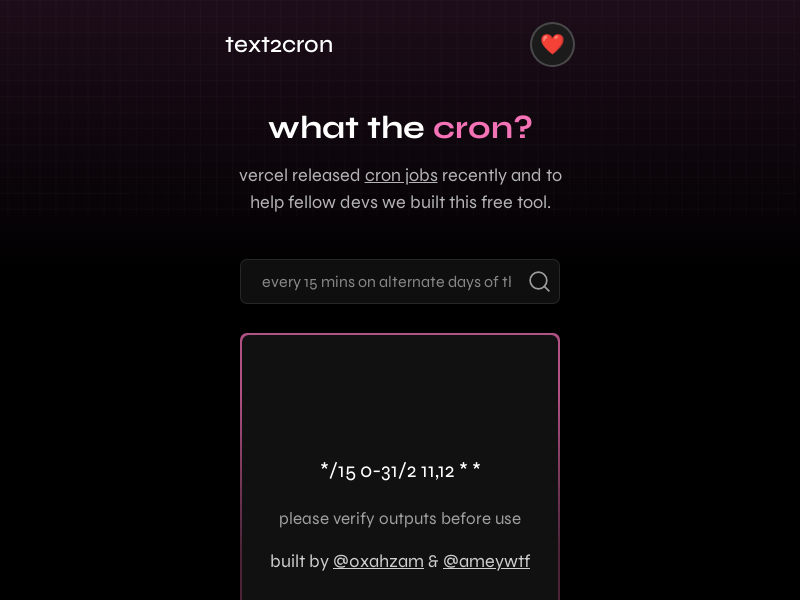
Screenshot archived from the listing page, for preview only.











