TextToHuman
Free tool that rewrites AI text into human-sounding proseRewrite ChatGPT output so it reads like a person wrote it
Highlights
What you can do with it
- Loosen the tone of an AI-drafted blog post
- Revise marketing copy that reads too stiff
- Edit an AI-assisted draft before you submit your own version
How to use it
- 1 Paste the AI-generated text into the TextToHuman box.
- 2 Choose a model and a mode such as basic or autopilot.
- 3 Read the detection score and the highlighted sentences.
- 4 Adjust the wording yourself until it sounds like your own voice.
- 5 Copy the final text and publish it.
Who it is for
Pros
- Free to use with no registration
- Works in any modern browser across 25 languages
- Fast processing with a score to guide edits
Limitations
- Using it to evade AI detection may break school or platform rules, and the user carries the consequences
- Rewriting can strip accuracy or introduce errors
- The free status and the detection score are not guarantees
What TextToHuman is
TextToHuman is a free tool that rewrites text produced by AI models such as ChatGPT and Gemini into language that reads more like a person wrote it. It works in any modern browser without installation, supports 25 languages, requires no registration, and states no usage limits. It keeps important keywords and SEO elements while improving readability, and its autopilot mode reports a detection score while it rewrites. The plain description is that it takes machine output and smooths it into more natural prose.
The honest framing is that this is a rewriting tool with a detection score attached. The rewriting itself is a normal editing task, and smoothing stiff sentences is something editors do by hand. The detection score is the part that raises the stakes, because it exists so that a user can see whether automated systems would flag the text, and that is where the rules of schools, publishers, and platforms come into play.
What you can do with it
- Rewrite a stiff AI draft into more natural sentences
- Work across 25 languages in the browser
- Check a detection score while editing
- Revise generated marketing or email copy
- Keep key terms while changing the sentence rhythm
Who it is for
- Writers polishing AI-assisted drafts they will edit themselves
- Marketers tightening generated copy
- Editors who want a second pass on mechanical text
- Non-native speakers smoothing translated phrasing
What to watch out for
Using this tool to make AI text pass as human-written may violate school policies, publisher guidelines, or platform rules, and any penalty or loss falls on you, not the tool. That is a real risk, so decide whether your use is acceptable before you rely on it. Rewriting can also drop detail or introduce factual drift, so compare the result against your source and verify every claim. The detection score is an estimate from a third party and is not proof that anything will pass review. Finally, the tool is free today, but free access and features can change, and pasting text into a third-party site means the operator sees what you submit.
FAQ
Is TextToHuman free?
Yes, the listing says it is free to use permanently with no registration.
Does it support other languages?
It supports 25 languages including English, Chinese, Russian, Arabic, Japanese, and Spanish.
Is it safe to use for school work?
No. Rewriting text to avoid AI detection may violate school or platform rules, and any consequence is yours to carry.
Why it is free
What the official page says: free to use
Free limits, trial length and features are decided by the official site and can change at any time.
Product preview
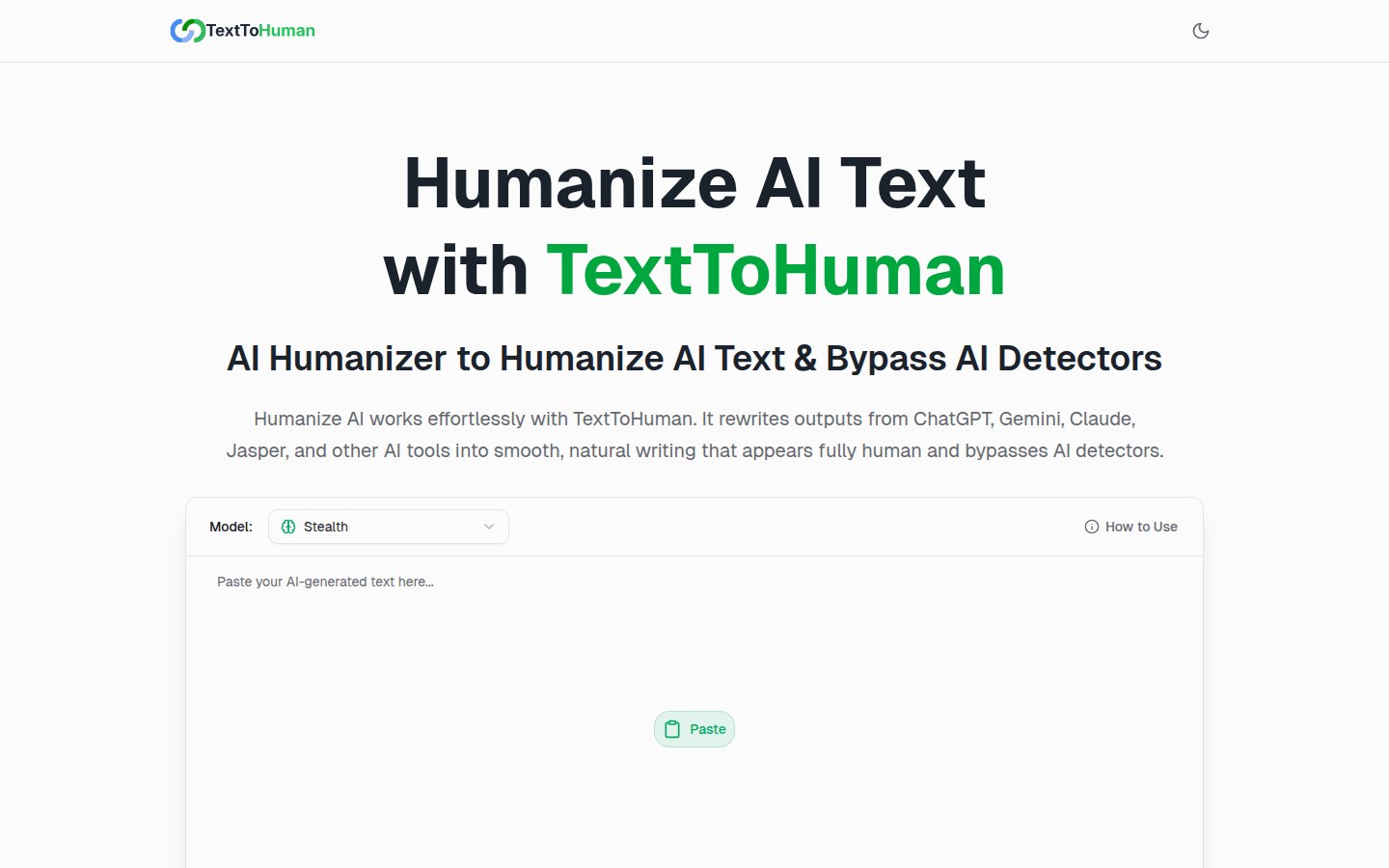
Screenshot archived from the listing page, for preview only.