
Texture Lab
AI texture generator for gamesText prompt to tileable 3D texture
Highlights
What you can do with it
- Filling material slots during a game prototype
- Creating surface variety for environment art
- Testing texture ideas before commissioning art
How to use it
- 1 Open the Texture Lab website.
- 2 Type a description of the texture you need.
- 3 Generate the texture and review the result.
- 4 Create variations if you want alternatives.
- 5 Download and import it into your project.
Who it is for
Pros
- Free to use for generated textures
- Very fast from prompt to download
- Variations help explore options quickly
Limitations
- Textures only, with no full model generation
- Tile quality and resolution need checking in engine
- Prompt results vary and may need cleanup
- Licensing terms should be confirmed before shipping
What Texture Lab is
Texture Lab is an AI tool that generates 3D textures for games from a text prompt. You describe the surface you want, for example weathered rock or wooden planks, and it returns a tileable texture in seconds. The listing names categories including architecture, rock, wood, beach, plants, and ice, and says generated textures are free to use. Variations can be produced from any result, which helps when you want several related surfaces for one environment. It handles materials rather than geometry, so it fits into an existing pipeline where you still build or import models yourself and need surfaces to apply.
What you can do with it
- Generate a tileable texture from a short description.
- Choose from categories such as rock, wood, ice, and plants.
- Create variations of a texture you already like.
- Download results and import them into a game engine.
Who it is for
- Indie developers filling material slots quickly.
- Environment artists who need surface variety.
- Prototypers testing art direction before commissioning work.
What to watch out for
It only produces textures, not models, so it will not replace modelling or sculpting work. Tile seams, resolution, and how the surface looks under your lighting still need checking inside the engine, since a texture that looks good in a preview can show repeats in a large scene. Results vary by prompt and may need cleanup or adjustment. Confirm the current licensing terms before using anything in a shipped commercial product. Processing speed depends on file size and network conditions, so retry later if a task stalls during peak hours. Run one full task end to end first, then expand once you are comfortable with the workflow and the result quality.
FAQ
Are the textures free to use?
The listing says generated textures are free to use, but confirm the current terms before a commercial release.
What kind of textures can it make?
Categories include architecture, rock, wood, beach, plants, ice, and other surface types.
Can I make variations?
Yes, variations can be created from an already generated texture.
Why it is free
What the official page says: free to use
Free limits, trial length and features are decided by the official site and can change at any time.
Product preview
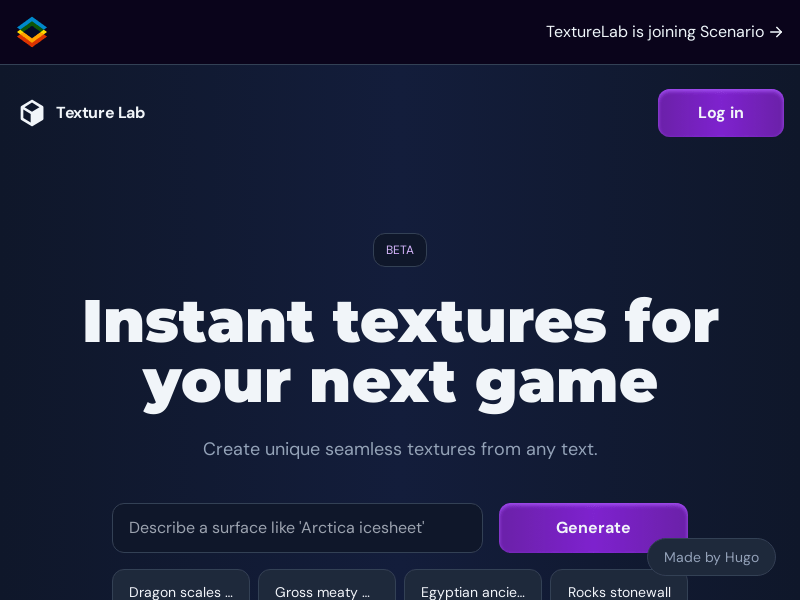
Screenshot archived from the listing page, for preview only.











