
tldv
AI meeting recorder and summarizerRecord, transcribe, and summarize meetings
Highlights
What you can do with it
- Record a meeting and share the summary with the team
- Search past meeting content later
- Clip key moments for people who missed the call
How to use it
- 1 Install tl;dv and connect your calendar or meeting tool
- 2 Let it join and record a Zoom or Google Meet call
- 3 Read the automatic transcript and summary
- 4 Clip key moments and share them
- 5 Search the archive when you need a detail
Who it is for
Pros
- Free recording for Zoom and Google Meet
- Summaries and timestamps save review time
- Clips make sharing easy
Limitations
- Recording requires the consent of everyone present
- Free tier limits apply for heavier use
- Depends on the meeting platforms staying compatible
What tl;dv is
tl;dv is an AI meeting assistant that records, transcribes, summarizes, and shares online meetings. It joins Zoom and Google Meet calls, captures the audio, and turns it into a searchable transcript with an automatic summary and timestamps for key moments. Clips can be cut from the recording and shared with people who were not there. The product offers free recording for those meeting platforms, supports transcription in over 30 languages, and is positioned for team collaboration and knowledge management.
What you can do with it
- Record a call and receive a full transcript.
- Read an automatic summary with timestamps for key moments.
- Cut and share clips of the important parts.
- Search the archive later to recover a decision or number.
Who it is for
- Remote teams with back-to-back video calls.
- Managers who need decisions and actions written down.
- People who miss meetings and want the highlights fast.
What to watch out for
Recording a meeting is a consent issue, not just a technical one: make sure attendees know and agree, and follow your company and local rules before you capture audio or video. Free recording covers the basics, while heavier usage and advanced features move to paid plans. Because it depends on Zoom and Google Meet, a platform change or API update can break the integration, so keep a manual notes habit for critical calls. Start with a small sample to confirm the output meets your expectations before processing the full batch. Free tiers and usage limits can change, so check the current rules on the official page before relying on it long term. Save a backup of the original file before large batch jobs, and keep an exported copy of key results in case the page or service becomes temporarily unavailable.
FAQ
Which meeting tools are supported?
It records Zoom and Google Meet meetings.
How many languages can it transcribe?
Transcription supports more than 30 languages.
Is recording free?
The product offers free recording for Zoom and Google Meet meetings.
Why it is free
What the official page says: 免费
Free limits, trial length and features are decided by the official site and can change at any time.
Product preview
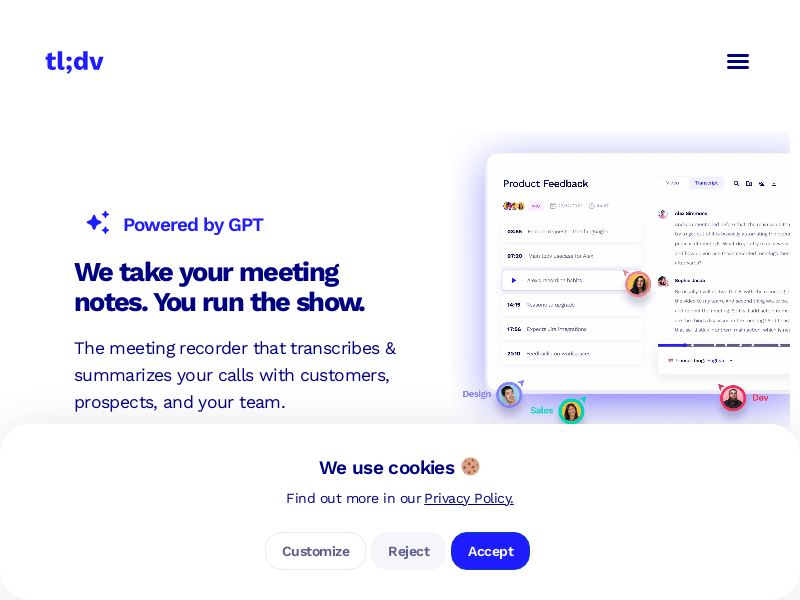
Screenshot archived from the listing page, for preview only.











