
Toolspend
AI spend tracking across providersTrack and predict your AI costs in real time
Highlights
What you can do with it
- A tech company caught abnormal OpenAI token usage and avoided waste
- A developer compared provider costs and switched to a cheaper model
- A finance team predicted the month end bill to stay in budget
How to use it
- 1 Register and create a workspace, inviting your team
- 2 Connect your AI providers through read only access
- 3 View total spending, predictions, and anomalies within minutes
- 4 Act on alerts and cost saving suggestions
Who it is for
Pros
- 14 day free trial to test
- Single dashboard across multiple providers
- Cost prediction and anomaly alerts
- Read only access claims strong security
Limitations
- Full use needs a paid plan after the trial
- Depends on provider data and API access working
- Cost saving suggestions need review before acting
- Pricing and compliance claims should be verified
What ToolSpend is
ToolSpend is a tool for tracking AI spending across providers. It shows spend on a single dashboard for providers like OpenAI, Google AI, Azure, and Bedrock, predicts the end of month bill, and alerts on abnormal usage jumps. It generates cost saving suggestions, offers views for different teams, and uses read only API access without storing your API keys, with encryption and SOC 2 Type II compliance claims. It targets founders, developers, and finance teams who need to manage LLM costs. It offers a 14 day free trial, with a professional plan at 39.99 dollars per month and annual savings of 25 percent. It is built to help avoid budget waste and surprise bills.
What you can do with it
- Track AI spend across providers on one dashboard
- Predict the end of month bill from current usage
- Get alerts on abnormal jumps in usage
- Review cost saving suggestions like switching to a cheaper model
- Connect providers with read only access
Who it is for
- Founders watching AI cost growth against revenue
- Developers tracking production usage
- Finance teams managing budgets without spreadsheets
What to watch out for
Full use needs a paid plan after the 14 day trial, so review pricing before committing. Tracking depends on provider data and API access working, so an outage or permission issue can interrupt it. Cost saving suggestions need review before you act, since switching models can affect quality. Compliance claims like SOC 2 Type II are the vendor's and should be verified if they matter to your organization. Features and interface details may change between versions, so review the latest notes on the page before you start.
FAQ
Is there a free trial?
Yes. ToolSpend offers a 14 day free trial, with a professional plan at 39.99 dollars per month.
Which providers can it track?
It can track providers such as OpenAI, Google AI, Azure, and Bedrock on one dashboard.
Does it store my API keys?
No. It uses read only API access and says it does not store your API keys.
Why it is free
What the official page says: free trial
Free limits, trial length and features are decided by the official site and can change at any time.
Product preview
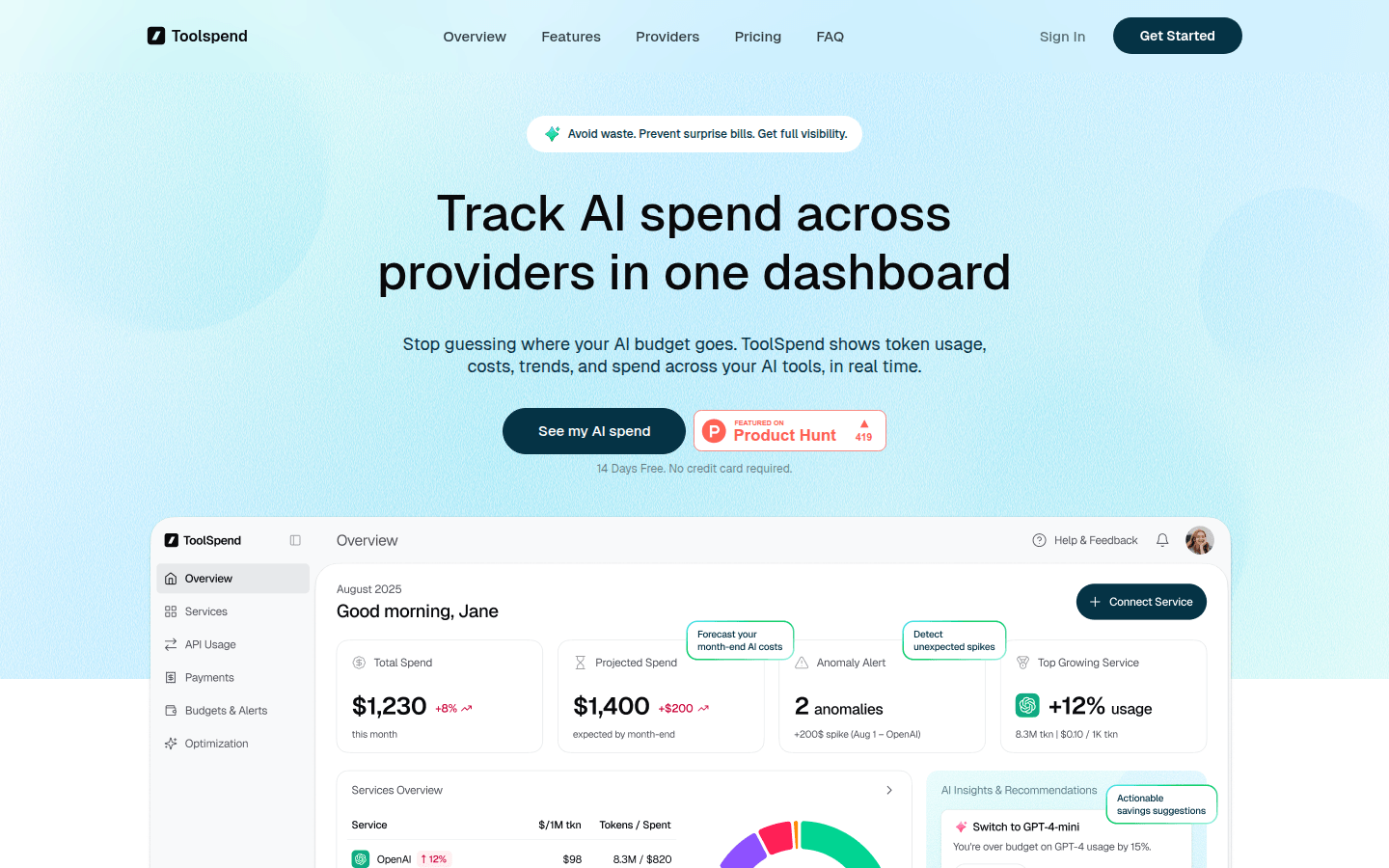
Screenshot archived from the listing page, for preview only.











