
Transcriptly
Free audio and video to text tool98 languages, timestamps, and speaker labels
Highlights
What you can do with it
- Turn online course videos into text notes
- Convert video content into blog posts
- Pull key information out of industry video
How to use it
- 1 Go to transcriptly.org
- 2 Upload your file or paste a YouTube link
- 3 Choose the language and output format
- 4 Run the conversion and wait for the transcript
- 5 Download the text or edit it further
Who it is for
Pros
- Free to use online
- Wide format and language coverage
- Timestamps and speaker labels save editing time
Limitations
- Free status is the current offering and can change
- Long or noisy recordings may need manual correction
- API use is aimed at developers
What Transcriptly is
Transcriptly is a free online tool that converts audio and video into text. You can either upload a local media file or paste a YouTube link, and the supported formats include MP3, MP4, WAV, M4A, and MOV. The service covers 98 languages, which makes it usable across regions rather than a single market. Transcripts come back with punctuation, timestamps, and speaker identification, so the output is closer to something you can edit than a raw wall of text. Conversion is described as fast, with results in seconds for typical files, and the tool is aimed at content creators, students, and professionals who work with spoken material. There is also API support, which is aimed at developers who want to batch process YouTube video transcription rather than convert files one at a time.
What you can do with it
- Convert YouTube videos and local media files to text
- Work across 98 languages
- Get punctuation, timestamps, and speaker labels in the transcript
- Batch process YouTube transcription through the API
Who it is for
- Students turning course videos into text notes
- Content creators repurposing video into written posts
- Professionals analysing video material for research
What to watch out for
The tool is described as free today, and free status on a web service can change, so check the site before you depend on it. Long recordings and noisy audio still need manual correction, especially where several people speak at once or the source is compressed. The API route is aimed at developers rather than casual users, so expect some integration work. Since the free tier is the main selling point, watch for any limits on file size, length, or number of conversions that may apply to your use.
FAQ
Is Transcriptly free?
Yes, it is described as a free audio and video to text tool.
What files can I convert?
YouTube videos and local files including MP3, MP4, WAV, M4A, and MOV.
How many languages are supported?
The tool supports 98 languages.
Why it is free
What the official page says: 免费
Free limits, trial length and features are decided by the official site and can change at any time.
Product preview
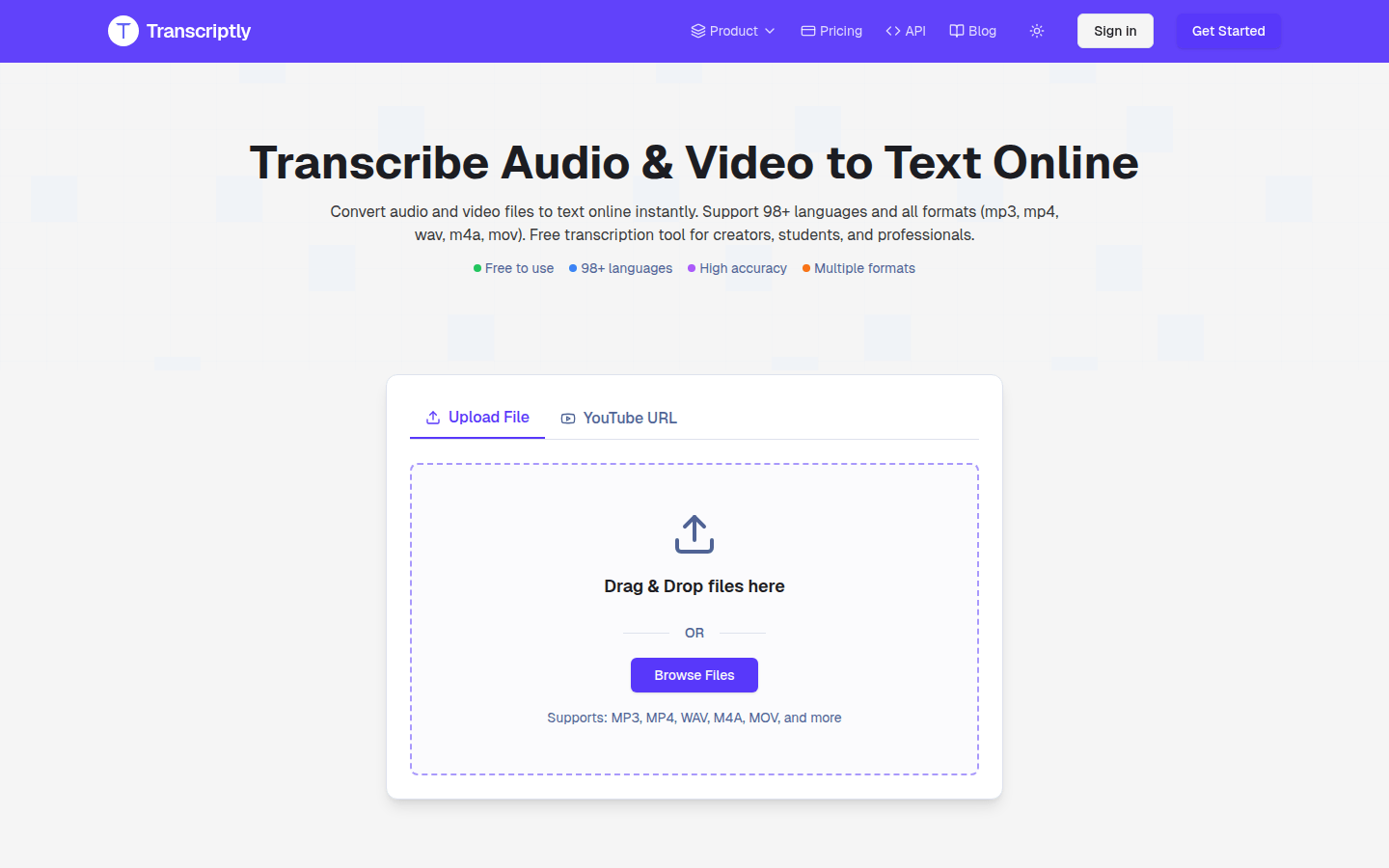
Screenshot archived from the listing page, for preview only.











