usefulAI
AI integration platformAdd AI features to your product fast
Highlights
What you can do with it
- Add a text or image feature to an app without training your own model
- Compare a few AI options side by side before committing to one
- Wire an AI step into a no-code workflow
How to use it
- 1 Open usefulAI and start for free, no card needed
- 2 Describe the capability you need in your product
- 3 Test and compare the suggested solutions on the test platform
- 4 Integrate the chosen option through the unified API or your no-code platform
Who it is for
Pros
- Free to start, with no credit card required
- One API for several AI solutions keeps integration work down
- The test platform lets you compare before you commit
Limitations
- The listed URL returned a 404 when checked, so verify the current site first
- Free access terms and pricing are not detailed in the listing and can change
- You still own the integration and any quality problems in the AI solution you choose
What usefulAI is
usefulAI is an AI integration platform. The idea is that you should not have to build every AI feature from scratch, so you describe the capability you want, the platform suggests AI solutions that fit, and you test and compare them before wiring one into your product. Integration happens through a single unified API, and no-code and automation platforms are supported as well, so a workflow step can be automated without writing code. The listing says you can start for free with no credit card required, which makes it a low risk way to see what is available before you spend anything.
What you can do with it
- Describe a needed capability and get matching AI solutions suggested
- Test and compare options side by side on one platform
- Compare output quality across options before you commit to a provider
- Integrate the chosen solution into your product through a unified API
- Automate an AI step in a no-code tool or workflow
Who it is for
- Product teams adding an AI feature to an existing app
- Developers who would rather maintain one integration than several
- No-code builders who want an AI step without a backend
- Teams comparing options before signing a contract with a provider
What to watch out for
The main flag is availability: our checks returned a 404 for the listed URL, so confirm the current site and its status before you plan anything around it. Beyond that, the listing does not describe free tier limits or paid pricing, and those terms can change once a platform moves out of trial. Responsibility also stays with you: the platform helps you pick and integrate a solution, but the quality, cost, and behaviour of the model you choose are your problem in production. Budget time for evaluating output on your own data rather than trusting a demo.
FAQ
How do I start?
The listing says you can start using it for free with no credit card required.
How does integration work?
You test solutions on the platform and integrate the one you choose into your product through a unified API. No-code and automation platforms are supported.
Is the site live?
Our checks returned a 404 for the listed URL, so open the site and confirm before building a workflow around it.
Why it is free
What the official page says: for freeno credit card
Free limits, trial length and features are decided by the official site and can change at any time.
Product preview
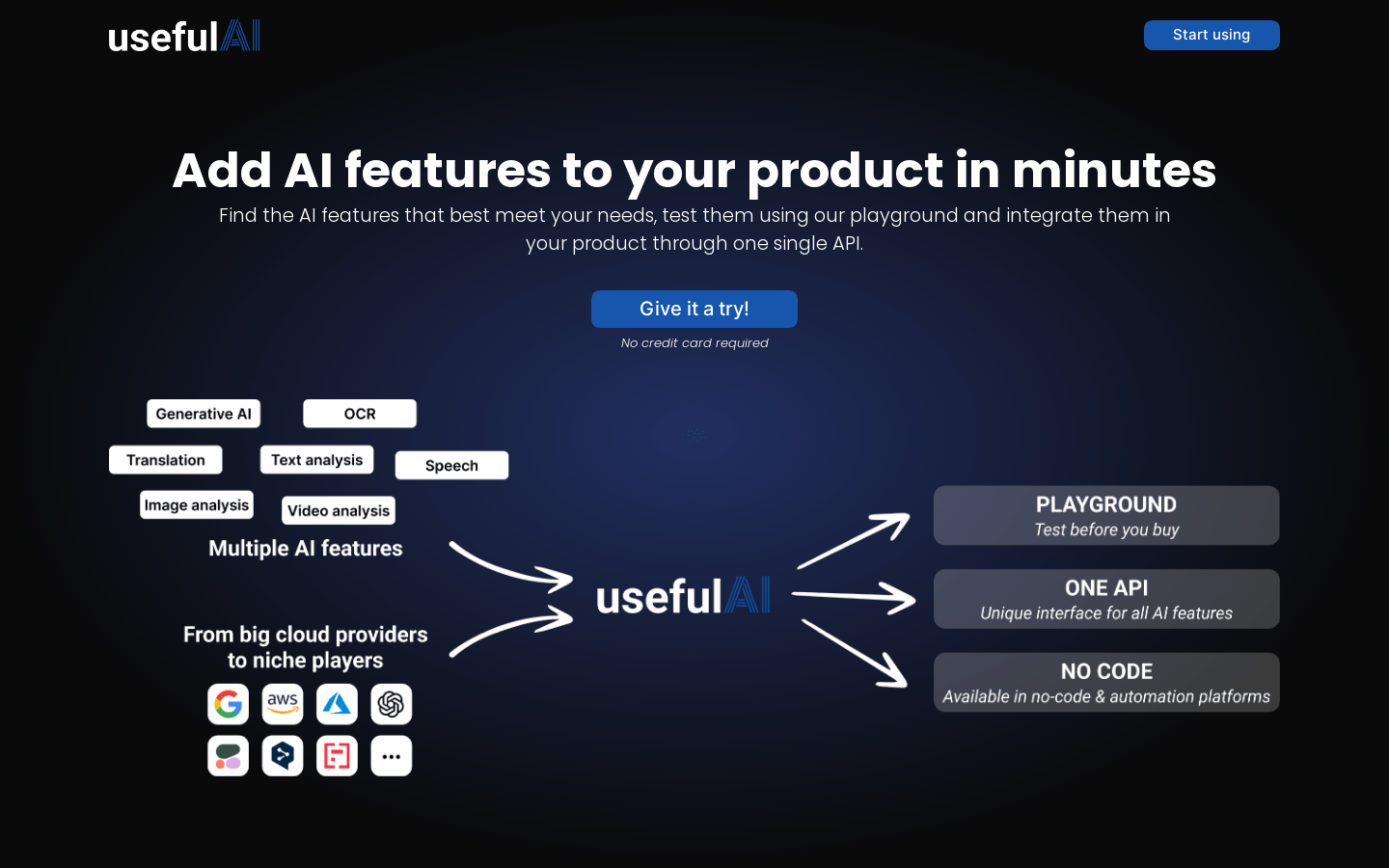
Screenshot archived from the listing page, for preview only.