
Vela
Remote work messaging appOpen voice rooms for remote teams
Highlights
What you can do with it
- Creative teams brainstorm in open voice rooms and share ideas in real time
- Technical teams run code reviews and problem discussions using threads and tags
- Project teams lower presence pressure and improve work life balance
How to use it
- 1 Visit tryvela.com and join the waitlist for launch or trial access
- 2 Download and install the Vela macOS client, then log in
- 3 Create or join a voice room and talk with push to talk
- 4 Use threads and tags to organize and search discussions
- 5 Pick the free personal version or the Autoscale paid plan based on your needs
Who it is for
Pros
- Free personal version covers the core features for small teams
- Removing online status reduces anxiety and supports work life balance
- Native macOS client with a fast floating panel and hotkeys
Limitations
- Currently macOS only, so Windows and Linux users cannot run it
- Access is through a waitlist, so availability may be limited at launch
- Free rules, room limits, and pricing may change as the product develops
What Vela is
Vela is a desktop messaging platform built to make remote work feel more social. It runs as a native macOS application that lives in the menu bar and opens as a floating panel through keyboard shortcuts, so it stays out of the way until you need it. Instead of the usual presence indicators, Vela removes the online and offline status display so team members can manage their time without the pressure of always looking available. Its core feature is open voice chat rooms where teammates can talk in real time using push to talk. There is a free personal version with the core features for individuals and small teams, and a paid Autoscale plan that adds unlimited rooms, granular access controls, and extra storage for larger organizations.
What you can do with it
- Hold real time voice conversations in open rooms using push to talk
- Run threaded discussions in private forums and find them again with tags
- Reach commands, threads, and members quickly through keyboard shortcuts
- Work from a floating panel that opens without breaking your focus
- Choose between the free personal version and the paid Autoscale plan
Who it is for
- Remote teams that want more spontaneous, voice based communication
- Individuals and small teams who want a free messaging option
- macOS users who prefer a lightweight menu bar app for work chat
- Groups that want to reduce presence pressure and improve work life balance
What to watch out for
Vela is currently a macOS only application, so Windows and Linux users cannot run it. Access is handled through a waitlist, which means the product may not be available to everyone right away. The free personal version and the paid Autoscale plan are described in early access terms, so the free rules, room limits, and pricing may change as the product develops. Teams that need guaranteed availability or cross platform support should confirm current details on the official site before relying on it for daily work.
FAQ
Is Vela free to use?
Vela offers a free personal version with the core features for individuals and small teams. A paid Autoscale plan adds unlimited rooms, granular access controls, and extra storage for larger organizations.
What platforms does Vela support?
Vela is a native macOS application that lives in the menu bar. The source material does not mention Windows or Linux versions.
How do I get access to Vela?
The site asks visitors to join a waitlist to await the official launch or a trial opportunity.
Why it is free
What the official page says: 免费版免费
Free limits, trial length and features are decided by the official site and can change at any time.
Product preview
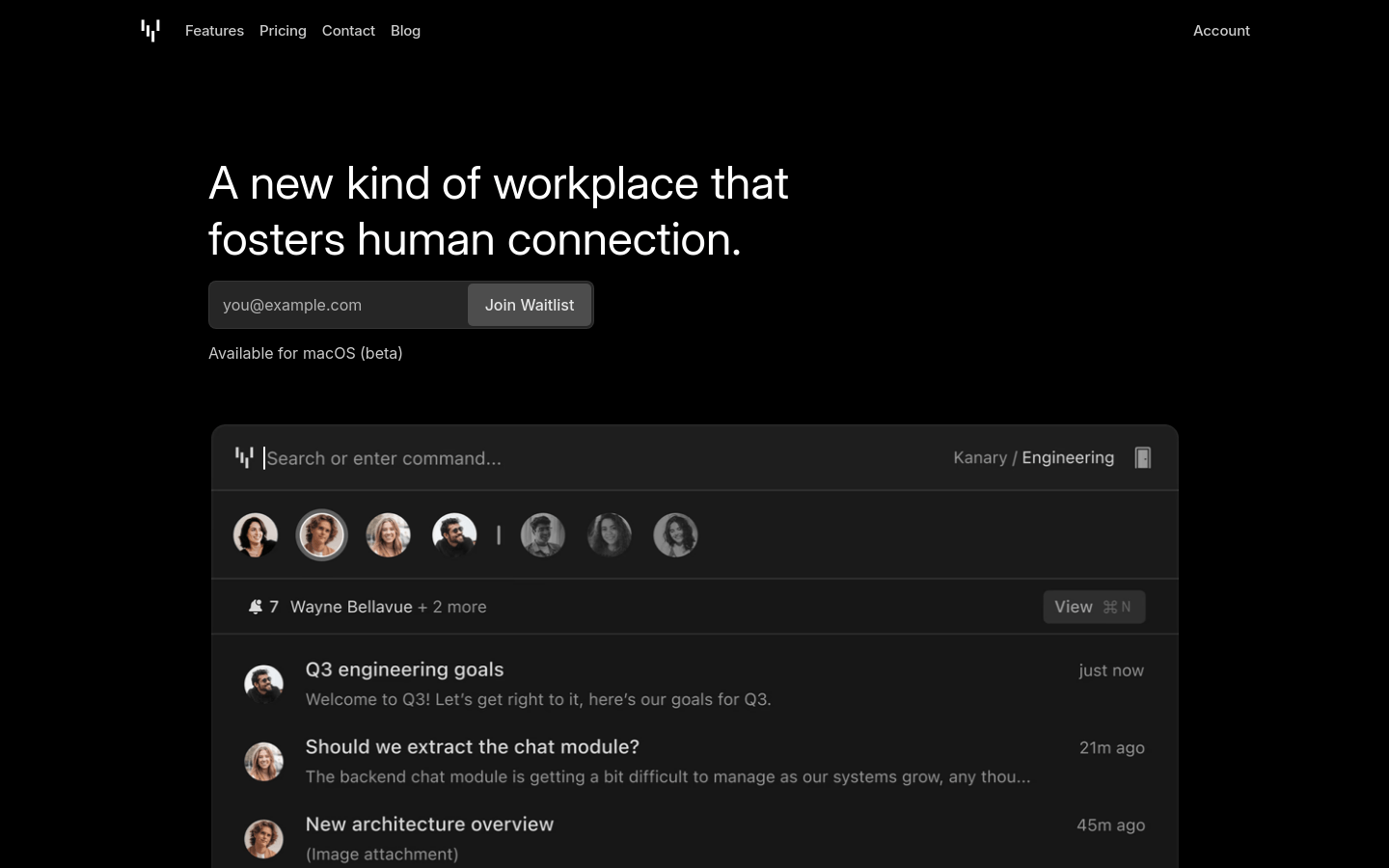
Screenshot archived from the listing page, for preview only.











