
Video Candy
Free online video editing toolkitMerge, trim, compress in the browser
Highlights
What you can do with it
- Trim a long recording down to the good part
- Merge two clips into a single video
- Compress a file before uploading it
How to use it
- 1 Open videocandy.com and pick the tool you need
- 2 Upload your video file
- 3 Adjust the settings for the job
- 4 Process the video and download the result
Who it is for
Pros
- No installation required
- Covers many common video tasks
- Free to use
Limitations
- Online processing means upload time for large files
- Simple edits only, not multi-track production
- Free access today is not a long term promise
What Video Candy is
Video Candy is a set of free online video tools gathered in one place. The lineup covers editing, compressing, trimming, merging, resizing, screen recording, adding music, and adjusting playback speed. Because everything runs in the browser, there is nothing to install, and a simple job such as cutting a clip or joining two recordings takes a couple of minutes rather than an afternoon.
What you can do with it
- Trim and cut video clips
- Merge several clips into one file
- Compress video to reduce file size
- Resize video and adjust playback speed
- Record the screen and add music
Who it is for
- Casual editors handling occasional video jobs
- People shrinking files to meet upload limits
- Anyone who needs a quick trim without software
- Users who want screen recording alongside editing
What to watch out for
Processing happens online, so a large video means a long upload and a dependence on your connection speed. The toolset is aimed at simple edits: if you need multi-track timelines, color work, or precise keyframing, this is the wrong category. It is free to use now, which is a current policy rather than a guarantee, so avoid making it the only tool in a workflow you cannot pause. Check the output quality before you delete your originals. Behavior may vary across browsers and devices, so test before production use and consult the help docs if errors appear. Features and interface details may change between versions, so review the latest notes on the page before you start. Save a backup of the original file before large batch jobs, and keep an exported copy of key results in case the page or service becomes temporarily unavailable.
FAQ
Is Video Candy free?
Yes, the tools are described as free to use.
What can I do with it?
Edit, compress, trim, merge, and resize video, record the screen, add music, and adjust speed.
Is it good for large files?
Large files take time to upload and process online, so plan for a good connection.
Why it is free
What the official page says: free to use
Free limits, trial length and features are decided by the official site and can change at any time.
Product preview
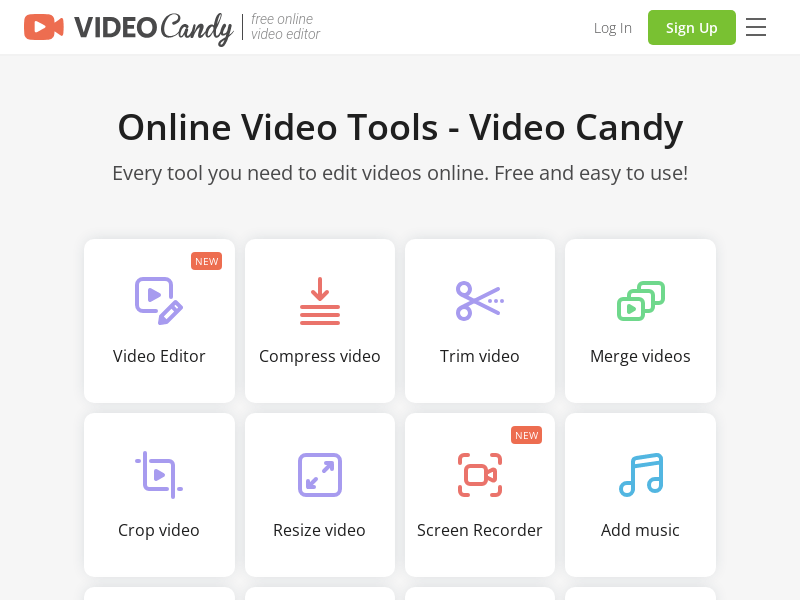
Screenshot archived from the listing page, for preview only.











