
Video to notes
Turn video and audio into notes with screenshots and summariesLecture video in, illustrated notes out.
Highlights
What you can do with it
- Students turn lecture recordings into reviewable notes with slide screenshots
- Teams convert meeting audio into minutes with timestamps and speaker labels
- Creators get transcripts and summaries of their own tutorials to reuse
How to use it
- 1 Drag a video or audio file onto the site, in MP4, MOV, MP3, or another supported format
- 2 Let the AI watch and listen, transcribing speech and capturing key frames
- 3 Open the finished notes with timestamps and search them on the site
- 4 Export the notes in the formats offered
Who it is for
Pros
- Screenshots plus timestamps make long recordings easy to scan
- Speaker separation helps in meetings, interviews, and podcasts
- The free daily allowance lets you test it on real files first
Limitations
- Free files are capped at 30 minutes and 3 per day
- The unlimited plan is a subscription at $10 per month or $120 per year
- Accuracy depends on how clean the audio is, so noisy recordings need proofreading
What Vid2notes is
Vid2notes is a web tool that turns video and audio files into written notes. You drop in a recording, and it transcribes the speech, pulls key frames out of the video as screenshots, and writes a summary. The notes keep timestamps, so you can jump back to the moment a point was made. It supports 98 languages, accepts MP4, MOV, MP3, M4A, AAC, WAV, OGG, OPUS, MPEG, and WMA files, and takes uploads up to 10 hours long, up to 50 files at a time within a 5GB total. Speakers are identified and labelled separately. There is a free version that covers 3 files per day with a 30 minute cap per file, and a paid unlimited version at $10 per month or $120 per year.
What you can do with it
- Convert lecture recordings into illustrated notes with slide screenshots and timestamps
- Turn meeting audio into minutes with speakers labelled separately
- Get a transcript and summary of your own tutorials to reuse in scripts and copy
- Choose audio-only transcription, or a mode that also uses the picture
Who it is for
- Students dealing with long lecture and course videos
- Working professionals who have to organize meetings and training material
- Content creators who publish podcasts and video tutorials
What to watch out for
The free version is a daily sampler rather than a working quota. Three files a day at 30 minutes each will not cover a two hour lecture, so long recordings push you toward the paid plan. Speaker labels and summaries are generated, so they still need a read-through before you circulate them, especially where names or numbers matter. Transcription accuracy depends on how clean the audio is, and a recording with background noise or cross-talk will produce more errors. The listed prices and daily limits can change, so check the current terms on the site before you rely on them.
FAQ
What formats can I upload?
MP4, MOV, MP3, M4A, AAC, WAV, OGG, OPUS, MPEG, and WMA are listed.
How long can a file be?
Up to 10 hours, with up to 50 files at a time and a 5GB total per batch.
What does the free version include?
3 files per day, each up to 30 minutes long. Unlimited transcription sits behind the paid version.
Why it is free
What the official page says: for freefree version
Free limits, trial length and features are decided by the official site and can change at any time.
Product preview
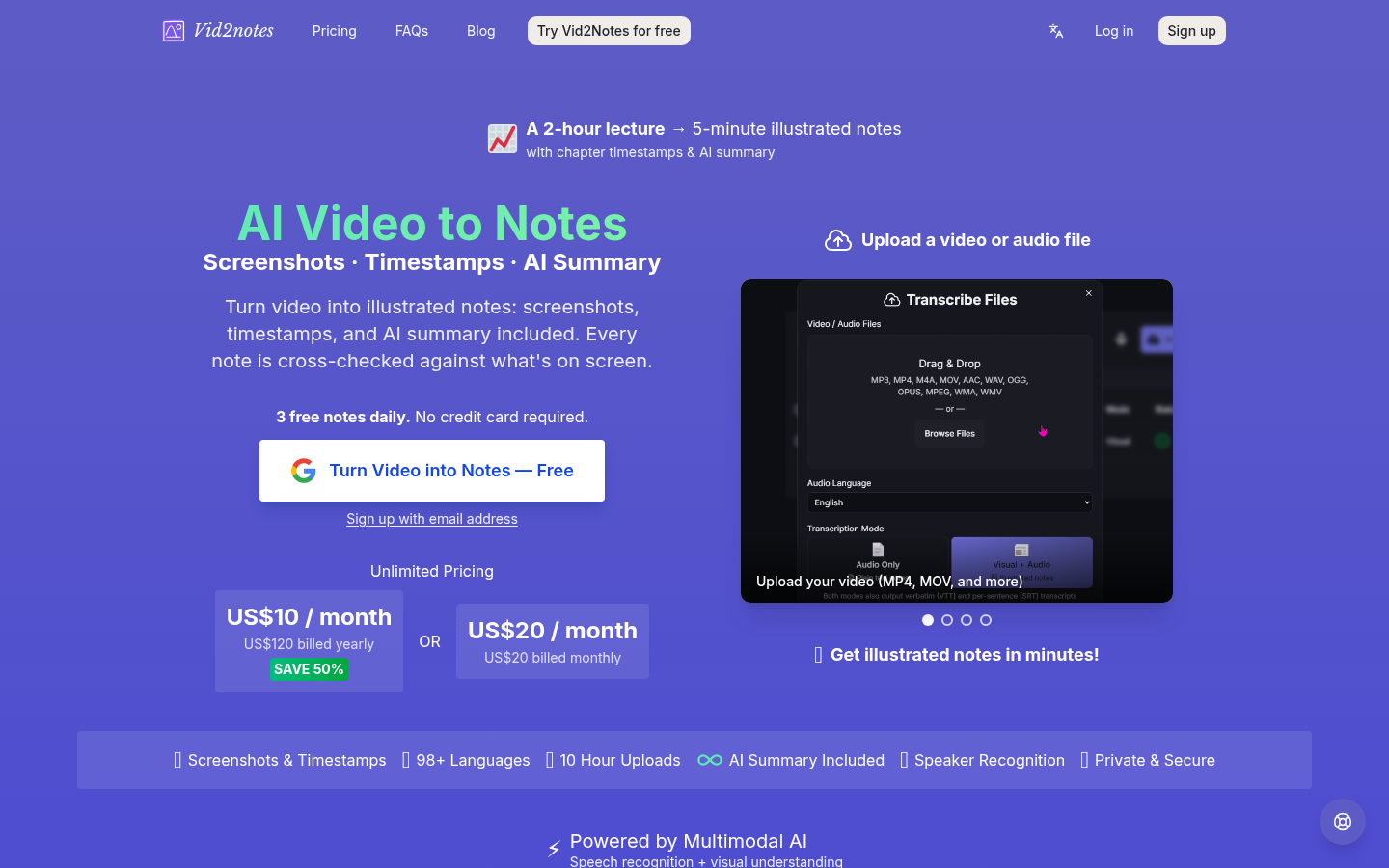
Screenshot archived from the listing page, for preview only.











