Video Transcription AI
Video to text with no sign-upUpload a video, get editable text
Highlights
What you can do with it
- Transcribing long lecture videos with timestamps for easy review before exams
- Producing subtitles and blog drafts from one uploaded video to save weekly hours
- Turning a two-hour recorded meeting into a clean transcript within minutes
How to use it
- 1 Upload a video file or paste a public video link.
- 2 Let the AI transcribe the speech into editable text with timestamps and speaker labels.
- 3 Read the transcript, generate a summary if needed, and translate it if required.
- 4 Copy the text or download it in your preferred format.
Who it is for
Pros
- Free to use with no registration before uploading
- Speaker labels, timestamps, summaries, and translation in one place
- Many export formats including subtitle files like SRT and VTT
Limitations
- The service is free today, but free access rules can change over time
- Accuracy depends on audio quality, accents, and background noise, so proofreading matters
- Online processing means confidential recordings deserve caution until privacy terms are checked
What Video Transcription AI is
Video Transcription AI is an online tool that converts videos into text. Upload a video file or paste a link, and the AI transcribes the speech into editable text, adds timestamps, and can label multiple speakers. Long videos can be condensed into a short summary with one click, transcripts can be translated online for free, and results can be exported as TXT, DOCX, PDF, SRT, VTT, or Markdown. The service accepts common video formats such as MP4, MOV, AVI, MKV, and WEBM, and also processes audio, PDF, and image files. It is free to use and requires no registration, which makes it practical for anyone working with recorded material. The goal is to make video content searchable and easy to reuse.
What you can do with it
- Transcribe video files or pasted links into searchable, editable text.
- Get speaker labels and timestamps so you can jump back to key moments.
- Turn long recordings into short summaries for quick review.
- Export subtitles and documents in formats like SRT, VTT, DOCX, PDF, and Markdown.
Who it is for
- Content creators who need subtitles, scripts, or blog drafts from video and podcast material.
- Educators and students working with lectures, online courses, and webinars.
- Researchers and marketers who analyze interviews, meetings, and recorded presentations.
What to watch out for
The tool is free to use with no registration, but free access rules can change over time, so check the site before relying on it for important work. Transcription quality depends on audio clarity, accents, and background noise, so important transcripts should be proofread before publication. Because files are processed online, avoid uploading confidential or sensitive recordings unless you have reviewed the site's current privacy terms. Plan a manual pass for names, technical terms, and numbers, which are the most common sources of errors.
FAQ
Is registration required?
No. You can upload a video or paste a link and get text without creating an account.
What formats can I export?
TXT, DOCX, PDF, SRT, VTT, and Markdown are supported, covering documents and subtitle files.
Can it handle multiple speakers?
Yes. The tool identifies speakers and adds timestamps so you can jump to key moments.
Why it is free
What the official page says: no registrationfree to use
Free limits, trial length and features are decided by the official site and can change at any time.
Product preview
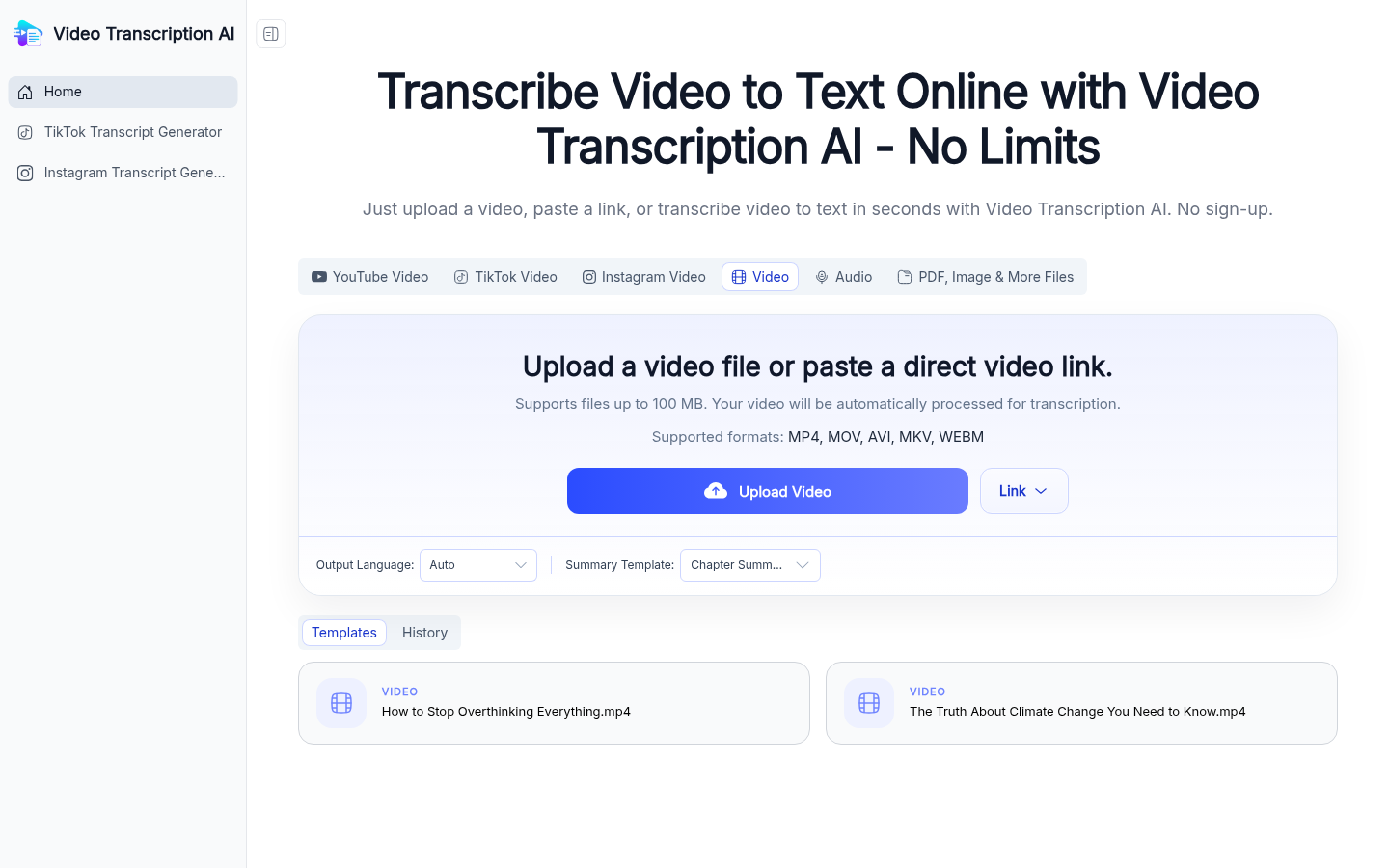
Screenshot archived from the listing page, for preview only.











