
Vidleaf
Read and search video subtitlesSearch videos and export citations
Highlights
What you can do with it
- Search a long lecture video for one concept and export the quote with a timestamp.
- Find how several interviewees answer the same question across videos.
- Transcribe a local video to pull highlight clips for your own edit.
How to use it
- 1 Paste a YouTube or Bilibili link into the box on the homepage.
- 2 Click Read Video and let the system check for existing subtitles.
- 3 If there are none, start transcription, which needs login and quota.
- 4 Search the text, click a segment to jump to that moment, and export the quotes you need.
Who it is for
Pros
- Videos with existing subtitles can be read free and without an account.
- Search plus timestamp jump saves scrubbing through long videos.
- Citation export includes source links, so notes stay traceable.
Limitations
- Transcription needs login and quota, and free quota is limited, so free rules can change.
- Coverage depends on YouTube and Bilibili, so other platforms are not supported.
- Local file upload extracts audio only, and long files take time to process.
What Vidleaf is
Vidleaf is an online workbench for reading long YouTube and Bilibili videos. It takes the subtitles a platform already has, or transcribes the audio when there are none, and turns the video into searchable text beside the player. You can search a keyword, see the surrounding context, and click a segment to jump straight to that timestamp. Selected text can be exported as citations with timestamps, original text, and source links for notes, papers, or scripts. It also runs AI tasks such as summarization and translation. Reading existing subtitles is free without login, while transcription and AI tasks need an account and quota.
What you can do with it
- Read platform subtitles for a YouTube or Bilibili video in the browser.
- Search the transcript and jump to the exact moment a phrase appears.
- Export quotes with timestamps and source links for notes or papers.
- Upload local audio or video for transcription, with only the audio track taken from video files.
Who it is for
- Students extracting key points and quotes from course and lecture videos.
- Researchers locating specific viewpoints inside long interview footage.
- Content creators, language learners, and viewers who want to skim a long video before watching.
What to watch out for
Free access covers reading existing subtitles; transcription and AI tasks consume quota, and the free allowance can change. Support is limited to YouTube and Bilibili, so other platforms will not load. Local uploads take audio only and long files take time to process, and results depend on the platform's subtitle quality when no transcription is run. New accounts start with 30 minutes of transcription and 10 AI tasks, which is enough to test the workflow rather than to run a large project.
FAQ
What is Vidleaf?
It is a browser workbench that turns YouTube and Bilibili videos into searchable text and lets you export citations.
Do I need an account?
Reading existing subtitles is free without login. Transcription needs an account and quota.
What do new users get?
30 minutes of transcription quota and 10 AI tasks on registration, with more available by subscription.
What can I export?
Selected text as citations with timestamps, original text, and source links, in formats such as plain text and Markdown.
Why it is free
What the official page says: freemiumfor freefree trial
Free limits, trial length and features are decided by the official site and can change at any time.
Product preview
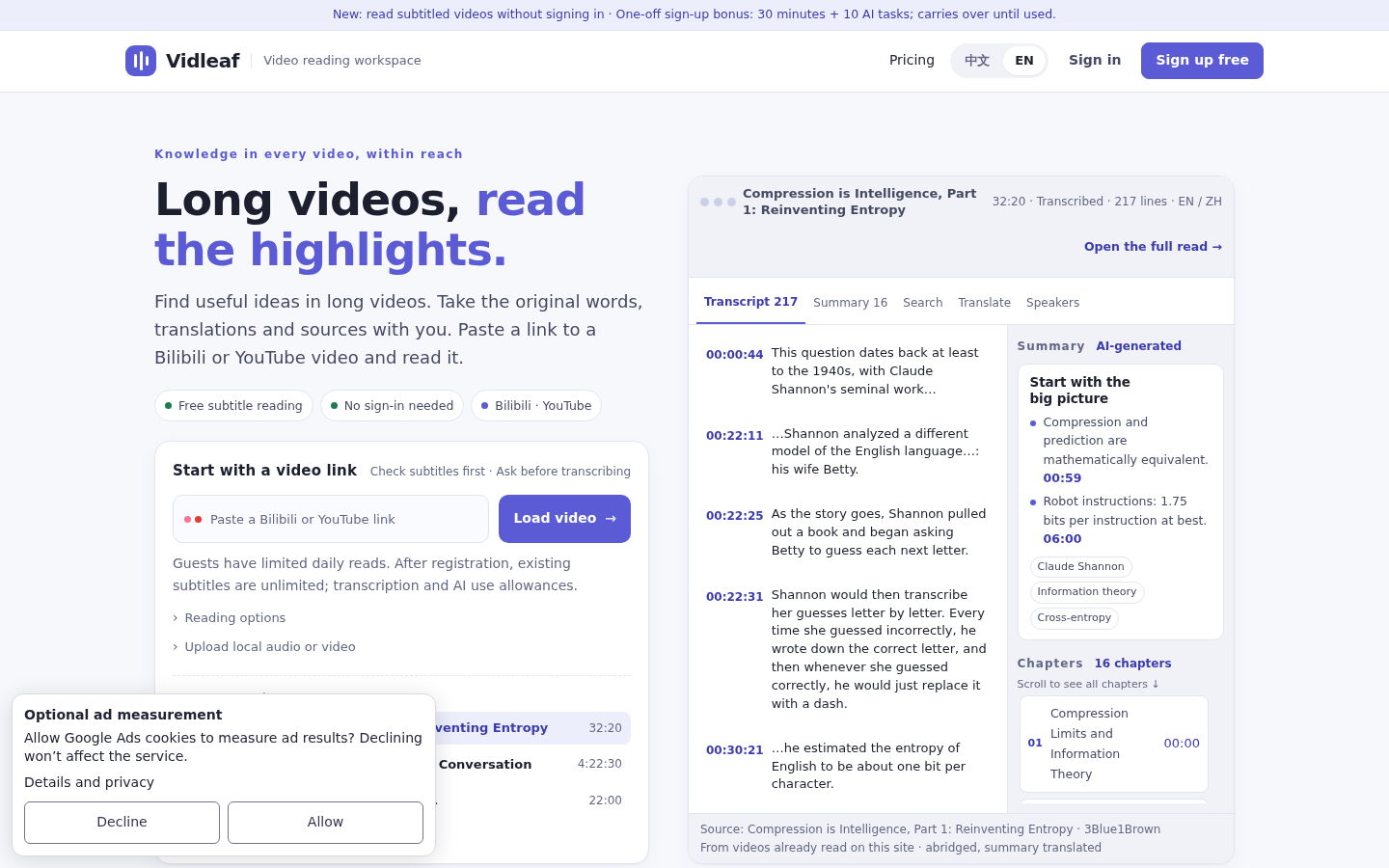
Screenshot archived from the listing page, for preview only.











