Wan 3.0 AI Video Generator
AI video generator from text and imagesFree credits to start, pay as you go after
Highlights
What you can do with it
- Create a quick product promotional video without a shoot or post team
- Generate short videos in different styles for a brand social account
- Produce advertising material for a campaign in a short turnaround
How to use it
- 1 Upload an image or type a description of the scene you want
- 2 Describe the motion, camera movement, and mood you are after
- 3 Generate the clip, preview it, and adjust before final render
- 4 Download the finished video or go back and change it again
Who it is for
Pros
- Free credits on first use so you can test the quality
- Failed renderings are refunded rather than lost
- Multi shot output keeps characters and style consistent
Limitations
- After the free credits it is pay as you go, so cost scales with use
- Results still need review for detail, text, and brand accuracy
- Model availability and credit prices can change over time
What Wan 3.0 AI Video Generator is
Wan 3.0 AI Video Generator is a browser based tool that turns text descriptions or uploaded images into video. It is built for speed: you describe a scene, direct the motion and camera, and the platform renders a clip you can preview live. First time users receive free credits, and after that the tool runs on a pay as you go credit system. The site also states that fees for unsuccessful renderings are refunded, which lowers the risk of paying for a failed job.
What you can do with it
- Generate multi shot video from a single text prompt
- Upload an image and add real motion and camera movement to it
- Direct shots and actions through simple step by step controls
- Lock a visual style from reference material for consistency
- Switch between several video models inside one credit pool
- Preview renders in real time and adjust before finalising
Who it is for
- Social media creators who publish short video often
- Marketers and small businesses needing promo clips fast
- Advertising teams producing creative variants without a full crew
- Anyone testing AI video generation for the first time on free credits
What to watch out for
Once the free credits are used, cost scales with how much video you generate, so set a budget before a long session. Generated footage can still contain artefacts in faces, hands, text, and product detail, so review every clip before it goes public. Model availability, credit prices, and refund rules are set by the operator and can change, so check the pricing page before you commit to a project.
FAQ
Is there a free trial?
Yes. First time users get free credits to try the generator.
What happens if a rendering fails?
The site states that fees for unsuccessful renderings are refunded.
Can I keep the same character across shots?
The tool supports multi shot output with character and style consistency, and you can lock a style from reference material.
Why it is free
What the official page says: free credits
Free limits, trial length and features are decided by the official site and can change at any time.
Product preview
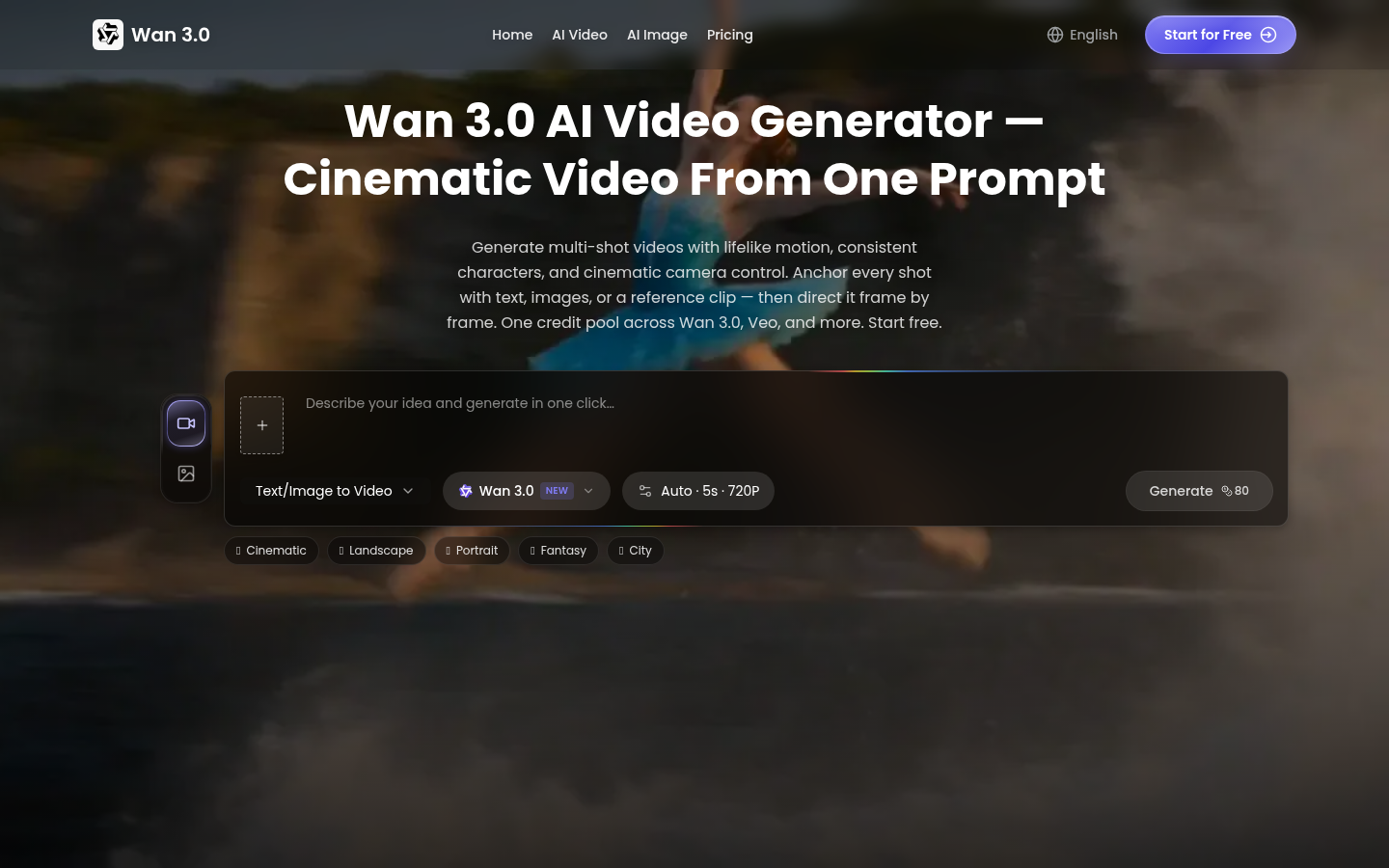
Screenshot archived from the listing page, for preview only.