Webdraw
Free platform to build AI apps from templatesCreate and use AI apps without coding
Highlights
What you can do with it
- Build an image generation app from a text description
- Create a chat assistant for support or entertainment
- Use image editing tools to optimize design work
- Prototype an AI feature without writing code
How to use it
- 1 Visit the Webdraw site and register or log in
- 2 Choose create app or open a template you like
- 3 Fill in the app name and description
- 4 Pick AI models and modules to combine
- 5 Finish the app, then use it or share it with others
Who it is for
Pros
- No coding knowledge required
- Wide template range across image, video, and chat
- Completely free according to the site
- Multilingual interface for different regions
Limitations
- Free terms and feature access can change without notice
- Apps you build depend on the platform staying online and keeping models available
- Output quality depends on the templates and models you pick
- Building a useful app still takes planning and iteration
What Webdraw is
Webdraw is a free AI application generation platform. It lets you create and use AI apps without complex programming, starting from templates for image generation, video production, and chat assistants, or combining AI models into a custom app. It also ships its own tools, such as image editing, video generation, and text analysis, and the interface supports multiple languages. The site describes the platform as completely free and aimed at individual creators, developers, and business users who want to build and deploy AI apps quickly.
What you can do with it
- Build an AI app from a template
- Combine different AI models into a custom app
- Use built-in tools for image, video, and text work
- Share or deploy the app you create
Who it is for
- Individual creators who want AI apps without code
- Developers prototyping AI features fast
- Business users exploring automation
- Non-technical users curious about building with AI
What to watch out for
The platform is free today, but free terms and feature access can change without notice. Apps you build run on Webdraw, so they depend on the platform staying online and keeping its models available. Output quality depends on the templates and models you pick, and building a useful app still takes planning and iteration. Because it is a builder platform, expect a learning curve the first time you set one up. For best results, start with a small test file and review the output carefully before working on anything important. Free tiers can change over time, so it is worth checking the current limits on the official page before you rely on the tool daily.
FAQ
Is Webdraw free?
The site describes the platform as completely free.
Do I need coding skills?
No. The platform is designed for creating AI apps without complex programming.
What can I build?
Image generation, video production, chat assistants, and custom apps that combine AI models.
Can I share the app I make?
Yes. After creating an app you can use it or share it with others.
Why it is free
What the official page says: completely free
Free limits, trial length and features are decided by the official site and can change at any time.
Product preview
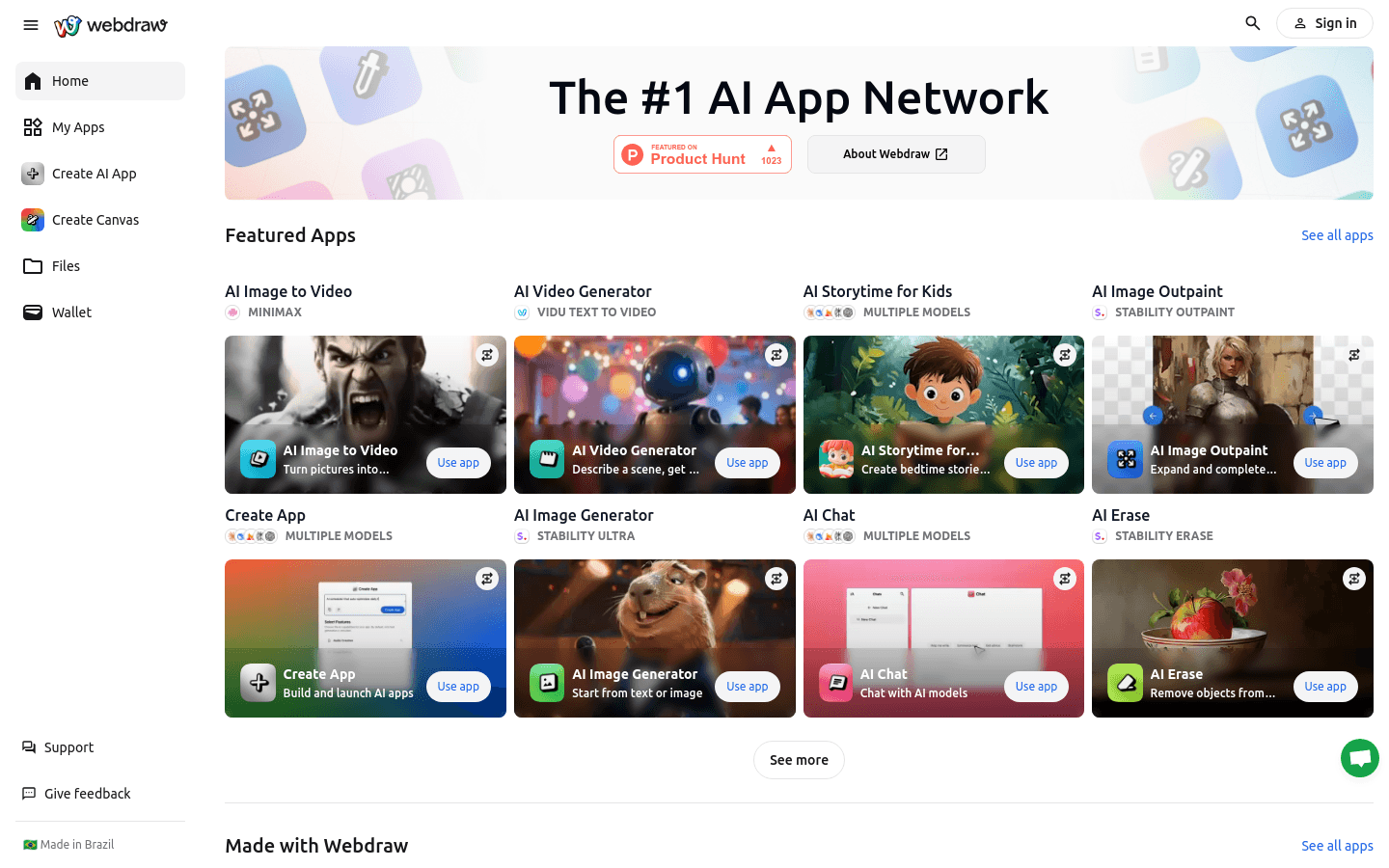
Screenshot archived from the listing page, for preview only.