
Wraith Docs
AI assistant inside Google DocsRewrite, expand, and simplify in place
Highlights
What you can do with it
- Tighten a draft paragraph without leaving Google Docs
- Expand a short section into a fuller explanation
- Adjust wording for target keywords
How to use it
- 1 Add Wraith Docs to Google Docs
- 2 Open the document you want to work on
- 3 Select text or place the cursor
- 4 Choose an action such as rewrite, expand, or simplify
- 5 Or type a custom prompt of up to 4000 characters
Who it is for
Pros
- Free during public beta
- Works inside Google Docs
- Several editing actions in one place
- Long custom prompts supported
Limitations
- Public beta, so features and availability can change
- Limited to Google Docs
- Output needs human review
- Free status is tied to the beta stage
What Wraith Docs is
Wraith Docs is an AI assistant for Google Docs that helps you edit and optimize documents in the place you already write. It covers the common editing passes: rewriting content, expanding an article, simplifying text, and optimizing SEO keywords. There is also quick text addition for filling gaps, and a flexible prompt field that accepts up to 4000 characters when you want to steer the result yourself. The product is in public beta and is free to use during that stage.
What you can do with it
- Rewrite a paragraph without leaving the document.
- Expand a thin section into a fuller explanation.
- Simplify dense text for a wider audience.
- Adjust wording around target keywords.
- Add new text through a long custom prompt.
Who it is for
- Writers who draft in Google Docs.
- Editors cleaning up other people's copy.
- Marketers tuning pages for search.
What to watch out for
Because it is a public beta, features and availability can change without much notice, and the free status is tied to that stage. The tool only works inside Google Docs, so other editors are out of scope. Output still needs human review, especially for factual claims and brand voice, and the 4000 character prompt limit is generous but not unlimited. Behavior may vary across browsers and devices, so test before production use and consult the help docs if errors appear. Features and interface details may change between versions, so review the latest notes on the page before you start. Save a backup of the original file before large batch jobs, and keep an exported copy of key results in case the page or service becomes temporarily unavailable.
FAQ
Is Wraith Docs free?
It is currently in public beta and free to use.
What can it do?
Rewrite content, expand articles, simplify text, optimize SEO keywords, and add text quickly.
How long can a custom prompt be?
Up to 4000 characters.
Why it is free
What the official page says: free to use
Free limits, trial length and features are decided by the official site and can change at any time.
Product preview
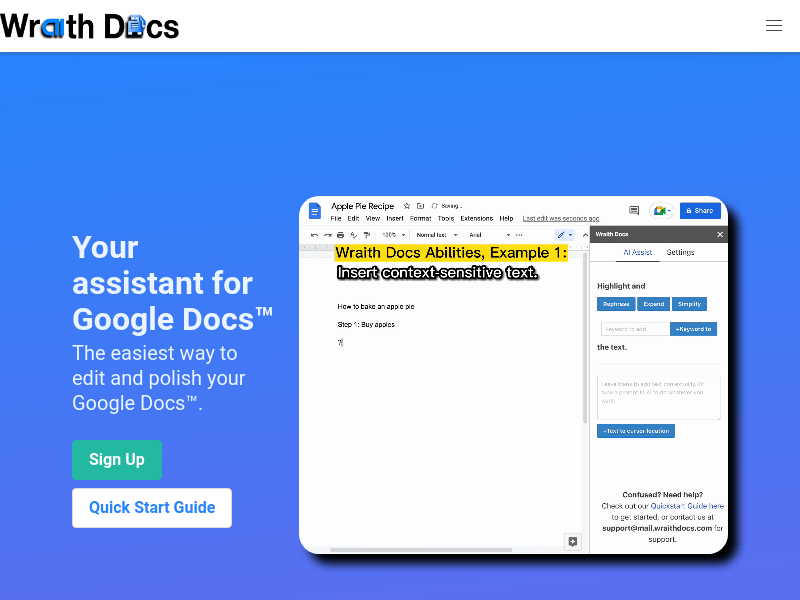
Screenshot archived from the listing page, for preview only.











