
Youtube Transcripts by Editby.ai
Free YouTube video transcript toolCopy, search, and download YouTube transcripts
Highlights
What you can do with it
- A student turns a lecture video into notes to study from
- A creator pulls quotes from a video to reuse in writing
- A researcher collects transcript text for reference
How to use it
- 1 Paste the YouTube video link into the tool
- 2 Let it generate the transcript text
- 3 Search keywords or jump to a timestamp
- 4 Copy or download the transcript
Who it is for
Pros
- Completely free, no registration needed
- Fast, searchable transcripts with highlighting
- Copy or download in one click
Limitations
- Accuracy can vary with audio quality and accents
- Depends on the upstream video and its availability
- Free service terms and uptime can change
What Youtube Transcripts by Editby.ai is
This tool, at transcriptdownload.com, turns YouTube videos into text transcripts for free, with no registration and no payment. It is built for people like content creators and students who need the spoken words from a video quickly and accurately. Once the transcript is ready, you can search it for keywords, which are highlighted in the text, and jump straight to that moment in the video. You can also copy the whole transcript to your clipboard with one click or download it as a file for later. Everything runs in the browser, so there is nothing to install. The aim is to save the time of typing out a video by hand and to make spoken content far easier to search, quote, and reuse in your own work.
What you can do with it
- Get a text transcript of a YouTube video
- Search keywords and see them highlighted in the text
- Jump to the exact point in the video
- Copy or download the transcript
Who it is for
- Students turning lectures and talks into study notes
- Content creators reusing spoken lines in writing
- Anyone who needs a fast text copy of a video
What to watch out for
Transcript accuracy depends on the audio, so background noise, multiple speakers, or unclear speech can introduce errors, and you should proofread before relying on it. The service relies on the upstream video being available, so private, age-restricted, or removed videos may not work. Because it is a free web tool, terms and availability can change, so do not treat it as a permanent archive. Always check important quotes against the original video before you publish them.
FAQ
Is it free?
Yes. The tool is described as free of charge and needs no registration.
Can I search the transcript?
Yes. You can search keywords and they are highlighted, and you can jump to that point in the video.
How do I save the text?
You can copy it to the clipboard or download the transcript file.
Why it is free
What the official page says: for freefree of charge
Free limits, trial length and features are decided by the official site and can change at any time.
Product preview
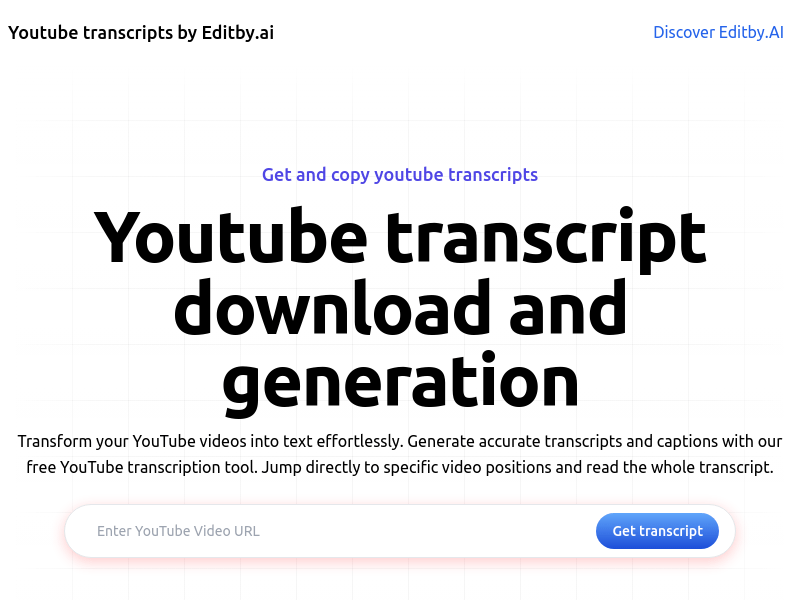
Screenshot archived from the listing page, for preview only.











