ZOM-AI
Free AI image generator and text driven photo editorTurn text into images and edit photos with AI, free to use
Highlights
What you can do with it
- Illustrators and designers who need quick concept art or poster drafts
- Social media managers who want eye catching visuals for campaigns
- Anyone who wants to retouch a photo by describing the change in words
How to use it
- 1 Open the ImgCreator.AI generator page in your browser
- 2 Enter a text description of the image you want to create
- 3 Wait for the AI to generate the image and review the result
- 4 Use text commands to edit the photo or refine the output
- 5 Download the finished image or invite friends for more free credits
Who it is for
Pros
- Free to use with no upfront payment required
- Combines image generation and photo editing in one place
- Supports many creative tasks from posters to photo retouching
Limitations
- Free image quotas and referral rewards may change as the service adjusts its rules
- Output quality depends on the upstream AI model and your prompt wording
- Editing fine details may require practice and several attempts
What ZOM-AI is
ZOM-AI, hosted at ImgCreator.AI, is a free AI image generation and editing tool. It creates images from text descriptions and also lets you edit photos by describing changes in plain words. The service is free to use, and users can earn additional free images by inviting friends to the platform. It is aimed at anyone who needs quick visuals without opening a full design suite or hiring a designer. The tool handles illustrations, cartoons, conceptual design, and everyday photo retouching in a single browser page. The platform runs online, so there is nothing to install, and new users can start generating within minutes of arriving on the site.
What you can do with it
- Generate images from text for illustrations, cartoons, and conceptual design
- Edit photos by describing changes such as new backgrounds, clothing, or hairstyles
- Create posters, PPT slides, children's book pages, and social media graphics
- Repair or extend existing artwork and gather design inspiration for new projects
Who it is for
- Designers and illustrators who need fast concept drafts before final production
- Social media marketers who publish fresh visuals on a regular schedule
- Hobbyists and beginners who want to try AI art without paying for software
What to watch out for
The free image allowance and the friend referral rewards are set by the provider and can change at any time without notice. Because the tool relies on upstream AI models, output quality varies with prompt wording, subject complexity, and current model behavior. Editing fine details such as hair, accessories, or small objects may take several attempts, so plan for some trial and error. Results are best when you write clear, specific prompts rather than short vague phrases. If you rely on the free tier for commercial work, keep backup plans in case limits tighten in the future.
FAQ
Is ZOM-AI really free to use?
Yes, the base tool is free to use, and you can earn extra free images by inviting friends.
What can I create with ZOM-AI?
You can generate illustrations, cartoons, posters, slides, children's book art, and social media visuals, or edit photos with text.
Do I need design experience to use it?
No, the tool is built for general users, but writing clear text prompts helps you get better results.
Why it is free
What the official page says: free to use
Free limits, trial length and features are decided by the official site and can change at any time.
Product preview
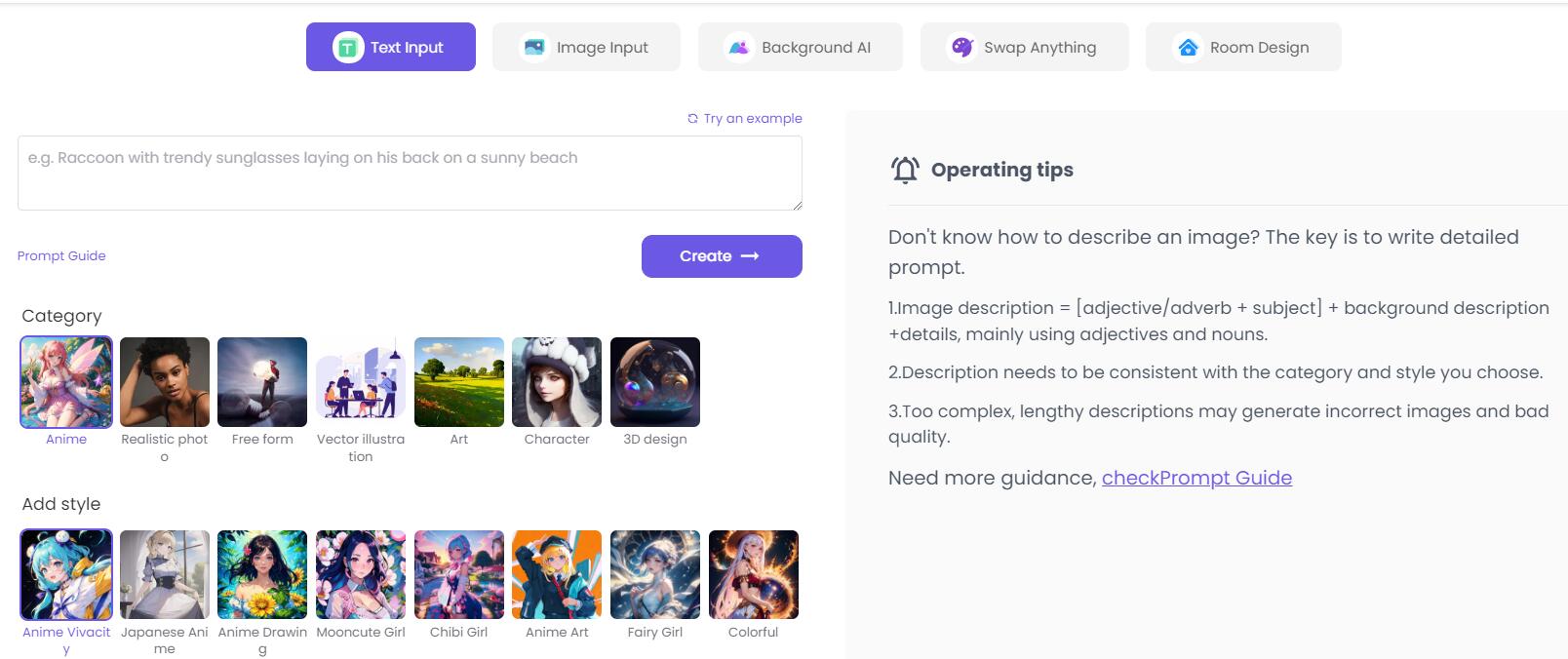
Screenshot archived from the listing page, for preview only.