AdsLibrary
Save and manage ads across platformsOne-click save for ad inspiration
Highlights
What you can do with it
- Save and share ad inspiration within a creative team
- Download competitor ads for analysis
- Share ad creatives and feedback with clients
How to use it
- 1 Install the browser extension from the website
- 2 Log in and connect the platforms you want to save from
- 3 Browse and filter ads in the library
- 4 Save the ads you like to your personal library
- 5 Organise them into groups, download, and share with your team
Who it is for
Pros
- Saves ads fast from several platforms
- Flexible organisation with tags and groups
- Team sharing and comments built in
Limitations
- The free version has limits, with paid plans for more
- Depends on platform access and the extension working
- Ad data and availability change often
- Team features may require a paid plan
What AdsLibrary is
AdsLibrary is a tool for saving and managing ads from platforms such as Facebook, TikTok, and YouTube. Using a browser extension, you can save an ad in one click while you browse, then keep it in your own library for later. From there you can organise saved ads with tags and groups, download the media and related data one at a time or in bulk, and share ad groups with your team so people can add comments. It can also monitor the active status and runtime of ads and capture screenshots of creative ad pages.
What you can do with it
- Save ads from several platforms with one click
- Organise saved ads with tags and ad groups
- Download ad media and data singly or in bulk
- Share ad groups with your team and leave comments
- Monitor whether ads are still active and how long they run
Who it is for
Creative teams that collect ad inspiration, marketing professionals who download and study competitor ads, and advertising agencies that share creatives and feedback with clients all benefit from AdsLibrary. It is aimed at anyone who works with advertising creative and needs a tidy place to keep references. Teams that collaborate on ideas will find the sharing and comment features most useful.
What to watch out for
AdsLibrary has free and paid versions, so the free tier has limits and some features, especially team tools, may require payment. It depends on the browser extension working and on your access to each platform, so changes to a platform can break saving. Ad data and availability change often, so a saved ad may disappear or stop running. Check current plan details on the site, and respect the terms of the platforms you save from.
FAQ
What is AdsLibrary?
It is a tool for saving, organising, and sharing ads from several platforms.
Which platforms are supported?
Facebook, TikTok, YouTube, and others.
Is there a free version?
Yes, there are free and paid versions.
How do I save an ad?
Use the browser extension and click to save it to your library.
Why it is free
What the official page says: 免费
Free limits, trial length and features are decided by the official site and can change at any time.
Product preview
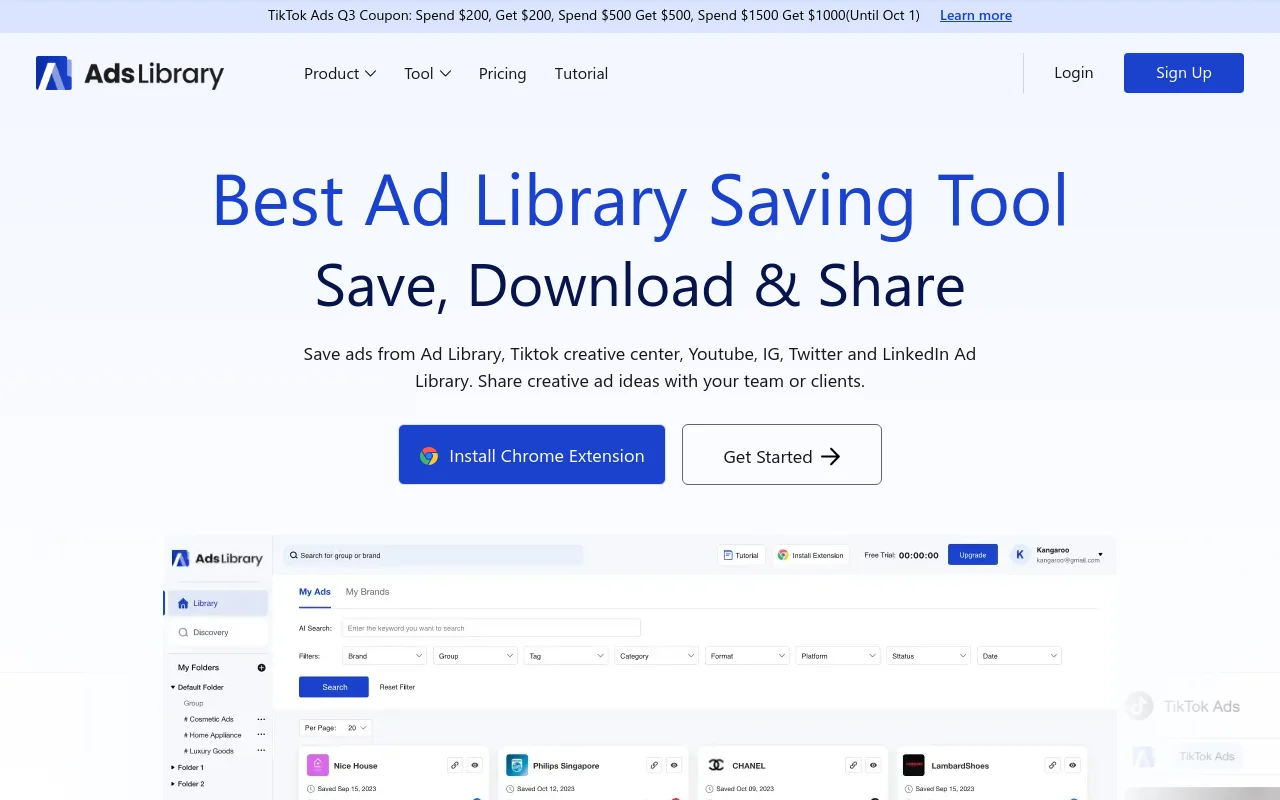
Screenshot archived from the listing page, for preview only.