AI Voice Lab
Free AI text-to-speech toolRealistic speech from your text
Highlights
What you can do with it
- Convert a video script into narration speech
- Generate voiceovers for advertisements
- Produce podcast opening and closing remarks
How to use it
- 1 Visit the AI Voice Lab page.
- 2 Enter the text you want to convert to speech.
- 3 Choose a voice style from the available options.
- 4 Click the Generate Speech button.
- 5 Preview the result and download the audio if you are satisfied.
Who it is for
Pros
- Free daily generations make it easy to test
- Many voices and languages to choose from
- Output described as highly realistic speech
Limitations
- Free quota is 5 generations per day and may change
- Voice tech can be misused for impersonation; ethical use matters
- Generated speech may still need retakes to fit a project
What AI Voice Lab is
AI Voice Lab is a free AI text-to-speech tool that converts text into realistic speech. The site says it uses a GPT-like AI voice model, supports over 20 languages, and offers 47 voice styles and more than 100 AI voices, including styles similar to popular TikTok, Instagram, and YouTube voiceovers. You get 5 free generations each day, which makes it easy to test voice options before committing to a project. It is aimed at video and audio production, where good narration can lift the quality of the final content. Free daily limits are the current offer and may change.
What you can do with it
- Convert scripts and articles into spoken audio
- Pick from 47 voice styles across more than 20 languages
- Create voiceovers that match popular social media styles
- Preview and download generated speech for your projects
Who it is for
- Video creators who need narration for their content
- Advertisers and marketers producing voiceovers
- Podcasters making opening and closing segments
What to watch out for
The free plan gives you 5 generations per day, and that quota can change. Voice technology can be misused for impersonation, so the site stresses safe and ethical use, and you are responsible for staying within platform rules and the law when you publish. Generated speech may still need small edits or retakes to fit your project perfectly, so leave time to review the audio before release. For best results, start with a small test file and review the output carefully before working on anything important. Free tiers can change over time, so it is worth checking the current limits on the official page before you rely on the tool daily.
FAQ
How many free generations do I get?
The site says you get 5 free generation opportunities each day. This quota can change, so check the page for current limits.
How many voices and languages are available?
The site says there are 47 voice styles, more than 100 AI voices, and support for over 20 languages.
What is it used for?
It is used for video and audio production, such as narration, advertisements, and podcast segments, with voices similar to popular social media voiceovers.
Why it is free
What the official page says: 免费使用免费
Free limits, trial length and features are decided by the official site and can change at any time.
Product preview
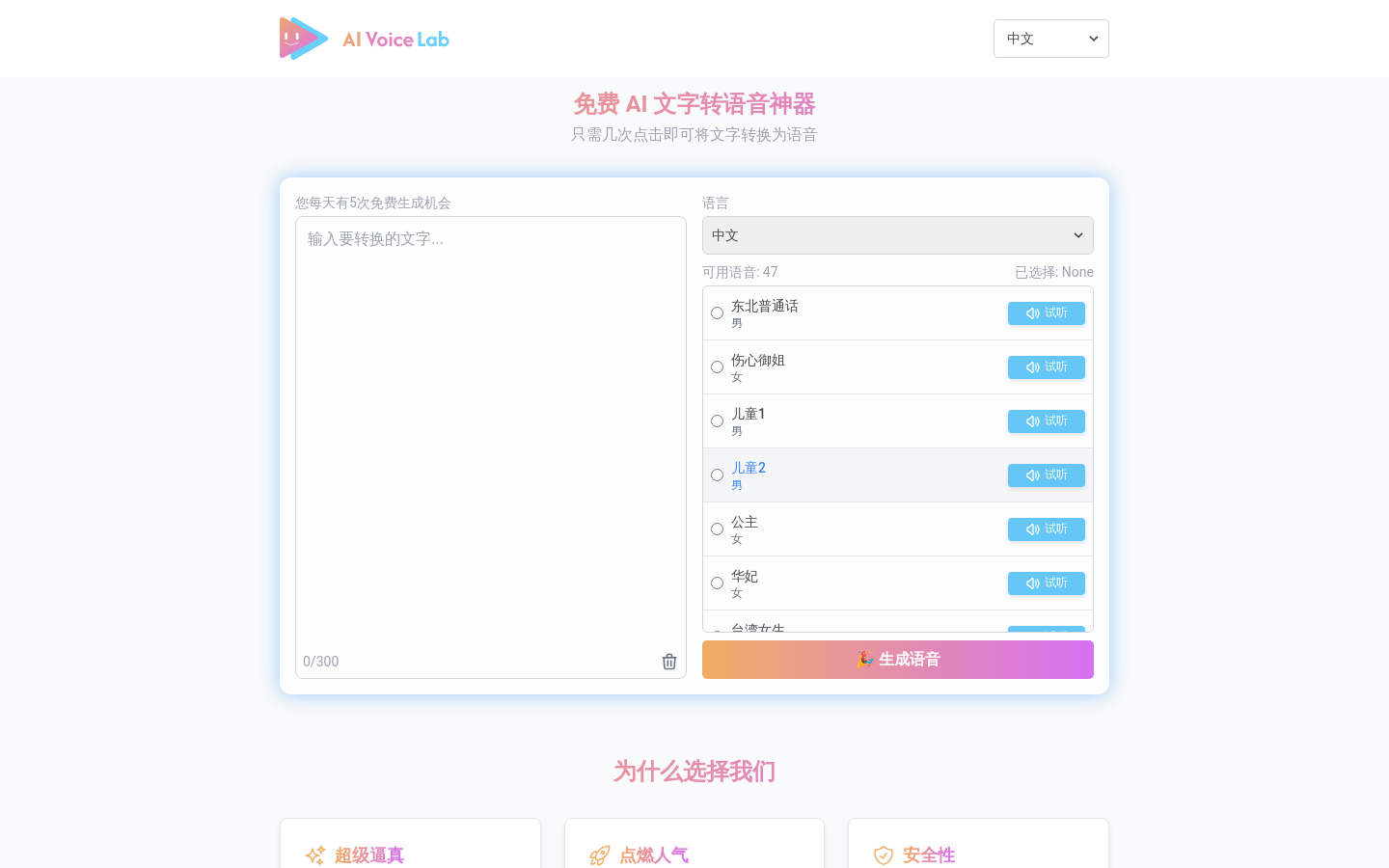
Screenshot archived from the listing page, for preview only.