anyLanguage.ai
Any language translatorTranslate any website in seconds
Highlights
What you can do with it
- Translate a foreign news article while browsing
- Read product pages in another language while shopping
- Understand documentation written in a different language
How to use it
- 1 Install the anyLanguage.ai extension in your browser
- 2 Open any web page with text you want to translate
- 3 Select the text and trigger the translation
- 4 Read the translated result directly on the page
Who it is for
Pros
- Free to use with no stated cost
- Simple setup that takes only a few steps
- Regular updates keep performance and features current
Limitations
- A browser extension, so it only works inside the browser
- Translation quality depends on the underlying AI model
- Free availability and features may change with future updates
What anyLanguage.ai is
anyLanguage.ai is a browser extension built for instant language translation. It uses AI to translate text directly on web pages so you can read content in a language you do not know without leaving the site. The extension is free to use, and the team ships regular updates that improve performance and add features. Setup is deliberately simple: a few steps and the tool is ready inside your browser. The aim is to remove the friction of copying text into a separate translator, so reading foreign pages becomes part of normal browsing rather than a separate chore.
What you can do with it
- Translate text on any website across any language
- Read foreign pages while browsing without switching apps
- Keep up with updated features through regular releases
- Use it as a lightweight helper for everyday reading
Who it is for
- People who browse sites in languages they do not read
- Students and researchers working with foreign sources
- Shoppers and readers who meet other languages online
- Anyone who wants quick translation inside the browser
What to watch out for
Because it is a browser extension, anyLanguage.ai only works inside the browser and will not translate text in desktop apps or local files. Translation quality depends on the underlying AI model, so results may vary by language and by context, and nuance can be lost. The extension is currently free, but the free rules and feature set can change as updates are released, so it is worth checking the current terms before relying on it for important work. For best results, start with a small test file and review the output carefully before working on anything important.
FAQ
Is anyLanguage.ai free?
Yes. The extension is described as free to use, and it receives regular updates to improve performance and functionality.
What does it translate?
It provides seamless translation of text on any website across any language, using AI in the browser.
How do I start using it?
Install the browser extension, then follow a few simple steps to translate text on any page you visit.
Why it is free
What the official page says: 免费使用免费
Free limits, trial length and features are decided by the official site and can change at any time.
Product preview
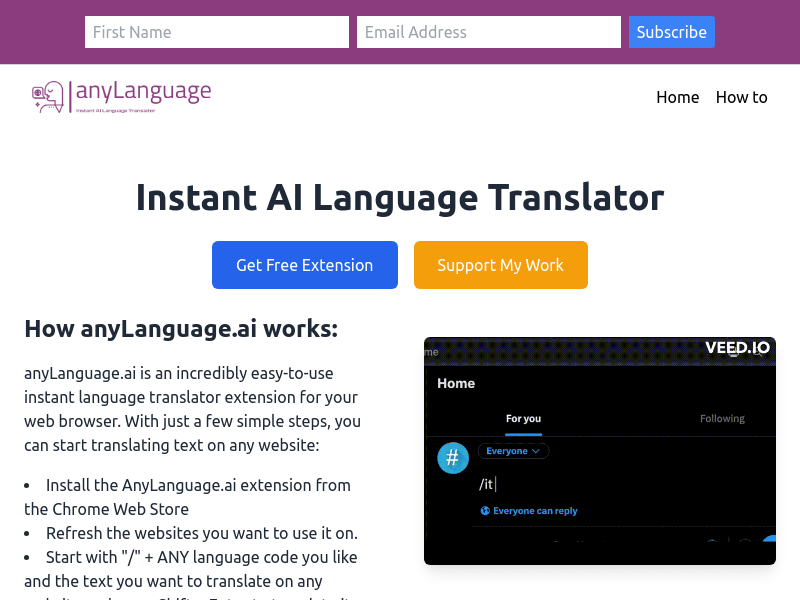
Screenshot archived from the listing page, for preview only.